Food and Product Photography for CPG Brands (2026)

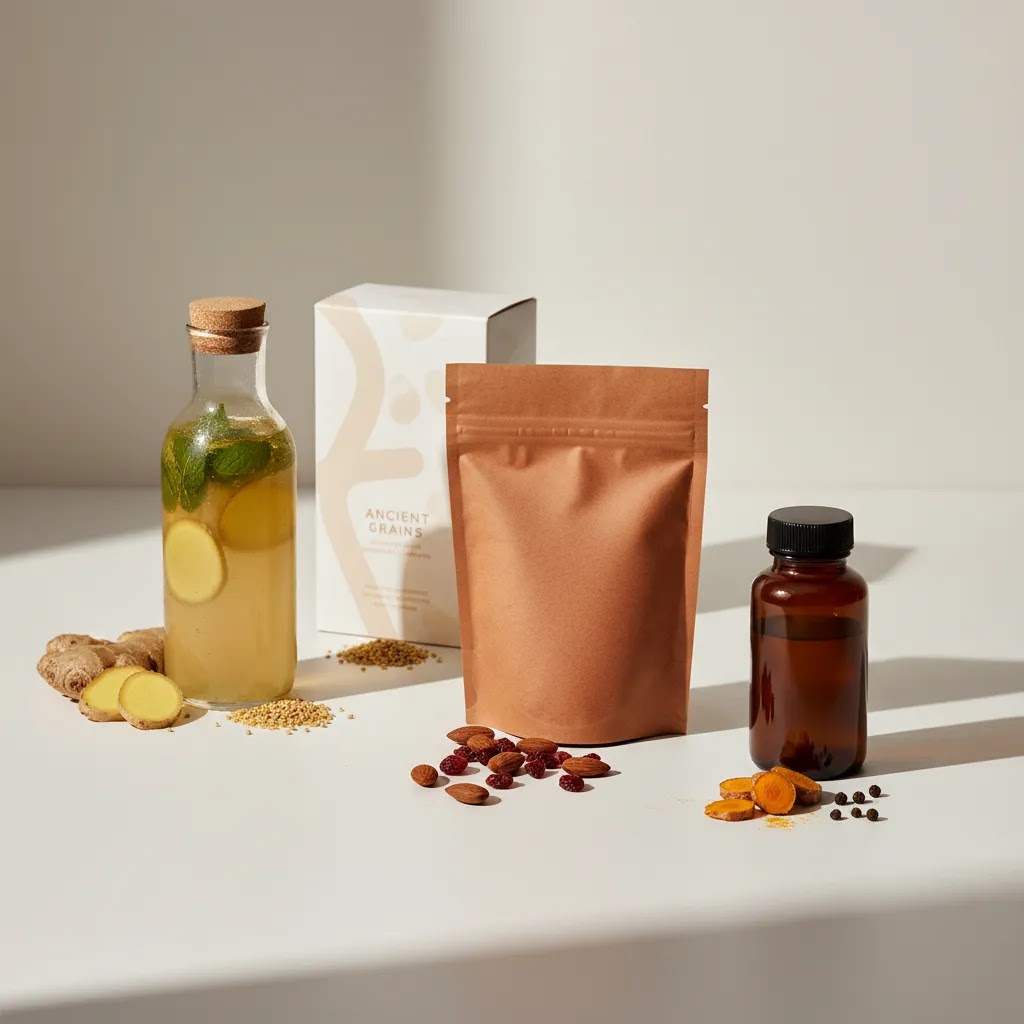
Food and product photography matters more for CPG brands than many founders expect. It affects click-through rate, perceived quality, add-to-cart confidence, and how well your products translate across Shopify, Amazon, retail sell sheets, and paid ads. The practical verdict is simple: most brands need a mix of clean pack shots, conversion-focused lifestyle images, and a faster post-production workflow. For lean teams, AI-assisted editing can reduce turnaround time for backgrounds, scene variations, and image cleanup, but it does not replace strong lighting, styling, and composition. At AcquireConvert, we evaluate visual commerce tools through the lens of real store performance, informed by Giles Thomas’s experience as a Shopify Partner and Google Expert. This guide is for CPG operators who want sharper imagery, clearer buying signals, and a photography setup that matches their stage of growth.
Contents
- Overview
- Behind-the-Brand Storytelling Shots (and When They Matter for CPG)
- What Great Food and Product Photography Needs
- Pricing and Costs
- Working With a Food/Product Photographer: Brief, Shot List, and Usage Rights
- Trust and Credibility
- Food and Product Photography Career and Hiring Signals (for In-House or Freelance)
- Pros and Cons
- Who This Approach Is Best For
- How to Get Started
- Frequently Asked Questions
- Key Takeaways
Overview
For CPG brands, food and product photography is not one asset type. It usually includes plain-background ecommerce images, styled lifestyle shots, detail shots, ingredient or texture close-ups, and campaign visuals sized for email, paid social, and marketplace listings. A snack brand, supplement company, or beverage label may need all of these at once.
Your first priority should be image utility. Can the image explain pack size, flavor, texture, and quality within seconds? Can it work on a Shopify collection page, a PDP, an Amazon listing, and a Meta ad without a full reshoot? That is where a structured workflow matters more than chasing a dramatic visual style for every shot.
Brands building a richer visual system should study lifestyle photography alongside clean catalog standards. If your packaging has a strong founder story or premium positioning, branding photography also becomes relevant because it shapes how consistently your visuals communicate value across channels.
From the current product data available, useful AI-assisted image tools include ProductAI Photo options such as AI Background Generator, Free White Background Generator, Increase Image Resolution, Remove Text From Images, Background Swap Editor, and Creator Studio. The tool data provided does not include live pricing or ratings, so any cost decision should be confirmed on the product pages before rollout.
Behind-the-Brand Storytelling Shots (and When They Matter for CPG)
Here’s the thing: “brand story” imagery is not just a nice-to-have for your About page. For CPG, process and origin visuals can support premium positioning and reduce skepticism, especially when your product is hard to evaluate from packaging alone. If you sell olive oil, coffee, supplements, spices, sauces, or anything where quality is partially invisible, showing sourcing, craft, and quality checks can help customers believe your claims without needing to read a long wall of copy.
From a practical standpoint, behind-the-brand images work best when they still sell. That means they need to clarify what your product is, why it is different, and what “good” looks like. Think of it as conversion support, not documentary photography.
A practical behind-the-brand shot list that still sells
If you are building a story library, focus on repeatable shots you can reuse across Shopify PDP modules, email campaigns, ads, and wholesale presentations. In many cases, you will want these to feel consistent with your pack shots and lifestyle visuals, similar lighting logic, consistent color, and clear product presence.
- Ingredient origin: raw ingredients in a realistic setting (farm, supplier, kitchen prep), plus close-ups that show freshness and texture.
- Process steps: 3 to 6 images that show how the product is made, prepared, or packed, with at least one image where your packaging is visible.
- Quality control: weighing, batch labels, temperature checks, lab or testing context (without overstating what you can prove), and clean production signals.
- Craft and detail: hands doing the work, equipment detail, mixing, roasting, filling, sealing, labeling, or inspection.
- Team and founder moments: founder in the environment, team at work, and a clean portrait that matches your brand tone.
- Scale cues: cases, pallets, production runs, or a “shipping day” shot to signal reliability, especially if you sell to wholesale.
What many store owners overlook is where these get used. They are not just for social posts. They can work as: PDP trust modules (below the fold), email welcome flows, paid social creative when you are selling the “why,” and retail sell sheets and wholesale decks when a buyer needs confidence that you can deliver consistently.
When to prioritize story visuals vs conversion-first pack shots
Consider this as a staging decision:
- Early validation: prioritize conversion-first pack shots and a small set of lifestyle images that show use and scale. You need clean, channel-compliant images that remove buying friction.
- Early scaling: add behind-the-brand shots once you have a clearer sense of your winning SKUs and your most common objections. At this stage, story imagery can help your ads and PDPs feel more differentiated.
- Scaling across channels (Shopify, Amazon, wholesale): expand the story library with consistent process and quality images. This is where a cohesive system can reduce the need for constant reshoots because you have a reusable “proof” bank.
The reality is that story visuals can raise perceived value, but only if your fundamentals are covered first. If you do not yet have clean white background images, consistent lighting across your line, and at least one strong “what is it and how do I use it” lifestyle shot, fix those before you invest heavily in origin storytelling.
What Great Food and Product Photography Needs
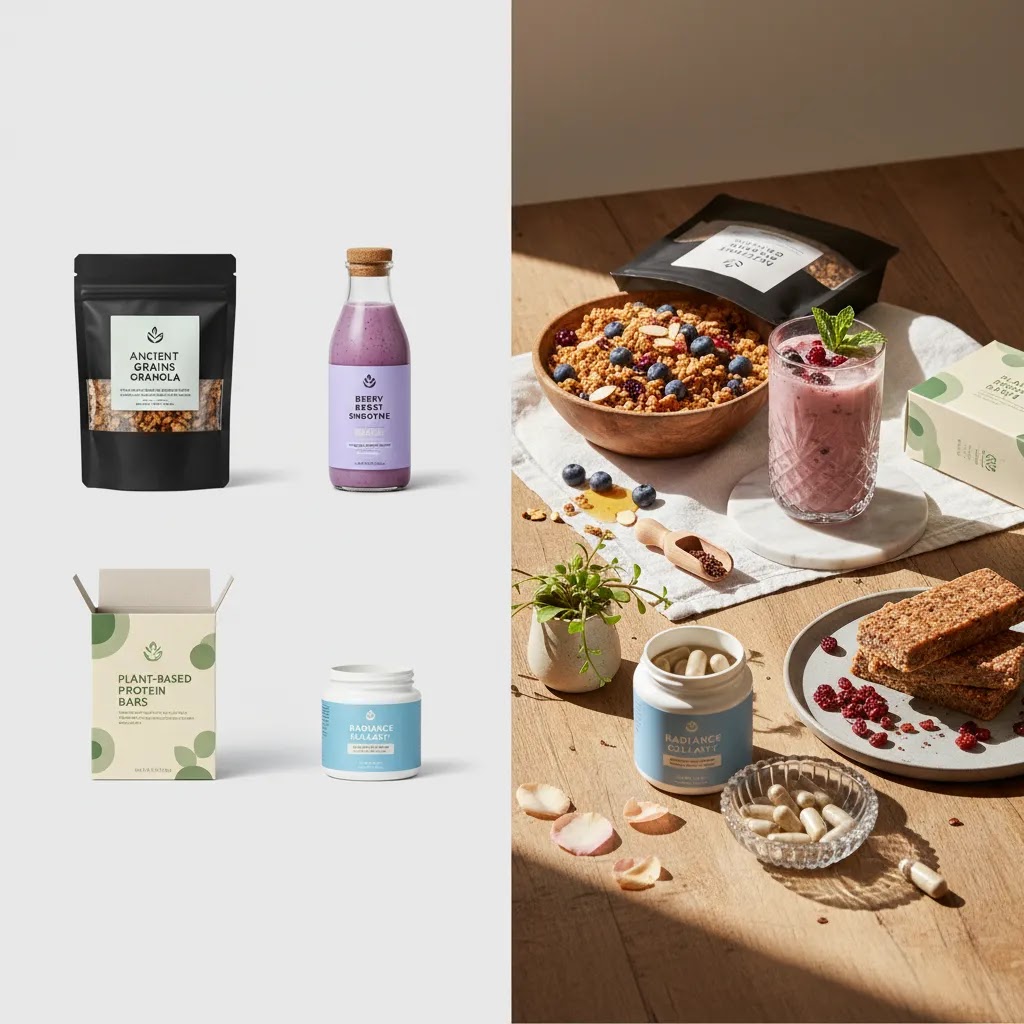
Strong food and product photography for CPG brands usually rests on five things: lighting control, composition discipline, packaging accuracy, channel-specific formatting, and efficient editing. If one breaks down, the image may look attractive but still underperform commercially.
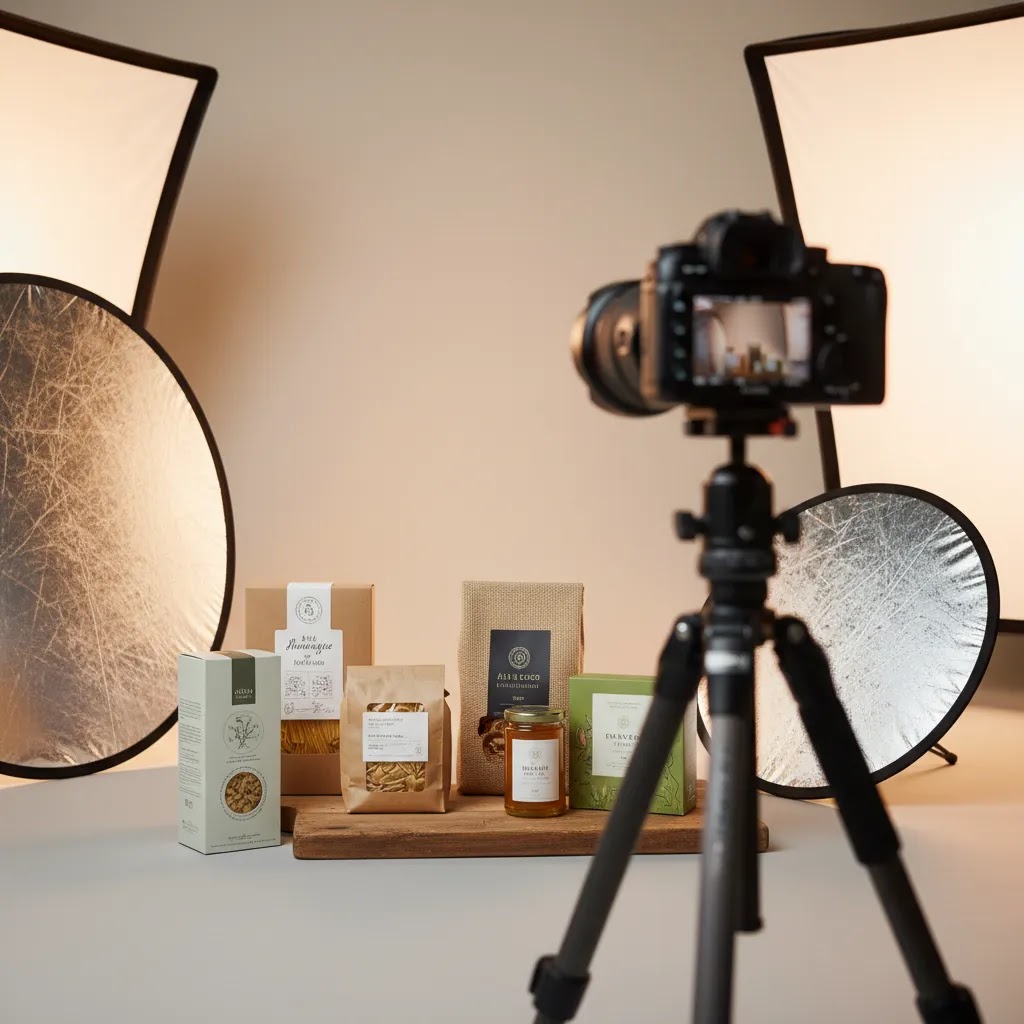
Lighting and color accuracy are especially important for food. Buyers use visual cues to judge freshness, flavor intensity, and quality. Harsh reflections on pouches, jars, and cans can make products feel lower quality, while poor color balance can distort ingredients or brand colors. This is where product photography lighting composition and shooting techniques matter more than gear cost alone.
Background control is another major factor. White-background images are still essential for marketplaces and many PDP galleries. Styled setups work better when you want emotional context, such as breakfast scenes, fitness moments, or gifting. If your team wants faster experimentation, tools like the ProductAI Photo background editors can help create scene variations before you commit to a bigger shoot. For deeper context on setting the right visual environment, see scene background.
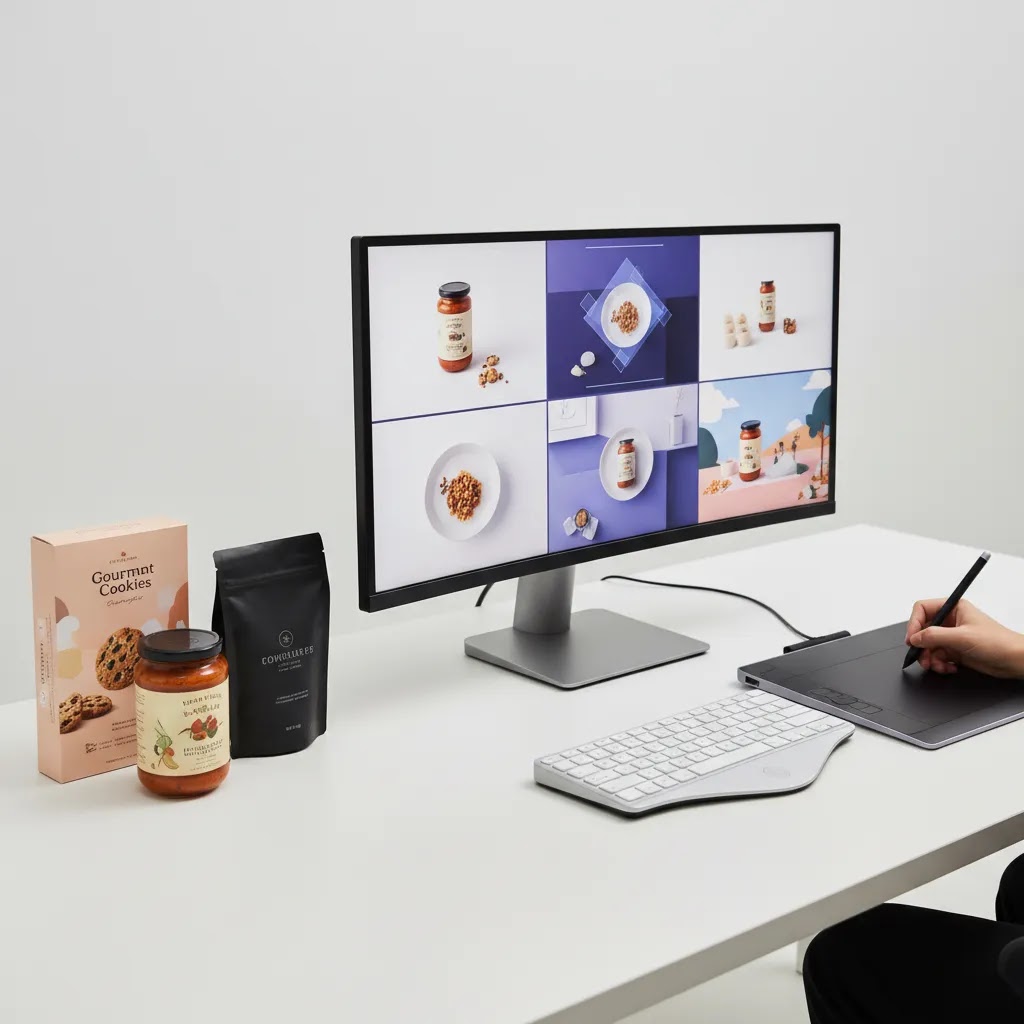
Multi-format output is where many brands lose time. A single campaign may need square images, vertical ad creatives, marketplace-compliant white background shots, and hero banners. A tool like Magic Photo Editor or Creator Studio may help teams repurpose approved images more quickly, especially for small internal marketing teams.
Surface, prop, and styling choices also matter. Flat lays can work well for ingredients, bundles, and gift sets, but only if props support the product story rather than distract from it. Food photography and AI tools may speed up testing, but they still need human judgment around appetite appeal and brand fit.
If you are evaluating AI-generated environments specifically, this next-step guide on ai scene generator is the most relevant internal resource from the current hub.
Pricing and Costs
Food product photography pricing varies widely because you are usually paying for more than shutter time. Costs can include creative direction, prop sourcing, food styling, retouching, usage rights, video add-ons, and deliverables for multiple platforms. A simple catalog session is very different from a campaign shoot with lifestyle sets and motion assets.
The live product data available for this article lists ProductAI Photo tools and editors, but it does not provide current pricing tiers. That means any AI workflow cost should be verified directly on the relevant tool page before you treat it as part of your operating model. For brands comparing manual studio production against AI-assisted editing, the practical cost question is not just subscription price. It is whether the tool reduces reshoots, shortens revision cycles, or helps your team create more usable variants from a single approved product image.
For smaller Shopify brands, a sensible approach is usually to spend on a small bank of professionally shot hero assets first, then use AI-assisted tools for background cleanup, white background variants, and creative testing. If you are still deciding whether to build in-house or outsource, review this guide to a product photography studio.
You can also browse AcquireConvert’s broader Catalog Photography and Lifestyle Product Photography categories to compare image approaches by use case.
Working With a Food/Product Photographer: Brief, Shot List, and Usage Rights
If you hire a photographer and still end up with images that do not fit Shopify, Amazon, or paid social, the issue is usually not talent. It is the brief. CPG deliverables are specific, and you want to remove ambiguity before anyone books studio time.
What to include in a photographer brief (so you get ecommerce-usable deliverables)
A good brief reads like a production checklist, not a mood board. For most Shopify teams, include:
- SKU list and priorities: which products are hero SKUs, which are secondary, and any packaging versions that cannot be mixed.
- Required angles and crops: front, back, side, 45-degree, top-down, and any label-close detail shots where copy must be legible.
- Channel specs: which images must be white background, which are for PDP lifestyle modules, which are for Meta ad ratios (square and vertical), and whether you need banners.
- Packaging accuracy notes: must-match brand colors, finish notes (matte vs gloss), and any reflection control requirements for pouches, jars, and cans.
- Props and styling guardrails: what is allowed, what is not allowed, and what the props must communicate (breakfast, gym, gifting, premium pantry, family-friendly).
- Brand references: a few approved images from your own library that show the lighting and “feel” you want to repeat across the line.
If you have compliance-sensitive claims on packaging, call them out. You are not asking the photographer to interpret regulations, but you do want everyone aligned on what must be visible, and what must not be misrepresented in a serving suggestion.
Usage rights basics CPG teams often overlook
Usage rights can change total cost and how you can deploy the images. This is where many CPG teams get surprised later, usually when they want to scale paid social or place the same images into retail materials.
- Paid social and digital ads: confirm that paid usage is included, and for how long.
- Marketplaces: if you sell on Amazon or other marketplaces, confirm the images can be used there too.
- Retail and wholesale: if you need sell sheets, retailer line reviews, or packaging presentations, confirm those are covered.
- Territory and term: clarify whether usage is limited by geography or time, and what renewals look like.
None of this is about being difficult. It is about making sure your photography investment stays usable as you expand channels.
A simple approval workflow that reduces reshoots
To cut revision cycles, set approval gates. The way this works in practice is:
- Pre-shoot: approve a shot list, surfaces, and prop plan. Confirm your “must-have” shots for each SKU.
- On-set proofs (even if remote): approve one hero SKU setup before the photographer repeats the lighting across the full SKU line.
- Post-shoot selects: choose finals based on a checklist, not taste alone, so you do not ship unusable images into editing.
Keep a simple “must-have” checklist for CPG: label legibility at collection-page size, color accuracy against the real package, realistic scale cues, and claim visibility that matches what you sell. If you plan to use AI-assisted tools for background versions later, confirm your base images have clean edges, consistent shadows, and enough resolution to hold up in crops and zoom.
Trust and Credibility
Visual content decisions affect compliance, merchandising clarity, and buyer trust, especially in CPG. Customers expect packaging, flavor cues, and portion expectations to match what arrives. That means your photography process needs quality control, not just creativity.
AI-assisted image tools can be useful if they are used for background updates, lighting cleanup, resolution improvement, or channel adaptation. They are less reliable if you expect them to invent accurate product textures, ingredient behavior, or consumption moments without careful review. In food categories, small visual inaccuracies can make claims feel exaggerated, which may hurt trust rather than improve conversion.
AcquireConvert’s evaluation approach is grounded in practical ecommerce implementation. Giles Thomas’s Shopify Partner background helps frame what imagery needs to do on Shopify storefronts, while his Google expertise is relevant because high-quality product images also influence feed performance, ad creative quality, and landing-page confidence. Results will always vary by niche, offer strength, traffic quality, and how consistently your visuals are deployed across channels.
Food and Product Photography Career and Hiring Signals (for In-House or Freelance)
If you are hiring a freelancer, evaluating an agency, or bringing photography in-house, your standards should be different than a general “nice portfolio” review. CPG is full of packaging constraints and channel requirements, and a lot of beautiful work is not actually ecommerce-usable.
What to look for in a portfolio (specifically for CPG)
For most Shopify store owners, these are the signals that matter:
- Reflection control on packaging: pouches, jars, and glossy labels should look premium, not blown out or mirrored.
- Label readability: key product info should be readable in a reasonable crop, not only in a full-resolution zoom.
- Accurate, consistent color: your brand color should not drift from one SKU to the next, especially across a product line.
- Believable food styling: appetizing, but not fake. Serving suggestions should feel achievable and aligned with the product.
- Consistency across SKUs: lighting direction, shadow style, and camera angle should match, so your Shopify collection pages look cohesive.
Think of it this way: you are not just buying images, you are buying a repeatable system. Consistency is what makes your product line feel like a real brand, not a collection of one-off shoots.
Common hiring and production pitfalls
There are a few mistakes that show up repeatedly:
- Beautiful images that ignore marketplace requirements: no clean white background options, poor cropping flexibility, or missing angles that marketplaces and retail teams expect.
- Inconsistent lighting across a line: each SKU looks like it was shot on a different day, which can reduce perceived quality in the grid view.
- Over-stylized scenes that hide the product: lots of props, shallow depth of field, and the packaging becomes secondary.
- Unrealistic AI composites: backgrounds and scenes that look polished but do not match the product’s real scale, texture, or use context. Even if the image “wins” attention, it can create trust issues if it feels misleading.
Now, when it comes to AI-assisted workflows, the key is that AI should extend approved reality, not invent it. Use it for controlled edits and variations, then review outputs like you would review packaging proofs.
How to evaluate fit fast with a simple test assignment
If you want to reduce risk, run a small test before committing to a full SKU shoot. A practical test set is:
- One hero SKU image intended for your Shopify PDP first image.
- One true white background image that would be acceptable for marketplaces.
- One lifestyle image that shows use context and scale.
- One close-up detail image that proves texture, ingredients, or packaging quality.
“Good” looks like this: label is readable, colors match your real packaging, edges are clean for future crops, shadows look natural, and the lifestyle scene supports the product without rewriting what it is. If those basics are not solid on four images, scaling to 30 SKUs will not fix it.
Pros and Cons
Strengths
- Good food and product photography improves merchandising clarity, which may help shoppers understand flavor, format, size, and quality faster.
- A combined workflow of studio photography plus AI-assisted editing can reduce repeated setup work for alternate backgrounds and campaign variations.
- White background images, lifestyle images, and detail shots can be repurposed across Shopify, Amazon, email, paid social, and retail presentations.
- Tools such as background generators, white background editors, and resolution enhancers can help lean teams get more value from a smaller image library.
- Stronger visuals often support premium positioning, especially for CPG brands competing in crowded categories with similar ingredients or formats.
Considerations
- The available live tool data does not include pricing or ratings, so teams need to confirm current costs directly before committing.
- AI-generated food scenes can look polished but still feel inauthentic if they misrepresent portion size, texture, ingredients, or use context.
- Photography alone will not fix weak packaging design, unclear product-market fit, or a low-converting PDP layout.
- Brands selling across Shopify and marketplaces may still need separate image treatments to meet platform-specific requirements.
Who This Approach Is Best For
This approach fits CPG brands that need commercially useful images, not just attractive campaign shots. It works especially well for Shopify merchants selling packaged food, beverages, supplements, pantry items, and giftable consumables with limited internal design resources.
If you are an early-stage brand, start with a small, high-quality image set and use AI tools carefully for extensions. If you are a growing team with multiple SKUs and seasonal launches, combining studio assets with structured post-production is usually more scalable. Brands with highly tactile or regulated products should rely more heavily on real photography and use AI only for controlled edits.
How to Get Started
Start by auditing where your current images fail. Look at your Shopify product pages, paid social creatives, Amazon listings, and wholesale materials. Note where shoppers may be missing key cues such as serving suggestion, pack size, product texture, or premium ingredients.
Next, define three asset groups: plain-background product images, lifestyle images, and promotional variations. Shoot or commission the most important products first. Your hero SKUs deserve the strongest attention because they usually drive the largest share of first-purchase traffic.
Then test AI-assisted editing on approved source images only. Use tools like background generators, white background editors, or resolution enhancers for adaptation rather than total image invention. Review every output for packaging accuracy and appetite appeal before publishing.
Finally, measure impact where it counts: product page engagement, click-through rate from ads, and conversion behavior on top-selling SKUs. That gives you a cleaner basis for deciding whether to expand your visual workflow.
Frequently Asked Questions
What is the difference between food photography and standard product photography?
Food photography usually needs to communicate appetite appeal, freshness, texture, and serving context. Standard product photography focuses more on shape, features, packaging clarity, and consistency. For CPG brands, you often need both. A snack pouch may require a clean white-background pack shot and a styled scene that shows how the product is consumed.
Can AI replace a professional food photographer for a CPG brand?
In most cases, no. AI can help with editing, background variations, and creative testing, but real photography is still the stronger foundation for packaging accuracy, ingredient realism, and trustworthy merchandising. AI works best as a production support layer rather than a complete replacement, especially for brands that care about visual credibility.
How much should a small Shopify brand spend on food product photography?
There is no universal number because scope changes everything. The main cost drivers are SKU count, styling complexity, retouching depth, and usage needs. A lean brand should usually prioritize a small set of high-performing hero assets first, then expand once those images are proving useful across PDPs, ads, and email campaigns.
Are white background images still necessary in 2026?
Yes. White background images are still important for marketplaces, comparison shopping environments, and clean product galleries. They help shoppers inspect packaging clearly and often support compliance on third-party channels. Even if your brand leans heavily into lifestyle content, plain-background images still play a core merchandising role.
What makes food product photography convert better on Shopify?
Images tend to work better when they reduce uncertainty. That means clear packaging, accurate color, visible scale, useful close-ups, and at least one image that shows context or serving suggestion. The goal is not artistic flair alone. It is helping the shopper quickly understand what they are buying and why it feels worth the price.
Should CPG brands use AI backgrounds for ads and PDPs?
They can, but carefully. AI backgrounds are often useful for concept testing, seasonal creative, or faster campaign production. They are less suitable if the scene introduces unrealistic cues or distracts from the actual product. Brands should compare AI-assisted versions against their original assets and keep the most believable, brand-consistent option.
Is food photography product photography?
Food photography is a type of product photography, but it usually has extra requirements. You are often selling texture, freshness, and serving context, not just the object itself. For CPG brands, the work typically blends both: clean catalog-style pack shots plus food-forward images that show what the product looks like when used.
Do food photographers make good money?
They can, but it depends on specialization and the type of clients they serve. Photographers who can reliably produce channel-ready CPG deliverables, consistent SKU libraries, and paid-ad creative often command higher rates than generalists. Income also depends on usage rights, production scale, and whether the photographer sells a repeatable service (for example, monthly content days) versus one-off shoots.
How many photographers are making over $300,000 a year?
There is not one reliable public number that covers the whole industry, because photography income ranges widely and is reported differently across employees, freelancers, and studio owners. In practice, photographers who reach that level are often running a business, not just taking pictures. They may manage production, styling, retouching, client accounts, and licensing, and they typically work with larger commercial clients or high-volume ecommerce brands.
What is the 20 60 20 rule in photography?
The 20 60 20 rule is a simple way some teams think about quality control and outcomes: roughly 20% of images are standout, 60% are solid and usable, and 20% miss for technical or creative reasons. For CPG ecommerce, the goal is to push more of your shoot into the “solid and usable” category by tightening the brief, reviewing on-set proofs, and using a consistent lighting and styling system across SKUs.
Key Takeaways
- Food and product photography should help shoppers understand quality, flavor, size, and use context quickly.
- Most CPG brands need both clean catalog images and lifestyle visuals, not one or the other.
- AI tools can support editing and creative variation, but they work best when built on accurate source photography.
- Current live tool data includes ProductAI Photo tools, but pricing and ratings were not provided and should be verified directly.
- A practical rollout starts with hero SKUs, channel-specific image needs, and clear performance review after launch.
Conclusion
For CPG brands, strong food and product photography is not a nice extra. It is part of merchandising, trust-building, and conversion support. The best setup for most Shopify merchants is a balanced one: invest in accurate, professionally usable source photography, then use AI-assisted tools selectively for speed, adaptation, and testing. That keeps your visuals flexible without sacrificing credibility. If your current images are inconsistent, start with your top-selling SKUs and fix the basics first, including lighting, packaging accuracy, and channel fit. Then expand into lifestyle scenes and AI-assisted creative variations where they genuinely support growth. The most useful next step is to audit your existing product gallery and decide which assets need reshooting, which need editing, and which could be extended with a more efficient workflow.
Disclosure: AcquireConvert may receive affiliate compensation from some third-party links referenced in this article. We aim to evaluate tools and workflows honestly based on practical ecommerce use cases. Pricing, features, and availability should be confirmed directly with the provider. Any performance impact from better photography or AI-assisted editing will vary based on your niche, traffic quality, offer strength, implementation, and overall store experience.

Hi, I'm Giles Thomas.
Founder of AcquireConvert, the place where ecommerce entrepreneurs & marketers go to learn growth. I'm also the founder of Shopify agency Whole Design Studios.