Pet Product Photography Tips for Brands (2026)

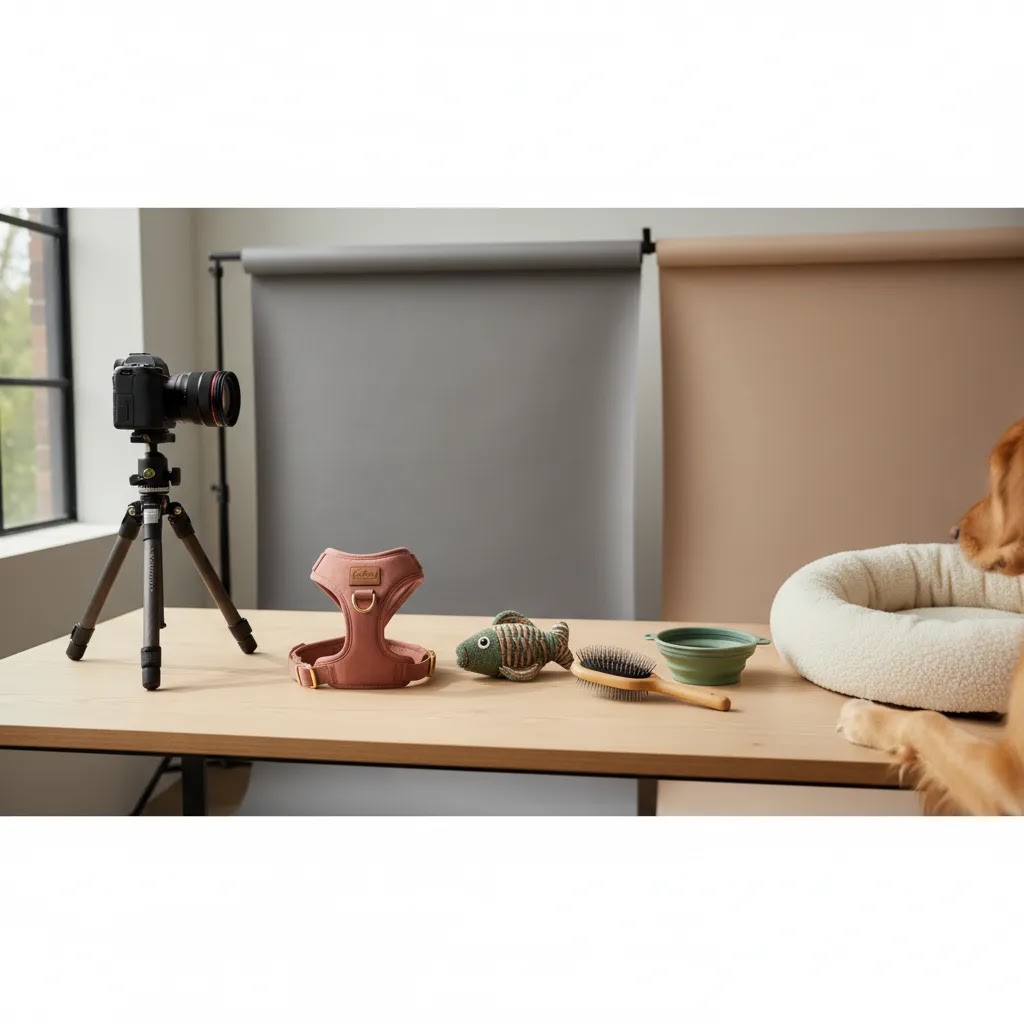
If you sell pet products online, your photos have to do more than look nice. They need to show scale, texture, usefulness, and brand personality quickly enough to help a shopper decide. That is especially true on Shopify product pages, collection grids, paid social ads, and Google Shopping placements where attention is short. Good pet product photography sits somewhere between standard ecommerce packshots and lifestyle imagery. You need clean product shots for clarity, but you also need context that helps customers picture the product with a real pet in a real home. If you are still shaping your visual direction, it helps to review broader lifestyle photography principles before planning your next shoot.
Contents
- What pet brands need from product photography
- What strong pet product photography includes
- Commercial pet product photography with animal models, how to plan a shoot
- Pros and Cons
- Pricing and budgeting for pet product photography (in-house vs studio)
- Who this approach is for
- Practical recommendations for pet brands
- How to choose the right photography setup
- Pet product photography inspiration and creative direction (without losing ecommerce clarity)
- Frequently Asked Questions
- Key Takeaways
What pet brands need from product photography
Pet product photography has a slightly different job than beauty product photography, makeup product photography, or other highly controlled studio categories. With pet products, customers usually want proof of use as much as proof of appearance. A dog harness, cat toy, grooming brush, travel bowl, or pet bed all benefit from photos that answer practical questions. How large is it? How durable does it look? What material is it made from? How does it fit into daily life?
For ecommerce brands, that means building an image set rather than relying on one hero shot. You will usually need white-background images for marketplaces and product pages, close-ups for materials and stitching, scale shots to avoid returns, and lifestyle shots to support emotional purchase decisions. If your brand also sells premium or giftable products, visual consistency matters even more because the photography carries part of the brand value.
This is where pet brands often go wrong. They either overproduce lifestyle images that look attractive but fail to show the item clearly, or they use flat studio images that explain the product but do little for conversion. A stronger mix usually combines clean ecommerce visuals with scenes that feel believable. If you are shaping that visual identity, studying branding photography can help you decide how polished, playful, premium, or practical your image style should feel.
What strong pet product photography includes
1. A repeatable product photography setup
Your setup needs to be consistent enough that shoppers can browse a category page without feeling that every item came from a different brand. That typically means standardizing lens choice, lighting direction, crop ratios, image dimensions, and editing style. For Shopify merchants, consistency helps collection pages feel more trustworthy and more professional.
2. Clean packshots for clarity
Every pet brand should have straightforward product images on plain or distraction-free backgrounds. White backgrounds are especially useful for product detail pages, marketplaces, comparison shopping surfaces, and ad creatives that need clear cutouts. In many stores, these images carry the main informational load.
3. Contextual lifestyle images
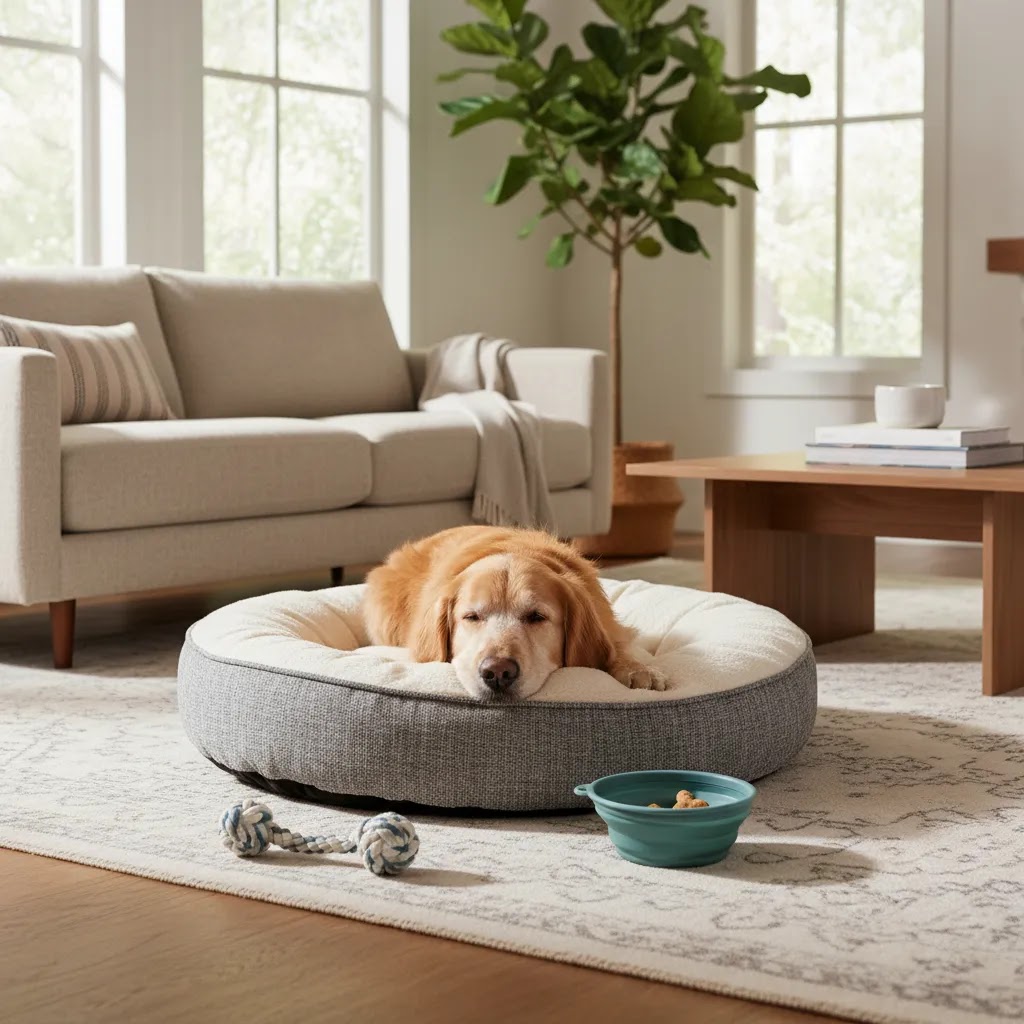
Pet owners want to imagine the product in use. A chew toy on a clean background tells them shape and color. The same toy next to a dog shows scale, material, and emotional relevance. Context matters, but the set should still keep the product central. Thoughtful use of scene background choices helps you add warmth without burying the item under props.
4. Detail shots that reduce doubt
Close-ups can help answer common objections before they become support tickets or returns. Stitching, clasps, fabric texture, non-slip surfaces, waterproof linings, and packaging details are all worth capturing if they influence buying decisions. This is especially useful for premium pet accessories and gifting products.
5. Flexible production options
Not every brand needs the same workflow. Some founders can shoot in-house with a simple lighting kit and phone tripod. Others will benefit from working with a product photography studio when they need cleaner consistency at scale. If you are experimenting with concept imagery or seasonal campaigns, AI-assisted visual workflows may also help you mock up or produce scene variations faster. For example, tools like Creator Studio and Magic Photo Editor can support certain editing and scene-building tasks, while ai scene generator guidance can help you evaluate where AI fits and where traditional photography still makes more sense.
Commercial pet product photography with animal models, how to plan a shoot
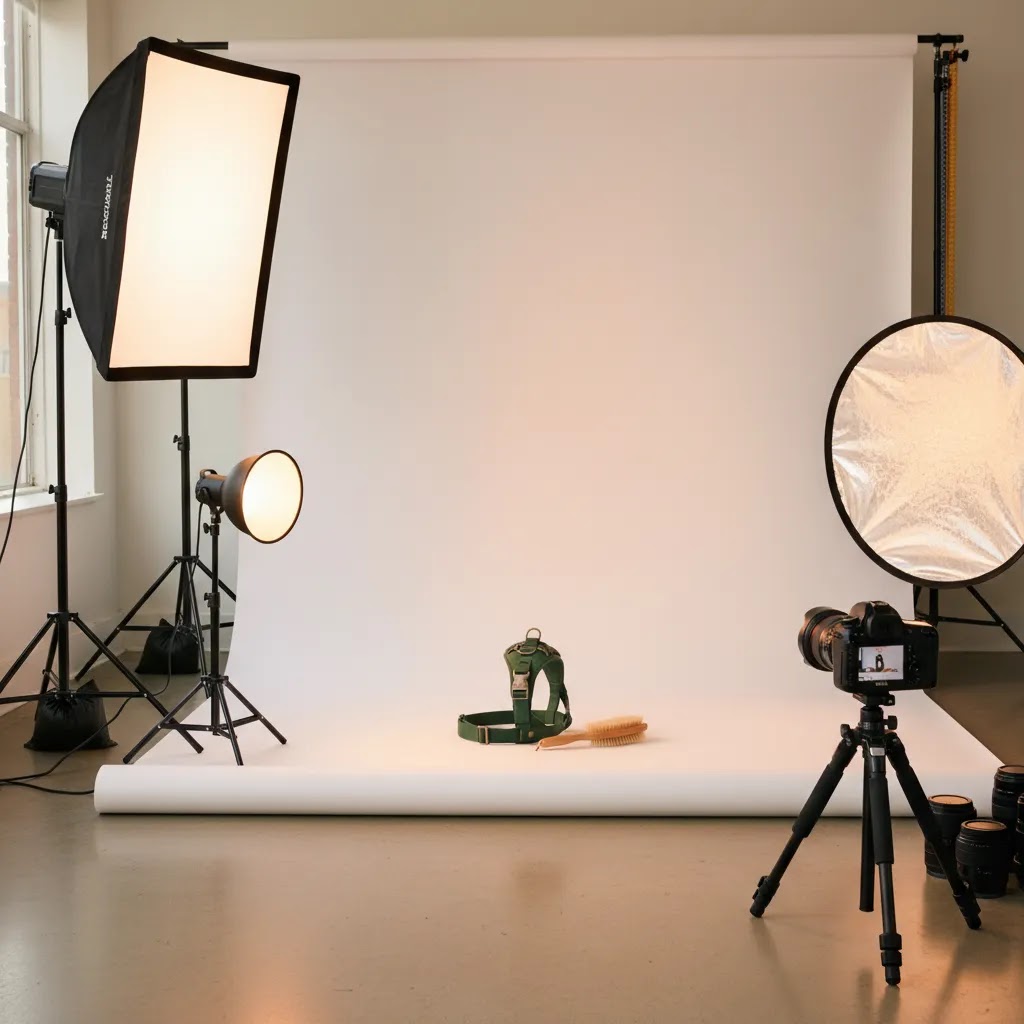
Here is the thing: the jump from “nice pet photos” to commercial pet product photography usually comes down to planning. Once a real dog or cat is involved, you have limited attention span, unpredictable movement, and safety concerns. If you do not walk into the shoot with a clear plan, you often end up with a lot of cute images and not many that actually work on a Shopify product page.
Build a shot list that matches how shoppers buy
Start by mapping each product to the questions a shopper is trying to answer, then build shots around those questions. A good rule is: packshot clarity first, then proof-of-use, then lifestyle.
For products that require a pet to demonstrate fit and function, your shot list will usually need images that show:
- Fit and sizing: harnesses, collars, apparel, and boots photographed on a pet from multiple angles, including a clear view of adjustment points and how the product sits on the body.
- Scale: beds, crates, carriers, bowls, and litter accessories with a pet in frame so shoppers can judge size quickly and avoid surprises.
- Interaction: toys in-play, enrichment items being used, and treat-dispensing products showing the “how it works” moment.
- In-hand usability: grooming tools, brushes, nail clippers, and shampoo where the photo shows grip, brush head detail, and how the tool meets fur.
- Key proof points: durability details, safety clips, reflectivity, waterproofing, and any features that reduce doubt and returns.
The way this works in practice is simple: for each SKU, list the minimum set you need for the Shopify PDP (hero, angles, details), then add only the pet-in-use shots that clarify fit, scale, or function. If you are shooting a collection (for example, five harness colors), decide whether you need the pet model shots for every color, or just for one “reference color” plus clean packshots for the rest. Many stores get better asset efficiency that way, and it keeps your catalog consistent.
Pick pet models that show the product clearly
What many store owners overlook is that the “cutest” dog is not always the best model for ecommerce clarity. You are trying to make the product readable at thumbnail size, on mobile, and in ads.
When you are choosing pets for a shoot, think about:
- Coat length and color: long fur can hide harness straps, collars, and apparel fit. Very dark coats can swallow detail on dark products. You do not need a perfect match, you need visibility.
- Body size relative to the product: a bed shot is clearer when the pet fits the bed the way your customer expects. If a “large” bed is shown with a small dog, it can create sizing confusion.
- Temperament and trainability: calm pets typically give you more usable frames per hour, which matters if you are paying for a studio or photographer time.
Consider this: you can shoot multiple products with one model if you plan wardrobe changes and breaks. You can also shoot the most “fit-critical” items first, while the pet is freshest and more cooperative.
Plan logistics around unpredictability and safety
Live animals introduce variables. Build the shoot day around those variables rather than fighting them.
- Schedule buffer time: plan for resets, water breaks, short walks, and cleanup. If you are doing motion shots (toy play), you may need many takes.
- Keep the set simple: fewer props means fewer distractions and fewer safety risks. For most Shopify use, clean scenes outperform busy ones anyway.
- Have a handler: if the photographer is also trying to hold a reflector, direct the model, and keep the pet engaged, quality usually drops. A dedicated handler, often the pet owner, helps keep sessions efficient.
- Use pet-safe products only: no unsafe treats, uncomfortable fits, or stressful setups. If a shot requires forcing behavior, skip it. The images may look wrong to pet owners, and it is not worth the risk.
Get the rights paperwork right (so you can actually use the images in ads)
From a practical standpoint, usage rights are part of commercial photography, not an afterthought. If you plan to use images in Meta Ads, Google Ads, email, and your Shopify store, make sure you have explicit permission to do so.
At minimum, you will typically want:
- A pet owner release, granting permission to use images that include their pet.
- A location release if you are shooting in a rented space, a recognizable home, or a commercial property with restrictions.
- A clear agreement with the photographer covering usage scope (web, paid ads, print if needed), duration, and whether exclusivity is included.
If you are unsure, ask your photographer what paperwork they normally provide for commercial shoots. Policies and legal requirements vary by location, so treat this as a starting point and verify details for your situation.
Brief your photographer like an ecommerce project, not a portrait session
If you hand a photographer your products and say “make it look nice,” you will often get pretty images that do not fit your ecommerce needs. Your brief should state:
- Where the images will be used (Shopify PDP, collection tiles, Google Shopping, paid social), since this affects cropping and composition.
- Required angles, background style, and framing consistency, especially for collection pages.
- Deliverables by SKU (for example, how many packshots vs lifestyle frames), plus any must-have feature close-ups.
- File requirements: high-resolution originals plus web-ready exports, and whether you need square crops for ads.
Think of it this way: you are buying usable ecommerce assets, not just a gallery of nice photos. The clearer the brief, the more likely you are to get images that actually earn their keep on your store.
Pros and Cons
Strengths
- Pet product photography can communicate both functional detail and emotional appeal, which is useful for ecommerce conversion.
- It helps reduce confusion around size, materials, and use cases when you include scale and close-up images.
- A mixed approach of studio shots and lifestyle scenes gives you assets for Shopify PDPs, collection pages, ads, email, and social.
- Strong visuals make smaller or newer pet brands look more established and more trustworthy.
- AI-assisted editing tools may help speed up background changes, image cleanup, and concept testing for campaign creative.
Considerations
- Shooting products with live animals can be unpredictable, so timelines and shot lists need extra planning.
- Too much lifestyle styling can make the product itself less clear, especially on mobile screens.
- In-house setups may work for simple SKUs but can become inconsistent as your catalog expands.
- AI in product photography can help with editing and ideation, but it should not automatically replace real photography for fit, texture, or realism-sensitive products.
Pricing and budgeting for pet product photography (in-house vs studio)
Most pet brands do not fail at photography because they cannot take a good picture. They fail because they do not budget for “usable image sets” by SKU. When you plan costs around a realistic deliverables list, it gets easier to choose between in-house, studio, or hybrid production.
What drives the cost of pet product photography
Pricing varies a lot by market and photographer, but the same cost drivers show up again and again:
- Number of SKUs and shot count per SKU: a single hero image is one thing, a full Shopify PDP set plus ad crops is another.
- Retouching level: basic cleanup and color correction is different from heavy compositing, fur cleanup, and complex product masking.
- Props and sets: lifestyle scenes, seasonal setups, and home interiors take time to build and style.
- Animal talent and handling: paid pet models, trainers, handlers, or even just the extra time it takes to get usable frames can raise the total.
- Usage and licensing: broader commercial usage (including paid ads) can change the quote depending on how the photographer structures rights.
- Product complexity: reflective bowls, glossy packaging, and items with fine details often take longer to light and retouch.
Now, when it comes to in-house vs studio, in-house looks cheaper because you are not paying a day rate. The tradeoff is that you are paying in time, learning curve, and inconsistency risk. A studio can cost more upfront, but you are typically buying consistency, speed, and fewer reshoots.
Estimate “cost per usable image,” not cost per shoot
A practical way to budget is to calculate your cost per usable image, or even cost per usable SKU set. That means you include:
- Your time (or team time) shooting and editing, if you are in-house.
- Any equipment amortized over time (lights, backdrops, tripods), plus ongoing consumables.
- Photographer or studio fees, retouching, and any pet model or location costs.
- The number of images that actually make it into Shopify, ads, and email, not just the number delivered.
This framing helps you avoid the common situation where you “saved money” by shooting in-house, but you only ended up with a handful of images you trust enough to publish.
Use a phased approach so you do not overbuild early
For most Shopify store owners, a phased rollout is the most sustainable approach:
- Phase 1: top sellers and ad drivers. Build complete image sets that support conversion and reduce returns.
- Phase 2: secondary products and bundles. Add consistent packshots and a smaller number of supporting lifestyle frames.
- Phase 3: seasonal refreshes and campaign creative. Update scene styling, add holiday angles, and test new concepts.
This is also how you keep photography aligned with acquisition. If you are spending on ads, it usually makes sense to prioritize photography for the products you are actively pushing in Google Shopping and paid social.
What to ask for in a quote (so you can compare options apples-to-apples)
If you are requesting quotes from photographers or product photography companies, ask for specifics so you can compare like-for-like:
- Deliverables: number of final images per SKU, including packshots, details, lifestyle, and any pet-in-use shots.
- Backgrounds and variants: white background included, and whether alternate backgrounds or cutouts are part of the deliverables.
- Retouching scope: what is included as standard, and what counts as extra.
- Turnaround time and how revisions work: how many revision rounds are included, and typical delivery timelines.
- File formats and crops: high-res, web-ready exports, square crops for ads, and any naming conventions for ecommerce workflows.
- Usage rights: where you can use the images (site, email, paid ads) and for how long.
The reality is that two quotes can look similar on price but deliver very different value once you account for shot count, rights, and the level of retouching you need for your category.
Who this approach is for
This approach suits pet brands that need photos to do more than fill a gallery. If you sell through Shopify and want stronger product pages, cleaner ad creative, or a more consistent catalog, building a structured pet product photography workflow is worth it. It is especially relevant for brands selling collars, apparel, toys, bedding, grooming products, feeders, travel accessories, and giftable pet items.
It is also a good fit for growth-stage stores that have moved past basic phone snapshots but are not yet ready for a full agency production model for every launch. In many cases, the best path is hybrid: standardized in-house packshots, selective professional product photography, and AI-supported editing where it saves time without reducing trust.
Practical recommendations for pet brands
From an ecommerce operator's perspective, the goal is not to create the most artistic image set. The goal is to create images that help shoppers buy with confidence. Giles Thomas's work as a Shopify Partner and Google Expert is relevant here because pet product imagery affects more than product page aesthetics. It influences merchandising, ad click quality, shopping feed performance, and how credible your brand feels on first visit.
If you are comparing production approaches, start with the basics: consistent hero images, useful close-ups, clear scale references, and a small number of lifestyle shots for top-selling products. Then expand only where the images support a real buying decision. AcquireConvert is a strong place to keep researching this because you can explore broader Lifestyle Product Photography guidance or review the wider role of E Commerce Product Photography in store performance. That gives you a more practical framework than treating photography as a purely creative exercise.
How to choose the right photography setup
Decide what each image needs to do
Start by separating your image needs by channel. Your Shopify product page hero image may need a clean background. Your product page gallery needs angles, detail shots, and scale. Paid social usually benefits from more contextual or emotional imagery. Email often needs campaign-specific crops. If you try to make one image do all jobs, it usually underperforms everywhere.
Choose between in-house, studio, and hybrid production
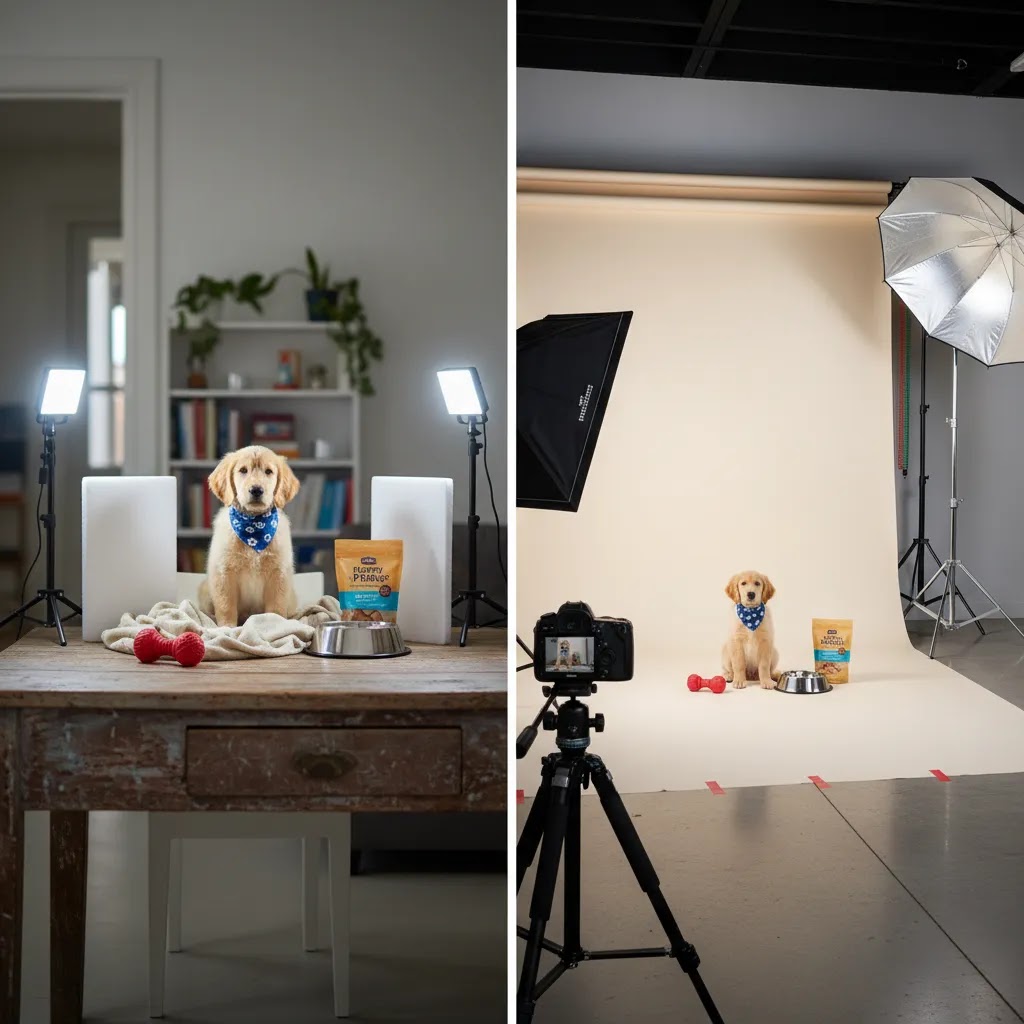
For simple items such as bowls, brushes, packaged treats, or accessories, an in-house product photography setup can be enough if you control lighting and editing carefully. For reflective products, premium packaging, or larger catalogs, professional product photography or product photography companies may deliver better consistency. A hybrid approach is often the most practical for growing brands: produce routine images internally and outsource hero campaigns or major launches.
Use AI where it genuinely saves time
AI product photography can be helpful for background editing, concept mockups, and creative testing. For instance, AI Background Generator may be useful when you need fast scene variations, while Free White Background Generator can support cleaner packshot preparation. Tools like Background Swap Editor may help you test different looks before committing to a full reshoot. Still, pet brands should be careful with AI-generated scenes if the final image could misrepresent product size, texture, or real-world use.
Plan for consistency before creativity
Many brands think about props and mood boards first. In practice, your first job is to standardize. Pick your backdrop style, image ratios, editing rules, and naming conventions. Then build a short shot list template for every SKU. Once that system is in place, creative experimentation becomes much easier to manage.
Measure quality against business outcomes, not taste alone
Look at behavior metrics after updating photography. On Shopify, watch product page engagement, add-to-cart rate, bounce patterns by device, and return reasons tied to unmet expectations. You may not isolate photography perfectly, but over time it often becomes clear which image sets help shoppers feel more certain. That is a more useful standard than whether the team simply likes the photos.
Pet product photography inspiration and creative direction (without losing ecommerce clarity)
Creative direction matters, but ecommerce clarity has to stay in charge. If you are collecting inspiration from other brands or social content, it is easy to drift into images that look great on Instagram and underperform on Shopify product pages.
Use a simple system for inspiration: pillars, use cases, and compositions
A reliable way to turn inspiration into something shootable is to organize it into three buckets:
- Brand pillars: the vibe you need to communicate (premium, playful, rugged, minimalist, clinical, sustainable).
- Use-case scenes: the real-life moments your customers recognize (post-walk harness removal, treat time, grooming on a towel, travel setup by the door).
- Compositions that work for ecommerce: product centered, readable features, negative space for crops, and consistent angles.
Think of it this way: your mood board should not just be “pretty.” It should tell you exactly what to shoot, what props you need, and how the product stays visually dominant in the frame.
Category-specific concept prompts you can actually shoot
If you need ideas that still sell the product clearly, these prompts tend to translate well into ecommerce assets:
- Toys: action shot plus a “reset” shot. One frame of the toy in play, one frame with the toy cleanly visible next to the pet for scale.
- Treats and food: ingredient cues and portion clarity. Keep the packaging readable, show treat size in-hand, and include one bowl or feeding context shot.
- Beds and blankets: comfort plus scale. Show the pet settled in, then a clearer angle that shows bed thickness, edge support, and materials.
- Apparel, harnesses, and collars: fit plus hardware. One flattering lifestyle frame, plus clear angles that show straps, buckles, stitching, and reflectivity.
- Grooming: “before and during” moments. You do not need a dramatic transformation, but you do need a shot that shows how the tool meets the coat and what part is doing the work.
- Travel and outdoor: readiness cues. By the door, in the car trunk area, or a simple park path, as long as the product is still readable and not lost in scenery.
For most Shopify store owners, the winning formula is a small set of repeatable scenes. You can reuse the same lighting approach and background style across multiple products, which keeps your catalog cohesive while still giving you lifestyle variety.
Test lifestyle concepts quickly with AI mockups, then shoot the winners
AI can be useful before you spend money on sets and shoot days. For example, you can mock up a few scene directions and crops to see what fits your brand and what works for ad formats. That is often faster than building three full physical sets just to discover one looks off-brand.
Still, be selective about what you finalize with AI. Products where fit, texture, scale, or pet interaction are central to trust usually perform better with real photography. A practical workflow is: mock up concepts with AI for speed, pick the strongest one or two directions, then shoot those for real with your actual product and a real pet so the final assets hold up under scrutiny.
Frequently Asked Questions
What is pet product photography?
Pet product photography is the process of photographing products made for pets in a way that helps customers understand the item and imagine using it. For ecommerce, that usually includes white-background packshots, close-ups, scale references, and selected lifestyle scenes with pets or home settings.
How is pet product photography different from regular product photography?
It usually needs more context. A standard product image may be enough for some categories, but pet buyers often want to see how an item works with an actual animal, how large it is, and whether it looks practical for daily use. That makes scale and scene choices more important.
Do I need a professional product photography studio for pet products?
Not always. Many brands can start with a simple in-house setup for basic product shots. A studio becomes more useful when you need highly consistent catalog images, better lighting control, polished campaign assets, or help managing reflective materials, premium packaging, or a larger SKU count.
What backgrounds work best for pet product photography?
For core ecommerce images, plain backgrounds are often the safest choice because they keep attention on the product and support consistent merchandising. Lifestyle backgrounds work well when they add believable context. The best choice depends on whether the image is meant to clarify the product or sell the experience around it.
Can AI help with pet product photography?
Yes, in specific parts of the workflow. AI can help with background cleanup, white-background creation, resolution improvements, and concept testing. It may also help with scene generation for creative exploration. Still, brands should review outputs carefully so product dimensions, textures, and use scenarios are not misleading.
What shots should every pet product page include?
A strong minimum set is a hero image, at least one alternate angle, one close-up, one scale or in-use image, and one shot that highlights a key feature such as material, fastening, or packaging. The exact mix depends on the category, but clarity should come before visual flair.
How many lifestyle photos should a pet brand use?
Usually fewer than you think. One to three strong lifestyle images per top-selling product can be enough if the rest of the gallery clearly explains the item. Too many styled photos can dilute the information shoppers need, especially on mobile product pages where attention and space are limited.
Should Shopify stores use different images for ads and product pages?
Often, yes. Product pages usually need clearer, more descriptive images, while ads may benefit from more emotion, motion, or scene context. The visual system should still feel consistent across channels, but the image doing the job of acquiring a click is not always the same one that closes the sale.
Do pet photographers make money?
Yes, many do, but it depends on the business model. Some focus on consumer pet portrait sessions, while others work with brands on commercial pet product photography for ecommerce. Commercial work can pay well because it involves planning, production, retouching, and usage rights, but it also comes with higher expectations and more moving parts.
How much do photographers charge for pet photos?
Pricing varies by location, experience level, and whether it is a consumer session or commercial work. For ecommerce brands, it is more useful to ask what is included: how many final images you get, the retouching level, whether pet models are included, and what usage rights you are buying for Shopify, ads, and other channels.
How much should I pay a photographer for a product shoot?
It depends on the number of SKUs, the number of required images per SKU, and the complexity of the shoot. If you need pet-in-use photos, lifestyle sets, and heavy retouching, costs are typically higher than basic white-background packshots. Ask for a quote that specifies deliverables, turnaround time, revision limits, file formats, and usage rights so you can compare options clearly.
What is the 20 60 20 rule in photography?
The term is used in different ways, but a common interpretation is that a strong image result comes from a balance of planning and execution. For ecommerce shoots, you can think of it as: a portion is your gear and technical setup, most is lighting, composition, and on-set control, and the rest is editing and finishing. The exact split is not universal, but the takeaway is practical: you usually get more improvement from consistent lighting and a clear shot list than from upgrading a camera body.
Key Takeaways
- Pet product photography works best when it balances clarity, scale, and believable lifestyle context.
- Build a repeatable setup first, then add more creative scene styling once consistency is in place.
- Use professional photography selectively where quality and catalog consistency matter most.
- AI tools may help with editing and concepting, but review outputs carefully for realism and accuracy.
- Measure success by shopper confidence signals such as engagement, add-to-cart behavior, and fewer expectation-related returns.
Conclusion
Strong pet product photography is less about chasing a trend and more about helping customers make a confident decision. If your images show the product clearly, explain scale, and add the right amount of lifestyle context, they can support both conversion and brand trust. Most pet brands do not need the most expensive setup. They need a consistent one. If you want more practical guidance, explore AcquireConvert's related resources on lifestyle imagery, studio workflows, and AI-assisted visual production. That is the kind of grounded, store-owner-focused advice Giles Thomas is known for as a Shopify Partner and Google Expert, especially if you are trying to improve ecommerce performance without overcomplicating your production process.
This article is editorial content created for educational purposes and is not a paid endorsement unless explicitly stated otherwise. Tool availability and features may change over time, so verify current details directly with the provider before making a decision. Any ecommerce results from improved photography will vary by store, traffic quality, product category, price point, and site experience. No specific outcome is guaranteed.

Hi, I'm Giles Thomas.
Founder of AcquireConvert, the place where ecommerce entrepreneurs & marketers go to learn growth. I'm also the founder of Shopify agency Whole Design Studios.