Ecom Photography for Online Sellers (2026 Guide)


Ecom photography is not just about getting a product image onto your site. It is about creating the kind of visual proof that helps a shopper feel confident enough to buy. If you run an online store, your photos influence click-through rate, product page engagement, perceived quality, and in many cases return rates too. That is why many merchants start by comparing local and remote service options, studio setups, and AI-assisted workflows before they commit. If you are evaluating where to start, this guide will help you sort through the practical decisions quickly. For example, if you are already weighing local service options, AcquireConvert’s guide to product photography austin can help you understand what a regional provider may offer versus a remote ecommerce workflow.
Contents
- What ecom photography really covers
- Key elements that matter for online sellers
- Ecommerce photo types you can buy from a service (and when you need each)
- Pros and Cons
- Who this approach is for
- AcquireConvert recommendation
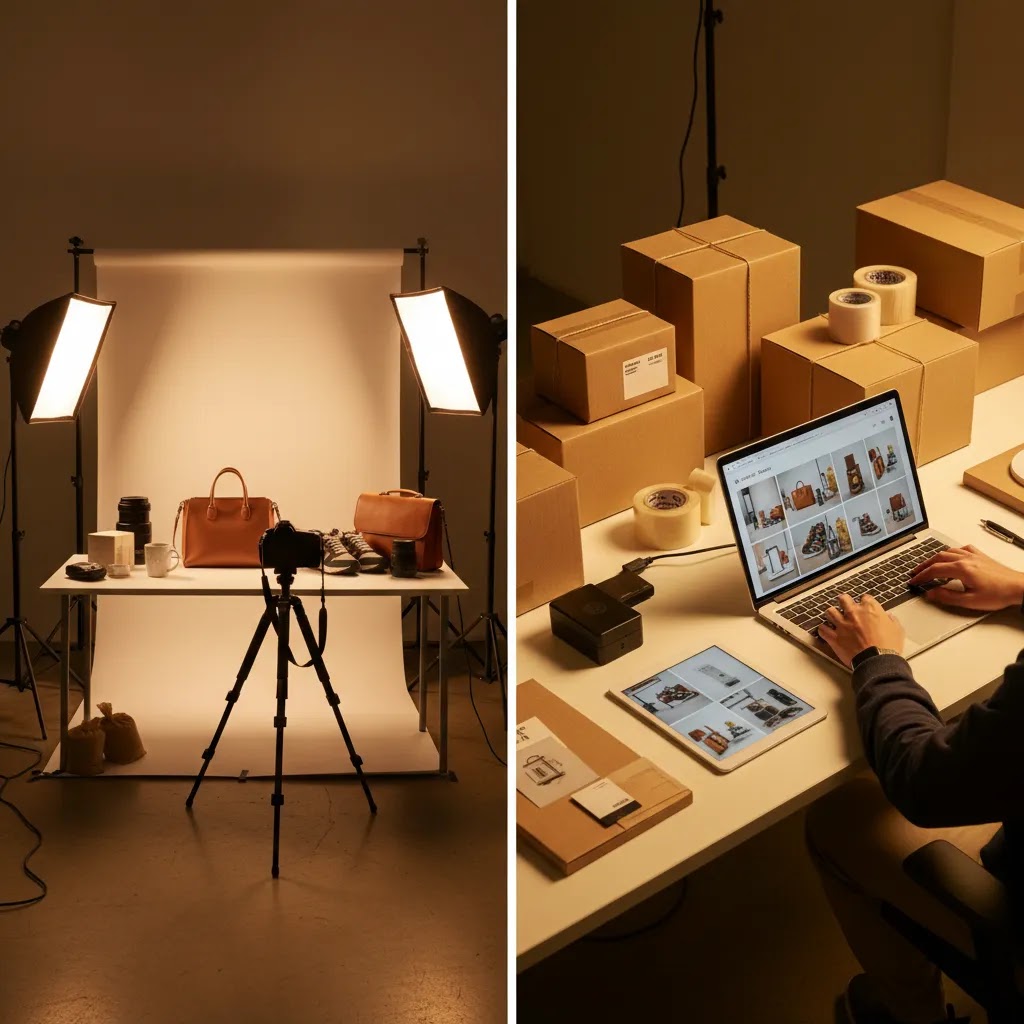
- How ecommerce photography services actually work (process and logistics)
- How to choose the right setup or service
- Cost and pricing models for e commerce product photography services (what influences the quote)
- Frequently Asked Questions
- Key Takeaways
- Conclusion
What Ecom Photography Really Covers
Ecom photography means creating product images specifically for online selling. That includes the core white-background images shoppers expect, but it also covers lifestyle photos, close-up detail shots, size-reference images, packaging visuals, and sometimes short-form motion assets. The right mix depends on what you sell, where you sell it, and how much explanation your customer needs before buying.
For Shopify merchants, the practical goal is simple: photos should reduce uncertainty. A customer cannot touch your product, so your imagery has to do more of the selling work. That is especially true for apparel, beauty, home goods, and products with texture, finish, or fit questions.
In practice, most sellers choose between three paths. They build an in-house setup, hire a studio or freelancer, or use AI tools to speed up editing and image variations. If you are comparing service models, AcquireConvert’s Product Photography Services resources can help you see how ecommerce-focused providers differ from general photography vendors.
A good ecom photography workflow should support your channel mix too. Images for Shopify product pages, Google Shopping, Amazon listings, and social ads often need different crops, contexts, and file treatments. That is why a service that looks fine on paper may still be the wrong fit if it does not understand ecommerce execution.
Key Elements That Matter for Online Sellers
The first thing to look for is image consistency. Your catalog should feel like one brand, not a mix of random shoots taken over six months. Consistent lighting, camera angle, white balance, and framing make your collection pages look more trustworthy and easier to browse.
Second, make sure your workflow includes the shot types you actually need. Many sellers ask for a hero image and stop there, but that often leaves product pages underpowered. A stronger set usually includes front, back, side, detail, scale, and use-case shots. If you are planning a studio-based process, this is where reviewing a dedicated photo studio setup can help you understand what is realistic for repeatable production.
Third, editing speed matters. If you launch products often, photography delays can slow merchandising, paid campaigns, and email promotions. AI editing tools can help here, especially for background cleanup and asset variations. From the current product data, relevant options include AI Background Generator, Free White Background Generator, Background Swap Editor, and Magic Photo Editor. These tools may be useful if you already have source images and want to create cleaner listing assets or test alternate contexts faster.
Fourth, think about channel compliance. Amazon, Google Shopping, and some marketplaces have strict image standards. Shopify gives you more presentation flexibility, but if your acquisition strategy includes Google product feeds, your image assets still need to meet channel expectations. Giles Thomas’s background as a Shopify Partner and Google Expert is relevant here because image choices affect both on-site conversion and feed performance.
Fifth, check whether the provider or workflow supports scale. That means batch processing, naming conventions, resizing, and retouching standards. If you are dealing with large catalogs, seasonal launches, or frequent SKU changes, your process for photography products needs to be operationally efficient, not just visually good.
Finally, do not separate photography from conversion. Better visuals may help shoppers understand the product more quickly, but only if they fit the product page layout, zoom behavior, mobile crop, and merchandising strategy. For a broader category view, AcquireConvert’s E Commerce Product Photography content is useful for seeing where image quality connects to actual store performance.

Ecommerce Photo Types You Can Buy From a Service (and When You Need Each)
Here is the thing: most product photography services for ecommerce do not just sell “photos.” They sell specific deliverables. Once you know the common shot types by name, it becomes much easier to request the right set for your Shopify product pages and your paid creative, without overbuying images you will not use.
White background pack shots (the baseline for most catalogs)
This is the standard hero image and supporting angles on a clean background. It is the workhorse for Shopify collection pages and product detail pages, and it is often necessary for marketplaces and shopping feeds. It is especially important for products where shape and silhouette matter, like shoes, handbags, cookware, and consumer goods.
From a practical standpoint, the biggest win here is repeatability. A consistent baseline set makes your store look cohesive, and it makes your merchandising and ads easier to build over time.
Flat lay (best for soft goods and styling control)
Flat lay is popular for apparel, accessories, and textiles because you can show color and shape without a model. It is also a fast way to shoot collections with consistent styling. Flat lay can answer common shopper questions about pattern, drape, and what is included, for example a scarf, a matching set, or bundled accessories.
Ghost mannequin (apparel structure without a model)
Ghost mannequin photography is designed to show how apparel holds its shape. It is common for shirts, jackets, dresses, and activewear, and it can reduce fit uncertainty when done well. This style often requires more post-production because the “invisible” mannequin effect is created in editing, so it is worth requesting it only for products where structure and cut are key buying factors.
On-model (fit and scale, but more moving parts)
On-model photography is usually the fastest way to answer fit, scale, and “how does it look when worn?” questions. It can also support paid social creative because it reads as more human and contextual than a pure catalog shot. It tends to matter most for apparel, jewelry, sunglasses, and accessories.
The tradeoff is complexity: model booking, sizing, consistent hair and makeup, and retouching standards all impact consistency. If you go this route, many store owners do better with a defined template, for example a standard pose sequence and consistent crop, so each product page feels familiar.
Lifestyle (context and use-case proof)
Lifestyle images show the product in use. They are most valuable when your shopper needs help picturing the product in a real environment, for example home goods, furniture, decor, fitness gear, and beauty. Lifestyle can also support your acquisition side, because those images often become your best-performing creative for ads and email.
Consider this: lifestyle is not automatically “better,” it is only better when it answers a real question, such as scale in a room, how a finish looks in natural light, or what a product looks like during use.
360 spins and short motion clips (for high-consideration products)
Some services offer 360-degree spins or short motion clips that show a product rotating or being handled. These can be useful for products with details that are hard to understand in still images, like reflective materials, textured finishes, or multi-angle design features. They are also common for hero SKUs where you want to reduce “what am I really getting?” doubt.
If you use motion, be clear about where it will live. Shopify product galleries can support video, but you still need strong still images, because many shoppers move quickly through a gallery and rely on thumbnails.
How to choose shot types based on shopper questions and channel needs
Think of your shot list as a set of answers. If shoppers ask about fit, on-model or ghost mannequin usually matters. If they ask about texture and finish, you need close-ups and consistent lighting. If they ask “how big is it,” you need a scale reference, not just more angles. Then match that to channel needs. Shopify product pages need a clear narrative sequence, while paid social usually needs one strong “stop the scroll” image that still looks like your brand.
What many store owners overlook is that consistency is a deliverable too. Consistent and efficient brand-driven ecommerce photos usually look like a repeatable rule set: the same hero angle, the same crop ratio, consistent shadow treatment, predictable zoom levels, and a standard styling approach. When you can describe your rules, a provider can replicate them across batches, and your catalog stops feeling like a series of one-off shoots.
Pros and Cons
Strengths
- Ecom photography can improve product clarity, which may help reduce hesitation for first-time shoppers.
- Strong imagery supports multiple channels at once, including Shopify product pages, marketplaces, email campaigns, and paid social creatives.
- A documented photo process makes catalog expansion easier as you add new SKUs or seasonal collections.
- AI-assisted editing tools can shorten turnaround time for background cleanup, white-background requirements, and creative variations.
- Professional-looking photos can raise perceived product quality, which is especially useful for premium brands and giftable items.
Considerations
- Good ecommerce photography still requires planning, shot lists, and merchandising judgment. Tools alone do not replace that.
- Hiring a service without ecommerce experience can lead to attractive images that are poorly suited to product pages or feeds.
- In-house setups can cost less over time, but they require process discipline, space, and consistent execution.
- AI edits may save time, but results still need review for realism, brand fit, and marketplace compliance.
Who This Approach Is For
This approach is best for online sellers who are past the earliest testing stage and want a repeatable visual standard. If you are managing a Shopify store with multiple SKUs, running Google Shopping campaigns, or trying to improve product page performance, your photos need to be treated as part of your conversion system rather than a one-time creative task.
It is also a fit for brands deciding between hiring outside help and creating a lightweight in-house workflow. If you sell beauty, apparel, accessories, home goods, or other visually sensitive products, photography usually has a bigger impact on buying confidence than merchants first expect.
AcquireConvert Recommendation
If you are still deciding how much photography support you need, start by mapping your store to your sales channel reality. A five-product boutique brand needs a different setup than a 500-SKU catalog with weekly launches. AcquireConvert’s content is useful here because it frames visual decisions through ecommerce operations, not generic photography advice.
Giles Thomas brings a practical lens as a Shopify Partner and Google Expert, which matters if your images need to work across product pages, paid acquisition, and shopping feeds. For example, if you are comparing space, workflow, and production requirements, see AcquireConvert’s guide to a product photography studio. If you are evaluating local service models as a next step, review the commercial decision points in product photography austin. Those resources can help you choose a setup that fits your catalog complexity, team size, and merchandising pace.
How Ecommerce Photography Services Actually Work (Process and Logistics)
If you have never used an ecom product photography agency before, the production process can feel vague. The reality is that most ecommerce photography services follow a structured pipeline. The stores that get the best results are the ones that treat it like an operational workflow, not a creative handoff.
The typical end-to-end workflow
Most providers run something like this: intake and briefing, shot list approval, sample receiving, studio production, editing and retouching, revision round, then final file delivery. Some providers also offer ongoing support for new variants and seasonal updates, which matters if you launch often.
From a practical standpoint, the shot list is where you win or lose. If your shot list is vague, you may get images that look nice but do not answer the buying questions your Shopify product pages need to answer. If your shot list is specific, a remote team can deliver consistency even if you never set foot in the studio.
Sample management details that matter for Shopify sellers
Remote services live or die on sample handling. If you are shipping products out for photography, treat the box like an inventory transfer, not a casual shipment. Label each sample with the exact SKU and variant, including color and size where relevant. If you have multiple variants that look similar, add a physical tag or sticker so there is no confusion once items are unpacked.
Packaging consistency matters too. If you want packaging shots, send retail-ready packaging, not warehouse-only packaging. If you do not want packaging photographed, still ship items in a way that prevents damage, because dents, creases, and scuffs can show up in macro detail shots.
Tracking returns is another common failure point. Be clear on whether your samples are being shipped back after delivery, held for future drops, or stored for reshoots. If you are dealing with seasonal collections, this can save you from paying to re-ship, or worse, losing the exact variant you need to re-shoot later.
Operational questions to ask before you hire
Portfolio quality matters, but it is not enough. The way this works in practice is that your provider becomes part of your merchandising pipeline, so ask operational questions that protect you from delays and surprise fees.
- How do you batch products: by SKU, by collection, or by shot type, and what is the typical minimum batch size?
- What counts as a reshoot versus a revision, and how many revision rounds are included?
- Do you deliver channel-ready exports, for example consistent crops for Shopify collection pages, and are file naming conventions included?
- How do you handle new variants and updates, like a color expansion or a packaging refresh, without resetting the whole style?
- Do you keep sets, props, and styling references on file so future shoots match earlier ones?
- What is the process for rush requests, and how often can you realistically turn those around?
For most Shopify store owners, the goal is not a one-time perfect shoot. It is a dependable production system that keeps product pages and campaigns moving.
How to Choose the Right Setup or Service
1. Start with your catalog size and launch frequency. If you only refresh a few products each quarter, outsourcing may be the simplest path. If you add products weekly, an internal process or hybrid model often makes more sense. The key question is not just cost per shoot. It is whether the workflow can keep up with merchandising.
2. Match the image style to the product and the buying journey. Commodity products may only need clean white-background images and a few details. Beauty, fashion, and lifestyle products often need richer storytelling. That does not always mean expensive shoots. It means creating enough visual evidence for a customer to understand texture, fit, color, scale, or usage.
3. Evaluate turnaround time as seriously as image quality. Slow photo delivery creates hidden costs. Products launch late. Email campaigns get delayed. Ad creatives arrive after peak demand. Ask any service or team how long it takes to receive edited files, revisions, alternate crops, and channel-ready exports.
4. Check whether the workflow supports Shopify execution. This is often missed. Your image set should fit your theme gallery, mobile product page layout, zoom behavior, collection page crops, and variant presentation. What looks good in a photographer’s portfolio does not always translate well inside a live store. Experienced ecommerce operators test images where customers actually see them.
5. Use AI selectively, not blindly. AI tools are most useful when they remove repetitive editing work. For example, background generation, white-background cleanup, and simple scene changes may help lean teams move faster. Current options in the tool data such as AI Background Generator, Free White Background Generator, Background Swap Editor, Creator Studio, and Magic Photo Editor can support that workflow. They are best treated as production helpers, not as a substitute for product understanding, art direction, or quality control.
For many merchants, the best answer is a hybrid model: shoot core assets consistently, then use AI and editing tools to expand usable variations. That can be a practical way to manage cost, speed, and channel needs without compromising catalog quality.

Cost and Pricing Models for E Commerce Product Photography Services (What Influences the Quote)
Pricing is one of the main decision blockers for store owners, especially when you are comparing a local photographer, a remote studio, and “low cost product photography services online.” The key is to understand how quotes are usually structured, and what variables push the number up or down.
Common pricing models you will see
Many e commerce product photography services price in one of a few ways. Some price per image, which can work well when you know exactly how many final assets you need. Some price per SKU, which is common when each product has a standard set of angles. Some price per set or per scene, which often shows up in lifestyle work. Others charge a day rate for a shoot, particularly when you are booking a studio and talent. For ongoing catalogs, some providers offer monthly retainers so you can send a steady stream of products and get predictable throughput.
No single model is “best.” The right one depends on how stable your catalog is, how many variants you have, and how often you need new creative for ads.
What typically drives the quote up or down
In many cases, the cost is not about the camera. It is about the time and complexity around the camera.
- Styling complexity: props, surfaces, set builds, liquids, and messy products usually take longer to stage.
- Retouching level: basic cleanup is different from advanced retouching, compositing, or ghost mannequin work.
- Number of angles and deliverables: “five images per SKU” is a different job than “five plus macro details plus a packaging shot plus a size reference.”
- On-model versus tabletop: talent, fit, steaming, pinning, and consistent posing can add time.
- Volume and batching: larger batches often reduce friction, but only if the products are consistent and the shot list is clear.
- Turnaround and rush timelines: faster delivery typically costs more because it changes the studio schedule.
How to think about ROI without guessing
The reality is that ROI depends on your margin structure, traffic quality, and how you use the assets. Where higher spend is often justified is on hero SKUs, best sellers, and products that anchor paid acquisition. Those products usually benefit from more angles, better styling, and tighter consistency, because they get the most views and do the most selling.
For long-tail SKUs, the goal is often “clear and consistent,” not “perfect.” A standard template set can be more valuable than a unique creative concept if it keeps your catalog coherent and your launches on schedule.
How to compare low-cost offers without paying twice
Low pricing can be real, but it can also hide costs that show up later. Before you commit, define the deliverables in writing: how many final images per SKU, what crops are included, what file format and resolution you get, and how images will be named and delivered. If you plan to use images for feeds or ads, ask for channel-ready exports up front, not as an afterthought.
Also ask what is included in revisions. A low quote that excludes revisions, alternate crops, file naming, or rush delivery can become expensive if you end up redoing the work, or if your team has to spend extra hours fixing inconsistencies before publishing to Shopify.
Frequently Asked Questions
What is ecom photography?
Ecom photography is product photography created specifically for online selling. It usually includes white-background product shots, detail images, scale references, lifestyle photos, and edited assets sized for ecommerce platforms, marketplaces, and ads. The goal is to help shoppers understand the product clearly enough to make a confident buying decision.
Do I need professional product photos for a Shopify store?
Not every Shopify store needs a full studio production from day one, but most stores benefit from a consistent, well-planned visual standard. If your current images are inconsistent, dark, poorly cropped, or unclear on mobile, better photos could improve how your products are perceived and compared across your catalog.
Can AI tools help with ecommerce photography?
Yes, especially for editing tasks. AI tools may help with background cleanup, white-background generation, resolution improvement, or alternative scene creation. They are most useful when you already have a decent source image. You should still review outputs carefully for realism, color accuracy, and compliance with the sales channels you use.
Is it better to hire a studio or create an in-house setup?
That depends on your SKU count, team capacity, and launch speed. A studio can be a strong option if you want polished assets without building a process yourself. In-house can work well if you launch often and need faster turnaround. Many growth-stage sellers eventually use a hybrid approach.
What photos should every ecommerce product page include?
At minimum, most product pages should include a clear hero shot, alternate angles, close-up detail photos, and at least one image that gives scale or context. Some categories also need packaging shots, ingredient visuals, texture demonstrations, or variant-specific images. The right mix depends on what objections a shopper may have before purchase.
Does product photography affect Google Shopping performance?
It can. Image quality and compliance may influence how appealing your listings look in Google Shopping results, though outcomes vary by category and competition. Since Giles Thomas is a Google Expert, AcquireConvert often approaches visuals as part of both conversion strategy and feed readiness, not just on-site design.
How do I know if my current photos are hurting conversion?
Look for signs like low engagement on product galleries, repeated customer questions about appearance or size, high bounce rates on product pages, or strong add-to-cart differences between better-photographed and weaker-photographed items. You can also review heatmaps, session recordings, and product-specific conversion data for patterns.
Are white-background images enough for ecommerce?
Usually not by themselves. White-background images are essential for many channels and help maintain consistency, but shoppers often need more context before they buy. Lifestyle, scale, and detail shots can fill those gaps. The best image set combines clarity for compliance with context for persuasion.
What should I ask before hiring product photography services for ecommerce?
Ask about ecommerce experience, turnaround time, revision policy, shot list options, retouching standards, output formats, and whether the provider understands Shopify, Amazon, or Google Shopping requirements. You should also ask how they handle batches, naming conventions, and repeat shoots so your catalog stays consistent over time.
How much to charge for e-commerce photography?
Pricing varies based on the deliverables and how the work is scoped. Many photographers price per image, per SKU, per set, or by day rate. The most reliable way to charge is to define what is included: number of final images, angles, retouching level, usage needs (product pages versus ads), turnaround time, and revision policy. Once you scope those inputs, you can price based on the time required and the operational cost of delivering consistently.
How many photographers are making over $300,000 a year?
There is no single public number that applies to the whole industry, and earnings vary widely by market, niche, and business model. In general, photographers who reach that level tend to run a production business, not just a camera service. That usually means high volume catalog work, strong client retention, a streamlined editing workflow, and a clear specialization such as ecommerce, advertising, or fashion. For store owners, the practical takeaway is that the provider’s operational maturity often shows up in process, consistency, and turnaround, not just in a portfolio.
Key Takeaways
- Ecom photography should be planned around conversion, not just visual appeal.
- The right image mix depends on your product type, sales channels, and shopper objections.
- AI editing tools may help speed up production, especially for repetitive image cleanup tasks.
- For Shopify merchants, photos need to fit theme layouts, mobile galleries, and acquisition channels.
- A hybrid workflow often gives growing stores the best balance of quality, speed, and cost control.
Conclusion
Ecom photography is one of those areas where small improvements can have an outsized effect on how trustworthy your store feels. You do not need the most elaborate setup. You need a visual process that matches your product type, your catalog size, and the way customers actually shop your store. For many online sellers, that means combining consistent source photography with selective editing and channel-aware formatting.
If you want a more practical next step, explore AcquireConvert’s photography service guides and category resources. Giles Thomas’s experience as a Shopify Partner and Google Expert brings a useful ecommerce lens to decisions that are often treated as purely creative. That makes the advice especially relevant if your goal is not just better-looking images, but a stronger product page and a more credible buying experience.
This content is editorial and intended for educational purposes. It is not a paid endorsement unless explicitly stated otherwise. Pricing, tool availability, and product features are subject to change, so verify current details directly with the provider. Any performance impact from photography or editing changes will vary by store, product category, traffic quality, and execution.

Hi, I'm Giles Thomas.
Founder of AcquireConvert, the place where ecommerce entrepreneurs & marketers go to learn growth. I'm also the founder of Shopify agency Whole Design Studios.