AI Ad Creative Tools for Product Brands (2026)


If you run a product brand, choosing the right ad creative ai tool is rarely about novelty. It is about whether the software helps you produce stronger image and video assets faster, test more angles, and keep your creative workflow moving without damaging brand quality. That matters even more for Shopify merchants juggling product launches, paid social, Google campaigns, and retention content at the same time. This article compares the most relevant options available from the current AcquireConvert data set, with a clear focus on ecommerce use cases rather than generic AI claims. If you want broader context on how creative fits into a full-funnel campaign strategy, start with our guide to video advertising before you commit to a tool.
Contents
- Overview
- Tools Compared
- How AdCreative.ai Fits Into This Category (And When It Is the Wrong Fit)
- Key Features That Matter for Product Brands
- What You Can Realistically Expect From AI Ad Creative (Quality Control Checklist)
- Pros and Cons
- Who These Tools Are For
- AcquireConvert Recommendation
- How to Choose the Right Tool
- Setup and Account Basics (Login, Trials, Cancelation, Support)
- Frequently Asked Questions
- Key Takeaways
- Conclusion
Overview
For most ecommerce teams, creative production slows down in the same places. You need new backgrounds for campaigns, better product cutouts for marketplaces, fresh variants for paid social tests, and simple motion treatments for static assets. An ad creative tool should reduce that workload while preserving product accuracy.
Based on the current tool data available, the strongest options for product brands are not broad ad management platforms. They are production-focused AI tools that help you create or adapt visual assets that can then be used in ads, landing pages, and product promotion workflows.
The most relevant tools in this comparison are Creator Studio, Magic Photo Editor, Background Swap Editor, Place in Hands, AI Background Generator, Free White Background Generator, Increase Image Resolution, and Remove Text From Images. Together, these cover the practical building blocks behind ad creative: editing, background generation, product placement, cleanup, and image enhancement.
If your priority is campaign asset production rather than raw image cleanup alone, the most useful companion resource is this AcquireConvert guide to ai ad generator options, which helps connect creative production with actual ad execution.
Tools Compared
Here is a practical breakdown of the tools currently available from the live product data.
- Creator Studio: https://create.productai.photo/?cstmsrc=acquireconvertBest for brands that want a broader workspace for generating and editing product marketing visuals.
- Magic Photo Editor: https://create.productai.photo/editor/?cstmsrc=acquireconvertBest for fast edits and creative variations when you need to adapt a product image for different campaigns.
- Background Swap Editor: https://create.productai.photo/editor?tab=background-swap/?cstmsrc=acquireconvertBest for changing scenes and building ad-ready lifestyle variations from a base product shot.
- Place in Hands: https://create.productai.photo/editor?tab=product-in-hands/?cstmsrc=acquireconvertBest for making static product images feel more human and contextual for social ads.
- AI Background Generator: https://www.productai.photo/tools/free-ai-background-generator/?cstmsrc=acquireconvertBest for generating alternate scenes and campaign looks around a product.
- Free White Background Generator: https://www.productai.photo/tools/free-white-background-generator/?cstmsrc=acquireconvertBest for clean catalog-style assets and marketplace-friendly creatives.
- Increase Image Resolution: https://www.productai.photo/tools/increase-image-resolution/?cstmsrc=acquireconvertBest for improving underpowered source files before using them in ad placements.
- Remove Text From Images: https://www.productai.photo/tools/remove-text-from-images/?cstmsrc=acquireconvertBest for cleaning reused promotional assets and salvaging old creatives.
No live pricing, ratings, or detailed feature tier data was returned in the product tool, so this comparison focuses on verified tool purpose and ecommerce fit rather than unsupported scorecards.
How AdCreative.ai Fits Into This Category (And When It Is the Wrong Fit)
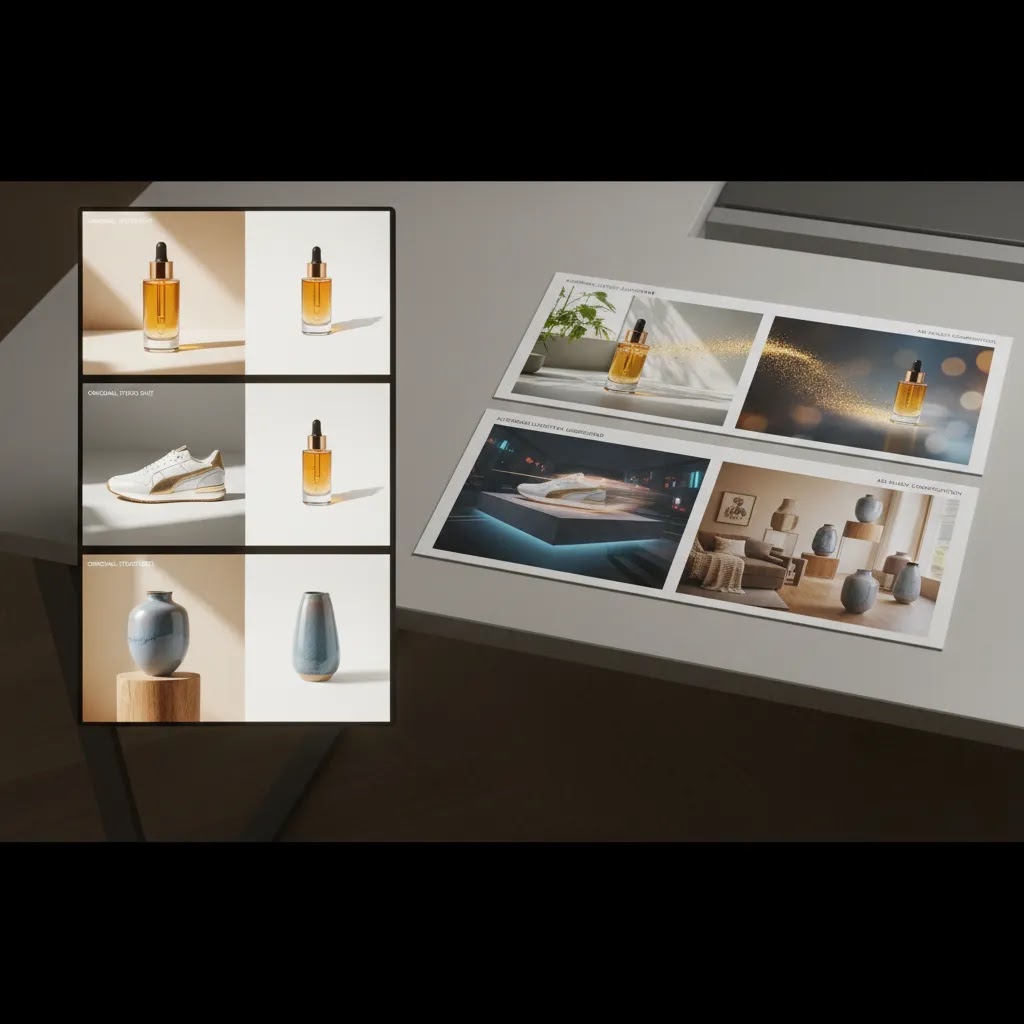
Here is the thing. The tools listed above are mostly asset production tools. They help you create stronger inputs: better product cutouts, cleaner backgrounds, sharper source images, and more believable lifestyle scenes that you can then place into your Meta and Google workflows.
Platforms like AdCreative.ai are usually positioned differently. They are closer to ad creative generator platforms, meaning they typically try to take you from product inputs and basic brand constraints to campaign-ready ad variants in multiple sizes and formats. In practice, that often means templated layouts, faster resizing, and more automated variation output, rather than deep control over every pixel.
For most Shopify store owners, the decision is less about which tool is “better” and more about what you actually need this week.
When an AdCreative.ai style platform can make sense
If your main bottleneck is shipping finished ad variants at scale, an all-in-one generator approach can be appealing. Think of a brand that runs frequent promotions, tests multiple angles per product, and needs a steady stream of feed-friendly creatives in the right aspect ratios. If you want a brand kit, reusable templates, and rapid multi-format exports so you can launch new tests without rebuilding designs each time, that category may fit.
It can also suit teams where the “design step” is the slowest part of the pipeline. For example, you have decent product photos already, but you need 20 to 50 variations to test hooks, offers, and layouts across placements. A templated generator can help you get to volume faster, as long as you are realistic about quality control.
When your current toolset is enough (or a better fit)
If you mainly need stronger product imagery inputs, your best move is often to improve the underlying assets first. Background swaps, clean white background versions, resolution fixes, and selective cleanup can improve almost every downstream use case: ads, product pages, email, and marketplace listings. In that scenario, production tools like Magic Photo Editor, Free White Background Generator, and Increase Image Resolution can carry a lot of the workload without locking you into a templated ad system.
The reality is that many ecommerce ads fail because the product is unclear, looks untrustworthy, or lacks context. Fixing those fundamentals can matter more than generating dozens of layout variations.
A simple decision rule for Shopify merchants
If you need finished ad variants at scale, in the right formats, for frequent testing cycles, consider an ad creative generator platform. If you mainly need better product imagery and reusable building blocks that you can deploy across Meta, Google, email, and PDPs, stick with asset production tools and pair them with a disciplined testing process.
In many cases, brands end up using both: production tools to create trustworthy product assets, then a generator platform to package those assets into high-volume ad variants. If you go that route, treat the generator as the last step, not the first.
Key Features That Matter for Product Brands
The right creative ai tool depends on how your team actually makes ads. For a solo founder, the biggest win may be speed. For a larger brand, it may be creative testing volume. For both, a few capabilities matter more than the rest.
1. Scene and background flexibility
If you already have product cutouts or simple studio photos, tools like Background Swap Editor and AI Background Generator can help you build campaign variants without scheduling a new shoot. That is especially useful for seasonal promotions, audience-specific ad sets, and rapid concept testing.
2. Catalog-ready image cleanup
Not every ad needs a dramatic lifestyle scene. White background assets still matter for Google Shopping, marketplaces, collection pages, and comparison creatives. Free White Background Generator is more relevant here than a heavier creative editor. For stores managing large SKU counts, clean source assets often improve downstream ad production.
3. Human context for social performance
Place in Hands stands out because many product ads underperform simply because the item feels flat or abstract. Showing scale, grip, and real-world use can make a creative more understandable in the feed. That does not guarantee better performance, but it often gives shoppers faster visual context.
4. Asset rescue and enhancement
Many brands have older product images that are usable but not ideal. Increase Image Resolution and Remove Text From Images help recover those assets so they can be repurposed for new campaigns. This matters if you are trying to launch new tests quickly instead of waiting for a full reshoot.
5. Centralized creative workflow
Creator Studio and Magic Photo Editor are the most broadly useful options if you need one environment for repeated creative iteration. If your workflow includes adapting stills into motion-style assets, pairing these tools with our guide on make photo animation online free approaches can help extend static product photography into more dynamic ad formats.
For stores still building the basics, stronger source imagery matters before any AI editing step. That is why creative teams should also understand the role of a product photography studio in producing inputs that AI tools can actually work with well.
What You Can Realistically Expect From AI Ad Creative (Quality Control Checklist)
AI can help you produce more ad assets, but it also makes it easier to publish mistakes at scale. From a practical standpoint, the goal is not “perfect” creative. It is creative you can confidently spend ad dollars behind without creating customer confusion, policy risk, or brand damage.
What many store owners overlook is that most failure modes are not subtle. They are the kind of errors a shopper notices instantly, especially on a product detail page after they click.
Common failure modes to watch for
These are some of the issues that show up repeatedly when brands use AI for product ads:
- Inaccurate product details, for example the wrong cap style, missing label elements, changed materials, or altered packaging
- Off-brand styling, where the lighting, color palette, or background mood conflicts with your Shopify theme and brand identity
- Odd hands or awkward grips in “in-hand” creatives, especially around fingers, nails, and scale cues
- Incorrect shadows and reflections that make the product look pasted on
- Text artifacts, misspellings, warped typography, or unreadable offer text
- Unintentional claims implied by the image, like exaggerated effects, before-and-after style implications, or misleading usage contexts
A lightweight QA process before you spend ad dollars
You do not need an agency review cycle for every variant, but you do need a simple checklist that someone follows every time:
- Product truthfulness check: compare the AI output to your real product photo, then confirm the packaging, color, number of items, and key physical details match what you ship
- Brand consistency check: confirm the background style, lighting direction, and overall vibe fit your site and your other ads, then make sure it does not look like a random stock composite
- Legibility check: if you add text, view it at feed size on a phone, then confirm it is readable and does not contain artifacts
- Placement check: preview crops for common placements (square, vertical, and horizontal) so the product is not cut off or cramped
- Platform policy risk check: look for implied claims, sensitive attributes, or deceptive presentation, and verify current ad policies before scaling since policies and enforcement can change
Where AI output is usually safest, and where it needs the most review
In many cases, AI performs best when you ask it to do contained, production-style work. Background variants, background removal, cleanup, and resolution improvement are typically lower risk because you are not asking the tool to invent new product details.
The highest-risk outputs are usually hands, faces, heavy lifestyle composites, and text-heavy creatives. Those can still work, but they need more human review because small errors can reduce trust quickly.
Now, when it comes to AI ad video generation claims, set expectations properly. Some tools can help you create motion from stills or produce simple animated variants. That can be useful for testing, especially on social. It does not automatically replace true product video, and it may not capture real product behavior, textures, or use cases the way a real shoot can. Treat early motion outputs as test assets, then invest in higher-production video for the concepts that prove they resonate.
Pros and Cons
Strengths
- These tools address real ecommerce creative bottlenecks such as background swaps, image cleanup, and faster visual variation production.
- They are useful across multiple channels, including paid social, Google Shopping support assets, landing pages, email campaigns, and product page visuals.
- Product brands can test more creative angles without relying on a full studio reshoot for every campaign concept.
- Specialized tools like Place in Hands and Free White Background Generator solve focused problems better than all-purpose design tools in some workflows.
- Creator Studio and Magic Photo Editor give growing brands a more flexible production environment for ongoing campaign work.
Considerations
- No live pricing data was returned, so you will need to verify current costs and usage limits directly with the provider before choosing a plan.
- AI-generated or AI-edited assets still need human review to protect product accuracy, brand consistency, and compliance for advertising platforms.
- These tools help with creative production, but they do not replace campaign strategy, audience targeting, or conversion-focused landing page work.
- Some stores may still need original photography or professional design support for hero campaigns and premium brand launches.
Who These Tools Are For
These tools are a strong fit for ecommerce operators who already understand that ad performance depends heavily on creative throughput. If you run a Shopify store and frequently launch new products, test paid social angles, or refresh Google campaign assets, this category is worth serious consideration.
They are particularly useful for founder-led brands, lean in-house marketing teams, and agencies supporting multiple product clients. If your bottleneck is slow production rather than lack of ideas, a creative AI workflow may help you ship more tests. If your bottleneck is poor positioning or weak offer strategy, creative tooling alone will not solve the underlying problem.
AcquireConvert Recommendation
If you are close to choosing a tool, treat this category as part of a broader acquisition system, not a standalone fix. Giles Thomas approaches ecommerce growth from both the Shopify and Google side, which is useful here because ad creative only works when it connects with product page quality, merchandising, and channel strategy. For most product brands, the right starting point is a simple workflow: improve source imagery, generate a few campaign-ready variations, test them in paid channels, then feed the winners back into landing pages and retention creatives.
AcquireConvert is built for that kind of practical decision-making. Before you commit, compare adjacent resources like our main Product Video & Animation hub, review foundational inspiration in these ai generated video examples, and use our specialized guides to map tools to actual ecommerce workflows. If you want expert-led context grounded in Shopify operations rather than generic AI commentary, AcquireConvert is a strong place to continue your evaluation.
How to Choose the Right Tool
Here are the five criteria that matter most if you are evaluating ad creative options for a product brand.
1. Start with your creative bottleneck
If your issue is stale scenes, focus on background generation and swapping. If your issue is poor source quality, prioritize cleanup and resolution tools. If your issue is making products feel more real in paid social, look first at contextual placement tools like Place in Hands.
2. Match the tool to the channel
Google Shopping support assets, Meta prospecting creatives, email hero banners, and PDP image blocks all need different things. A clean white background image may matter more for catalog consistency, while a lifestyle composite may matter more for feed engagement. The best choice depends on where the asset will be used.
3. Think in workflows, not single images
A useful tool should fit into repeatable production. For example, a Shopify merchant launching two collections a month may need a system for generating white background images, resizing source files, building several social variants, and then adapting the top concepts into motion ads. Tools that support repeated iteration tend to create more value than one-off novelty effects.
4. Protect product truthfulness
Product brands need visuals that sell without misleading. Colors, proportions, packaging, textures, and size cues should remain faithful to what the customer receives. This is especially important in beauty, fashion accessories, home goods, and any category where visual expectations affect returns and satisfaction.
5. Keep measurement in the picture
The right tool should support testing, not just output. When merchants use creative AI effectively, they usually connect it to ad testing frameworks such as angle testing, audience segmentation, and landing page alignment. Your winning creative may not be the most polished one. It may be the one that communicates the product fastest and clearest.
If you are still early in your process, use AI to speed up variation and editing, then reserve professional production for the campaigns and products that have already shown traction. That is often a more disciplined approach than overinvesting in creative before you know what message resonates.
Setup and Account Basics (Login, Trials, Cancelation, Support)
If you are evaluating an ad creative tool that runs as a platform, not just a single-purpose editor, a few account details can save you time and prevent trial surprises. This matters most when the tool could become part of your weekly workflow for Shopify launches, promotions, and ongoing paid acquisition.
What to check before you start any trial
Before you put time into building templates or uploading brand assets, confirm a few basics inside the product and billing areas:
- Export formats and sizes that match how you run ads, including the aspect ratios you use most often
- Usage limits, including how generations, exports, or credits are counted, and whether watermarks apply during a trial
- Commercial rights language for generated assets, especially if you are producing paid ads for a brand, client, or agency account
- Team access, roles, and collaboration, if more than one person needs to review or export creative
- Where billing settings live, so you can find upgrade, downgrade, and cancelation controls quickly
How to avoid common “trial surprise” issues
Most issues happen because people treat a trial like a casual test, then forget it is connected to billing. Put a reminder on your calendar before the trial ends, and document what you are testing so you can make a clear decision. If you are exporting a lot of variations, keep a folder of the final assets you actually used and note which settings produced them.
Cancelation is typically found in account settings or a billing section, but exact navigation varies by tool and can change over time. If you plan to cancel after testing, it is worth locating the billing page on day one. That way you are not hunting for it on the last day when you are busy running campaigns.
If you are ending a test, export or record anything you will need later: brand kit settings, template names, and the specific creative variants you might want to revisit. Many platforms keep projects available, but you should not assume access or export rights remain the same after a plan change.
Support signals that matter once it is part of your workflow
If a tool becomes part of your weekly production, support quality starts to matter as much as features. Look for clear help docs, responsive support channels, and straightforward guidance on what is allowed in generated content. If you run paid ads at scale, you want to know how the provider handles issues like failed exports, account access problems, and questions about acceptable ad content, especially since platform policies can change and enforcement is not always predictable.
Frequently Asked Questions
What does ad creative ai actually mean for ecommerce brands?
For ecommerce, ad creative ai usually refers to tools that help generate, edit, enhance, or adapt visual assets used in ads. That can include background changes, image cleanup, contextual product placement, or turning static assets into more campaign-ready formats. It is less about replacing your strategy and more about speeding up creative production and testing.
Can AI ad creative tools replace a designer or photographer?
No, not fully. These tools can reduce repetitive editing work and help you create more variations faster, but they do not replace brand judgment, art direction, or high-quality source photography in every case. For hero campaigns or premium launches, many brands still benefit from professional creative support alongside AI-assisted production.
Which tool is best if I only need better product backgrounds?
If backgrounds are your main issue, Background Swap Editor and AI Background Generator are the most directly relevant options in the current data set. Free White Background Generator is a better fit if your need is clean catalog presentation rather than lifestyle scenes. The right choice depends on whether you want realism, consistency, or testing variety.
Are these tools useful for Shopify stores specifically?
Yes, especially for Shopify merchants who need a steady stream of assets for product launches, paid campaigns, collection updates, and retention marketing. The tools are not Shopify-exclusive based on the available data, but the use cases map closely to common Shopify workflows such as PDP updates, seasonal promotions, and creative testing for acquisition channels.
How should I test ad creative made with AI?
Test one meaningful variable at a time. For example, compare white background versus lifestyle scene, product-only versus in-hand context, or static image versus lightly animated adaptation. Keep your offer, audience, and landing page consistent where possible so you can evaluate whether the creative change is actually influencing click and conversion behavior.
Do AI-generated visuals work better for paid social or Google Ads?
They can support both, but usually in different ways. Paid social often benefits from more contextual or attention-grabbing visuals, while Google-related use cases may need cleaner, more catalog-friendly images depending on placement and campaign type. Giles Thomas's Google expertise is especially relevant here because channel fit matters as much as visual quality.
What if my current product photos are poor quality?
Start with cleanup and enhancement before you expect strong ad outputs. Increase Image Resolution and background-related tools may help salvage usable assets, but there is a limit to what AI can fix. If the underlying imagery is weak, you may need better source photography before moving into large-scale ad creative testing.
Should small brands use Creator Studio or a specialized tool?
Small brands usually do better when they pick the narrowest tool that solves their biggest current bottleneck. If you only need white background cleanup, use that. If you need broader variation and editing across campaigns, Creator Studio or Magic Photo Editor may be a better long-term fit because they support more ongoing creative experimentation.
How do I know whether AI creative is helping my store?
Measure business-relevant signals, not just output volume. Look at click-through rate, product page engagement, add-to-cart behavior, and conversion quality over time. AI creative is useful when it helps you test more informed concepts, reduce production delays, or improve message clarity. It is not useful if it creates more assets without a clear testing process.
Is ad creative AI any good?
It can be, but it depends on what you are using it for and how strict your review process is. AI tends to be strongest for production tasks like background cleanup, generating scene variations, resizing, and improving low-resolution inputs. It is more error-prone when it has to invent realistic hands, precise packaging details, or text-heavy layouts. The best results usually come when you use AI to speed up iterations, then apply human judgment before spending meaningful budget behind the outputs.
What is AdCreative.ai?
AdCreative.ai is commonly positioned as an ad creative generator platform. Instead of only editing product images, tools in this category typically aim to generate campaign-ready ad variants in multiple formats based on your product inputs and brand constraints. Exact features can change, so you should verify current capabilities and export options inside the product before building it into your workflow.
How much does AdCreative.ai cost?
Pricing can vary by plan, usage limits, and what is included in the subscription. Since no live pricing was provided in the AcquireConvert product data for this article, the practical approach is to check the current pricing page inside the provider’s site and confirm how credits, exports, and team access are counted before you commit.
How do I cancel my AdCreative.ai free trial?
Cancelation is typically handled inside your account settings or a billing section. The exact steps can vary over time, so the safest approach is to locate the billing and subscription area as soon as you start a trial, then set a calendar reminder a few days before the trial ends. If you are testing with a team, document which assets and settings you want to keep so you can export what you need before ending the subscription.
Key Takeaways
- For product brands, ad creative ai works best as a production and testing tool, not as a substitute for strategy.
- Choose a tool based on your bottleneck: scene generation, white background cleanup, contextual product placement, or asset enhancement.
- Creator Studio and Magic Photo Editor are the broadest options in the current data set for ongoing creative iteration.
- Specialized tools can be the smarter choice if your workflow centers on one repeated task.
- Always review AI-generated assets for product accuracy before using them in paid campaigns.
Conclusion
The best ad creative tool for a product brand is the one that shortens your path from idea to valid test without weakening brand trust. For some stores, that means faster background swaps and cleaner catalog assets. For others, it means adding human context, rescuing old imagery, or building more campaign variants from existing product photos. The tools compared here are most valuable when they fit into a disciplined ecommerce workflow tied to testing, merchandising, and conversion goals.
If you want a clearer shortlist, compare options side by side across the AcquireConvert content ecosystem, explore related creative production guides, and use Giles Thomas's practitioner-led advice to connect tooling choices with real Shopify growth priorities. That approach will usually lead to better decisions than choosing a tool on AI claims alone.
This article is editorial content created for AcquireConvert. It is not a paid endorsement unless explicitly stated otherwise. Tool availability, features, and pricing are subject to change, so verify current details directly with each provider before making a decision. Any performance outcomes from ad creative changes will vary by store, product, channel, audience, and execution, and are not guaranteed.

Hi, I'm Giles Thomas.
Founder of AcquireConvert, the place where ecommerce entrepreneurs & marketers go to learn growth. I'm also the founder of Shopify agency Whole Design Studios.