Best AI Ad Generators for Product Marketing (2026)


If you are choosing an ai ad generator for product marketing, the real question is not whether AI can make ads. It can. The better question is whether it can help you produce more testable creative, faster, without lowering brand quality. For Shopify store owners and ecommerce marketers, that usually means turning product photos into ad variations for Meta, Google, TikTok, and landing pages while keeping the workflow manageable. Some tools focus on image cleanup, some on backgrounds and presentation, and some on creative editing that can support ad production. This guide evaluates the most relevant options from the current data available, with an ecommerce-first lens and practical decision criteria. If you want broader context on campaign formats, start with this guide to video advertising.
Contents
- What an AI ad generator should actually do for ecommerce
- Top tools evaluated
- How product URL to video ad generators work (and when they are worth using)
- Key features that matter
- Channel-specific deliverables: what to generate for Meta, TikTok, YouTube, and LinkedIn
- Pros and Cons
- Watermarks, usage rights, and “no sign up” claims: what to verify
- Who these tools are for
- AcquireConvert recommendation
- How to choose the right AI ad generator
- Frequently Asked Questions
- Key Takeaways
- Conclusion
What an AI ad generator should actually do for ecommerce
For product marketing, an ad generator is only useful if it shortens the path from product asset to live campaign. That usually means helping you create cleaner visuals, alternate backgrounds, simple lifestyle scenes, resized image variants, and creative angles you can test across channels.
Based on the current tool data available, the strongest fit here is not a single all-in-one ad platform. It is a set of AI-powered creative tools that support ad production, especially for stores that already have product images but need more output from them. That distinction matters. If you need media buying, copy generation, audience management, and reporting in one place, these tools may only cover the creative asset side.
For many ecommerce teams, that is still valuable. Creative fatigue is real, especially if you are running paid social. A tool that lets you create new variations from your existing catalog can support faster testing. If your bottleneck is the visual production step, these tools are worth serious consideration. If your bottleneck is strategy, messaging, or channel setup, you may need a wider workflow that also includes your ad account structure and creative testing plan. You can also browse the broader Product Video & Animation category for adjacent tools and production workflows.
Top tools evaluated
Here are the most relevant current options from the available product data for product-marketing ad creative workflows.
1) Creator Studio
Creator Studio is the broadest creative environment in the dataset. It is the closest match if you want a central workspace for building ad-ready visuals from existing product images.
2) Magic Photo Editor
Magic Photo Editor is a strong fit if your current images are usable but need quick edits for campaigns, seasonal refreshes, or channel-specific variants.
3) Background Swap Editor
Background Swap Editor is best if you need fast creative variation from the same SKU, which is especially useful when testing multiple ad concepts.
4) AI Background Generator
AI Background Generator is most useful for generating fresh scenes around existing products without arranging a full lifestyle shoot.
5) Place in Hands
Place in Hands is a practical option for ecommerce brands that need more human-context imagery for social ads, PDP support, or UGC-style creative concepts.
Other supporting tools in the current dataset include Free White Background Generator, Increase Image Resolution, and Remove Text From Images. These can help prepare assets before they move into an ad workflow, though they are less complete as standalone ad generators.
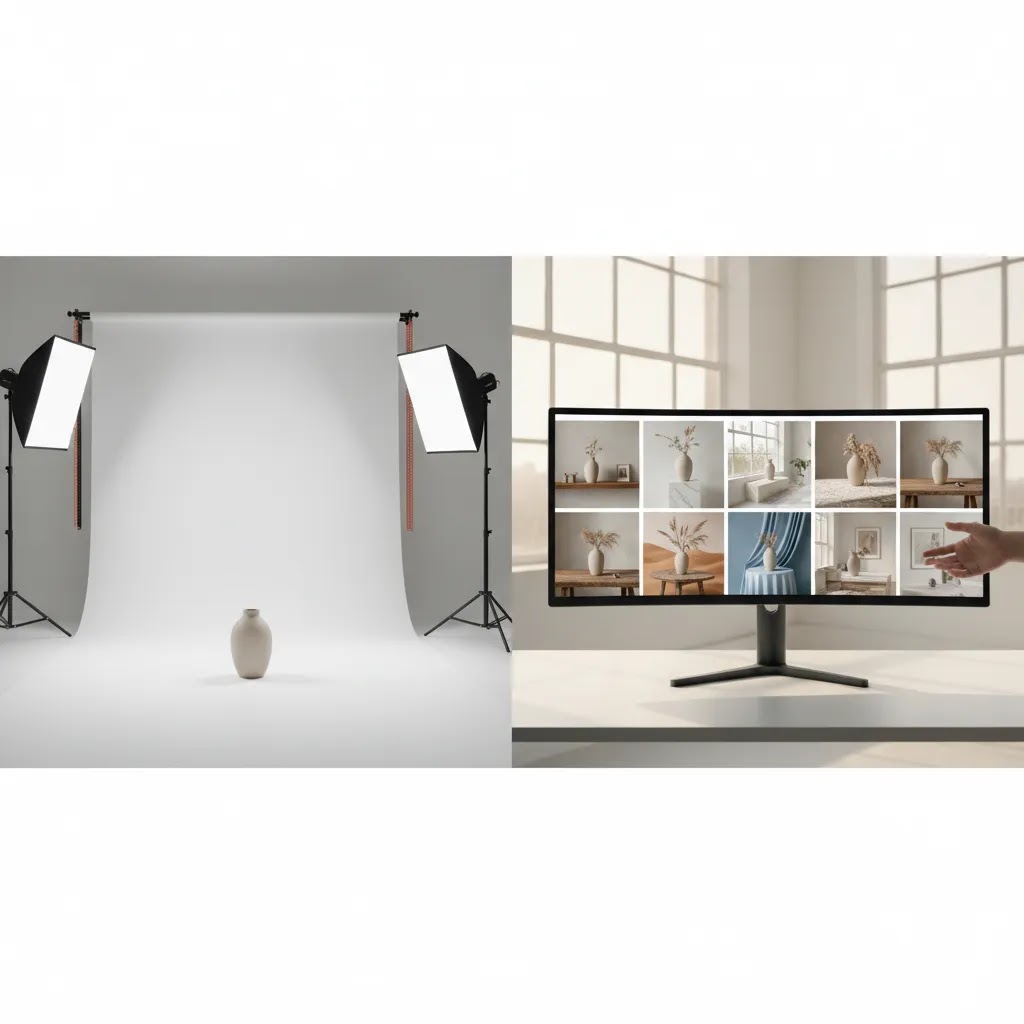
How product URL to video ad generators work (and when they are worth using)
Here is the thing. A lot of tools that get marketed as an “ai ad generator” are really pushing one specific workflow: paste a product URL and get multiple short video ad variations back, fast.
The way this works in practice is fairly consistent across tools. You drop in a product link, the tool tries to pull key details from the page, then it assembles a few ad concepts from what it found. That may include product images, product title, price, key benefits, reviews, and sometimes even brand colors. You typically get several versions formatted for short-form placements, then you pick the strongest one and iterate.
For Shopify store owners, the appeal is obvious. If you have a decent PDP and a clean image set, URL-based generation can speed up concepting and help you get to “something testable” without opening a design tool first.
Consider this, the reliability of URL parsing is not guaranteed. It can vary based on your Shopify theme, your product page layout, and how your content is structured. If your PDP uses custom sections, heavily scripted elements, or inconsistent image sizing, the generator may miss important info or pull the wrong asset. If your product only has one image angle, the video variations may be shallow because the tool has nothing to remix.
It is also where you need to stay disciplined. Even if the tool pulls the right product, you still need to review every claim, every price reference, and every visual before you run it as an ad. AI can and does invent wording, misunderstand pack sizes, or emphasize a benefit you cannot support. That is a brand risk, and depending on category, it can become a policy issue on ad platforms. Policies change, so always double-check current rules for your channel before scaling new creative formats.
From a practical standpoint, here is a quick fit check.
If you are running paid social and your team is stuck on “we need more creative angles,” URL-based generators can be worth using for the first round of ideas, especially for evergreen products where the value prop is clear. If you are launching a premium brand, have strict art direction, or rely on precise product visuals and specs, you will often get better results by prepping your assets manually first, then using AI tools for controlled iteration. That usually keeps the output more on-brand and more consistent with your product page.
Key features that matter
When store owners search for the best ai ad generator, they often lump very different capabilities together. In practice, you should separate these into five areas.
- Creative variation: Can the tool produce noticeably different assets from one product photo? Background Swap Editor and AI Background Generator are especially relevant here.
- Product realism: Does the final image still look believable enough for paid traffic? This matters most for apparel, beauty, accessories, and home goods where poor realism can hurt click-through and on-page trust.
- Editing control: Can you adjust rather than fully regenerate? Magic Photo Editor and Creator Studio appear better suited to controlled iteration than single-purpose generators.
- Catalog readiness: Can the same source image support ads, product pages, collection pages, and retargeting creative? Tools that also help with background cleanup and resolution improvement support this broader use case.
- Speed for testing: Can your team make three to five creative angles without booking a shoot? For many growth-stage stores, this is the biggest reason to use AI in the first place.
A practical workflow often starts with image cleanup, moves into background or scene generation, and then ends with resizing or placement into ad formats. If you are still building your process, AcquireConvert has related resources on ad creative ai and on how to make photo animation online free for campaigns that need motion without a full video production budget.
It is also worth being honest about the limits. None of the current product data confirms built-in media buying, performance reporting, or direct ad account optimization. So if you need a true all-in-one ad generator platform, verify that independently. Based on the available data, these are best viewed as AI creative production tools for ecommerce marketing assets.
Channel-specific deliverables: what to generate for Meta, TikTok, YouTube, and LinkedIn
What many store owners overlook is that “ad creative” is not one thing. The output you generate needs to match how the channel is consumed, and what the ad platform will actually let you run.
On Meta, you are usually balancing fast-scrolling feeds with placements like Stories and Reels. On TikTok, you are fighting for attention in a very short window and the creative often needs to feel native. On YouTube, you may be working with short-form placements, but you can also support longer attention spans if the message earns it. On LinkedIn, even for ecommerce, the tone and pacing often needs to be more direct and less “trend-driven,” and you may lean more on static or simpler motion depending on your product and audience.
So, when you are evaluating an ad generator or a creative workflow, think in terms of deliverables, not just “it makes an ad.” For many Shopify teams, that means you want the ability to generate and export multiple aspect ratios, keep a clear safe area for on-screen text, and produce both static and motion variations from the same product asset set. Short-form placements typically reward quick pacing and clear product shots early. If the first seconds are all background and no product, performance can suffer in many cases.
Now, when it comes to execution, there is also a real difference between making assets and making deployable ads. Deployable ads usually need exports in the right dimensions, a version with and without on-screen text, a thumbnail choice, and captions that match the offer. Even if an AI tool generates the visuals, you still need a repeatable way to label versions and tie them back to a specific SKU, offer, and landing page. That is how you avoid the “we tested a bunch of stuff and learned nothing” problem.
From a practical standpoint, a simple way to keep this manageable is to standardize your testing. Pick one to two formats per channel that you will run consistently, then build repeatable variants per SKU. That may be as simple as choosing one vertical format for short-form video placements, plus one square or vertical static format for feeds, then iterating the hook, background, and context. Once you have a baseline, you can expand into more formats and longer edits without resetting your entire process each time.

Pros and Cons
Strengths
- Strong fit for product-led ad creation where existing catalog images are your starting point.
- Useful for producing more visual variants without organizing a new product shoot each time.
- Helpful for smaller ecommerce teams that need to test more creative concepts with limited in-house design resources.
- Supports practical paid social workflows such as seasonal updates, audience-specific imagery, and retargeting asset refreshes.
- Single-purpose tools like white background, text removal, and resolution enhancement can improve asset quality before ad production.
Considerations
- Current product data does not confirm pricing, so cost comparison is not possible here and should be verified directly with the provider.
- Current data also does not confirm native ad platform integrations, so these may not replace your broader campaign management stack.
- AI-generated scenes can still require human review to protect brand consistency and product accuracy.
- Not every product category performs equally well with synthetic or heavily edited visuals, especially if detail accuracy is critical.
Watermarks, usage rights, and “no sign up” claims: what to verify
A lot of high-intent searches around ai ad generator free are really asking three things: can I use it commercially, can I export without a watermark, and can I test it without creating an account.
The reality is that “free” often means free to try, not free to scale. You might get limited exports, lower resolution files, or watermarked outputs unless you upgrade. “No sign up” may apply to a single tool or a single run, then require an account once you need consistent exports or want to save versions. None of that is inherently bad, but you do not want to build a production workflow around assumptions that break the moment you start generating at volume.
Before you rely on any tool for paid campaigns, verify commercial usage rights and how the provider treats brand assets. For ecommerce, you are often using logos, packaging, product designs, and sometimes lifestyle images that include people. Make sure the terms cover commercial use for ads, and pay attention to any restrictions around trademarks, brand marks, or model imagery. If a tool generates or composites lifestyle scenes, you still need to be confident you can use those outputs in advertising without creating a rights problem. If you are in a regulated category, the bar is even higher. And since ad platform policies change, it is on you to confirm that your creatives align with current guidelines before running spend behind them.
Think of it this way. The best AI ad generator is the one that helps you move faster without creating brand risk. A simple QA workflow is what keeps that true.
At minimum, review outputs for product accuracy: color, materials, finish, pattern, and pack counts are common failure points. If you sell bundles or variants, make sure the ad matches the exact variant you are sending traffic to. Then check ad-to-PDP consistency. The product in the ad should look like the product on the page, the offer should match, and the customer should not feel like they clicked into a different brand experience. That tight alignment is one of the simplest ways to protect conversion rate while increasing creative throughput.
Who these tools are for
These tools make the most sense for ecommerce teams that already understand their products, channels, and customer avatars but need a faster way to generate ad assets. That includes solo Shopify store owners, lean in-house marketers, and agencies supporting multiple product brands.
If you sell visually driven products and your paid acquisition depends on steady creative testing, an AI-supported asset workflow may help. Beauty, fashion accessories, home decor, and consumer packaged goods are common fits. If your brand depends on exact lighting, advanced textures, or luxury art direction, these tools may work better as support tools rather than complete replacements for a product photography studio.

AcquireConvert recommendation
If you are at the decision stage, treat your ai ad generator choice as part of a wider ecommerce creative system, not a standalone miracle tool. Giles Thomas, as a Shopify Partner and Google Expert, consistently approaches these decisions from the angle that matters most to merchants: will this help you ship better assets faster, test more effectively, and keep the experience consistent from ad click to product page?
For stores already investing in paid traffic, Creator Studio or Magic Photo Editor look like the strongest starting points from the current data because they appear broad enough to support repeat campaign work. If your immediate need is creative variation rather than a full editing environment, Background Swap Editor or AI Background Generator may be the more practical entry point.
Before you commit, compare how the tool supports static images, motion-ad workflows, and landing page consistency. AcquireConvert is built for exactly this kind of practical evaluation. Read our related resources on ai generated video examples, review adjacent creative workflows in the Catalog Photography category, and use the wider site to compare options side by side before you commit budget and team time.
How to choose the right AI ad generator
Here are the criteria I would use if I were choosing for a Shopify store that needs more creative output without adding production overhead.
1. Start with your real bottleneck
If your issue is stale visuals, prioritize background generation and editing. If your issue is weak product imagery from the start, fix the source assets first. AI can improve throughput, but it rarely fixes a fundamentally poor source photo set.
2. Match the tool to the channel
Paid social usually needs frequent variation, fast testing, and visual novelty. Product pages and Google Shopping often need cleaner, more accurate product presentation. A free ai ad generator can be fine for concepting, but your highest-intent channels often need stricter quality control.
3. Judge realism, not novelty
Merchants can get distracted by creative effects that look impressive in isolation but do not support conversions. Ask whether the image makes the product clearer, more desirable, and more trustworthy. If not, it is probably not helping your funnel.
4. Build for repeatability
The best setup is one your team can repeat across dozens of SKUs. That means templates, consistent editing decisions, quick approvals, and a realistic path from source image to ad launch. A tool that works once but not at scale is less useful than a simpler one your team can use every week.
5. Keep landing page consistency in view
One of the most common mistakes is running ads with highly stylized AI creative that does not match the product page. That disconnect can reduce trust. Your ad asset, product imagery, and offer framing should feel like part of the same buying journey.
If you are still exploring whether image-based creative should evolve into motion, review examples and production ideas in AcquireConvert's broader coverage of video and creative workflows. That is often the next step once static ad iteration is working well.
Frequently Asked Questions
What is an ai ad generator for ecommerce?
An ai ad generator helps create marketing assets from product images or prompts. For ecommerce, that usually means ad visuals, scene variations, edited product shots, or lightweight creative concepts for paid social and product marketing. Based on the current data here, the strongest use case is creative production support rather than full campaign management.
Is there a good ai ad generator free option?
Yes, some tools in the current dataset are positioned as free utilities, such as AI Background Generator and Free White Background Generator. That can make them useful for testing workflows before you commit to a broader system. Still, verify current limits and output rules directly with the provider because availability and terms may change.
Can these tools create video ads too?
The current product data mainly points to image editing and product-visual workflows, not confirmed full video ad generation. You may be able to use the outputs as inputs for motion creative, but that depends on your wider stack. For more context, AcquireConvert has related resources on video and creative production paths.
Are AI-generated ad creatives suitable for Shopify stores?
Often, yes, especially for testing angles, refreshing social creatives, and supporting promotional campaigns. The key is keeping product accuracy and landing page consistency intact. For Shopify merchants, the practical question is whether the output helps more qualified clicks reach a product page that matches the promise of the ad.
Will an AI ad generator improve ROAS?
It may help by increasing creative throughput and making testing easier, but no tool can guarantee stronger ROAS on its own. Campaign structure, offer strength, audience targeting, page speed, price positioning, and onsite conversion factors all affect performance. Treat the tool as one part of the system, not the whole system.
What is the best ai ad generator for small ecommerce teams?
From the current dataset, Creator Studio and Magic Photo Editor appear the most versatile for small teams because they seem suitable for recurring creative work rather than only one narrow task. If your need is very specific, such as scene swaps or white backgrounds, a specialized tool may be the better first choice.
Do I still need professional product photography?
In many cases, yes. AI tools are often strongest when they start from solid source photography. If your catalog images are weak, poorly lit, or inconsistent, AI may only partially compensate. Many brands get better results by combining strong core photography with AI editing and variation tools for faster campaign production.
How should I test AI ad creative?
Start with one product, one audience, and a small set of distinct creative angles. Change one major variable at a time, such as background style, context, or framing. Watch for click-through quality as well as onsite behavior. A visually striking ad that drives poor product-page engagement is not really winning.
What should I verify before paying for one of these tools?
Check current pricing, export limits, commercial use rights, image quality, and whether the outputs fit your ad channels. Also review how quickly your team can go from source asset to finished creative. Since pricing data was not available from the current tool output, direct verification is especially important here.
What is an AI video ad generator?
An AI video ad generator is a tool that produces short video-style ad creatives from inputs like product images, product details, and text prompts. In many cases, it outputs multiple variations intended for placements like Reels, Stories, Shorts, or TikTok-style feeds. Even when the video is AI-generated, you should still review accuracy, messaging, and whether the edit fits your product and landing page.
Can I generate ads from a product URL?
Sometimes. Some ad generators support a product URL workflow where you paste a product page link and the tool tries to pull images, titles, pricing, and key details from that page. Results can vary depending on how your Shopify product page is structured and what assets are available. Plan to review and correct the output before using it in a live campaign.
Is there a free AI ad generator without watermark?
It depends on the provider and the specific tool. Some products offer free utilities or trial outputs, but watermarking, export limits, and resolution restrictions can change based on usage level. Before you build a workflow around a “no watermark” claim, verify current terms, commercial usage rights, and what is included at the export level you need for paid ads.
Can an AI ad generator create ads for TikTok, YouTube, and LinkedIn?
Many tools can generate assets that can be used across multiple channels, but you still need to align the output to the channel format and pacing. TikTok and YouTube Shorts typically prioritize vertical, fast-hook creative, while LinkedIn often performs better with clearer, more direct framing and simpler edits. Make sure you can export in the sizes you need and that the ad matches the destination product page experience.
Key Takeaways
- For ecommerce, the best ai ad generator is the one that helps you create more testable product creative without breaking brand consistency.
- From the current data, Creator Studio and Magic Photo Editor look best for broader creative workflows, while Background Swap Editor and AI Background Generator suit focused variation tasks.
- Use AI tools to support ad production, not to replace strategy, offer testing, or strong product-page alignment.
- Verify pricing, channel fit, and output quality directly with the provider before rolling a tool into your regular campaign process.
- Start with a single product line, test a few creative angles, and build a repeatable workflow before scaling across your whole catalog.
Conclusion
If you are comparing ai ad generator options for product marketing, focus less on broad AI claims and more on the practical job you need done. For most store owners, that means generating more usable ad creative from the assets you already have, with enough control to protect product accuracy and enough speed to support regular testing. Based on the current data, the strongest options here are creative-production tools rather than full ad platforms, which may be exactly what many ecommerce teams need.
AcquireConvert exists to help Shopify merchants and ecommerce marketers make these decisions with clear trade-offs in mind. Explore the full guide library, compare related creative workflows, and use Giles Thomas's Shopify Partner and Google Expert perspective to pressure-test your shortlist before you commit.
This article is editorial content and not a paid endorsement unless explicitly stated otherwise. Pricing, feature availability, and product terms are subject to change and should be verified directly with each provider before purchase. Any performance outcomes discussed are illustrative only and not guaranteed.

Hi, I'm Giles Thomas.
Founder of AcquireConvert, the place where ecommerce entrepreneurs & marketers go to learn growth. I'm also the founder of Shopify agency Whole Design Studios.