Video Editing Service for Ecommerce (2026)

A video editing service can make a real difference for ecommerce brands that need product demos, paid social creatives, and cleaner on-site media without building an in-house production team. For most Shopify store owners, the right choice is not simply finding an editor. It is choosing a service that understands ecommerce pacing, product angles, aspect ratios, ad formats, and conversion-focused storytelling. If you sell visually, this is often worth paying for. If you only need occasional clipping or simple background cleanup, a lighter workflow may be enough. At AcquireConvert, Giles Thomas reviews ecommerce tools and workflows through the lens of practical store growth, drawing on his experience as a Shopify Partner and Google Expert. This guide will help you decide what type of video editing service fits your store, what it may cost, and when to use AI tools instead of a full-service team.
Contents
- Overview
- Pricing and Costs
- Unlimited Video Editing Services vs Project-Based Editors (What “Unlimited” Really Means)
- Trust and Credibility
- Turnaround Time and Workflow (Briefs, Queues, Revisions, and Handoffs)
- Key Features
- What to Look for in a Video Editing Service Portfolio (Ecommerce Proof, Not Just a Showreel)
- Pros and Cons
- Who It's Best For
- How to Get Started
- Frequently Asked Questions
Overview
A video editing service for ecommerce sits between raw creative production and finished revenue-driving assets. It can include product cutdowns, ad variations, UGC-style edits, vertical video formatting, color correction, motion graphics, subtitles, and image-to-video workflows. For many brands, this service becomes the missing link between having product footage and actually publishing content that is ready for Meta ads, TikTok, landing pages, and email campaigns.
Store owners usually start searching for a professional editing service when they hit one of three problems. First, they have footage but no internal bandwidth to edit it. Second, their paid social performance is flattening because the same creatives are being reused too long. Third, their product pages need stronger visual proof than static images alone can provide. If that sounds familiar, it is worth reviewing your wider video advertising strategy before choosing a vendor.
In practical terms, a strong ecommerce-focused editing service should understand Shopify storefront needs, short attention spans on paid channels, and the difference between a branding montage and a conversion-focused product video. It should also work well alongside your still-image process, whether that comes from an in-house team or a product photography studio. If you are still deciding whether your brand should invest more heavily in motion, AcquireConvert’s Product Video & Animation resources are a useful next step.
Pricing and Costs
There is no live pricing data available from the current Products tool for a specific video editing service plan, agency package, or software subscription tied directly to this topic. That means it would be misleading to quote fixed package costs here. In the market, pricing usually depends on turnaround speed, number of revisions, length of final deliverables, source footage quality, motion graphics requirements, and whether the service is producing ad variants at scale.
For ecommerce brands, the real cost is rarely the editing fee alone. You should also factor in content planning, raw footage production, product shipping to creators if needed, licensing for music or templates, and ad spend if the final videos will be used for acquisition. If you are commissioning a video ad creation service, media buying costs are separate from editing costs, and performance will depend heavily on audience targeting, offer strength, and landing page quality.
Before signing with any editing service, ask for clarity on deliverables per month, aspect ratios included, subtitle options, revision limits, and file ownership. If a provider cannot define those clearly, costs can rise quickly. Smaller stores with limited margins may want to start with shorter assets or test AI-assisted production first through adjacent workflows such as an ai ad generator rather than committing to a larger recurring retainer.
Unlimited Video Editing Services vs Project-Based Editors (What “Unlimited” Really Means)
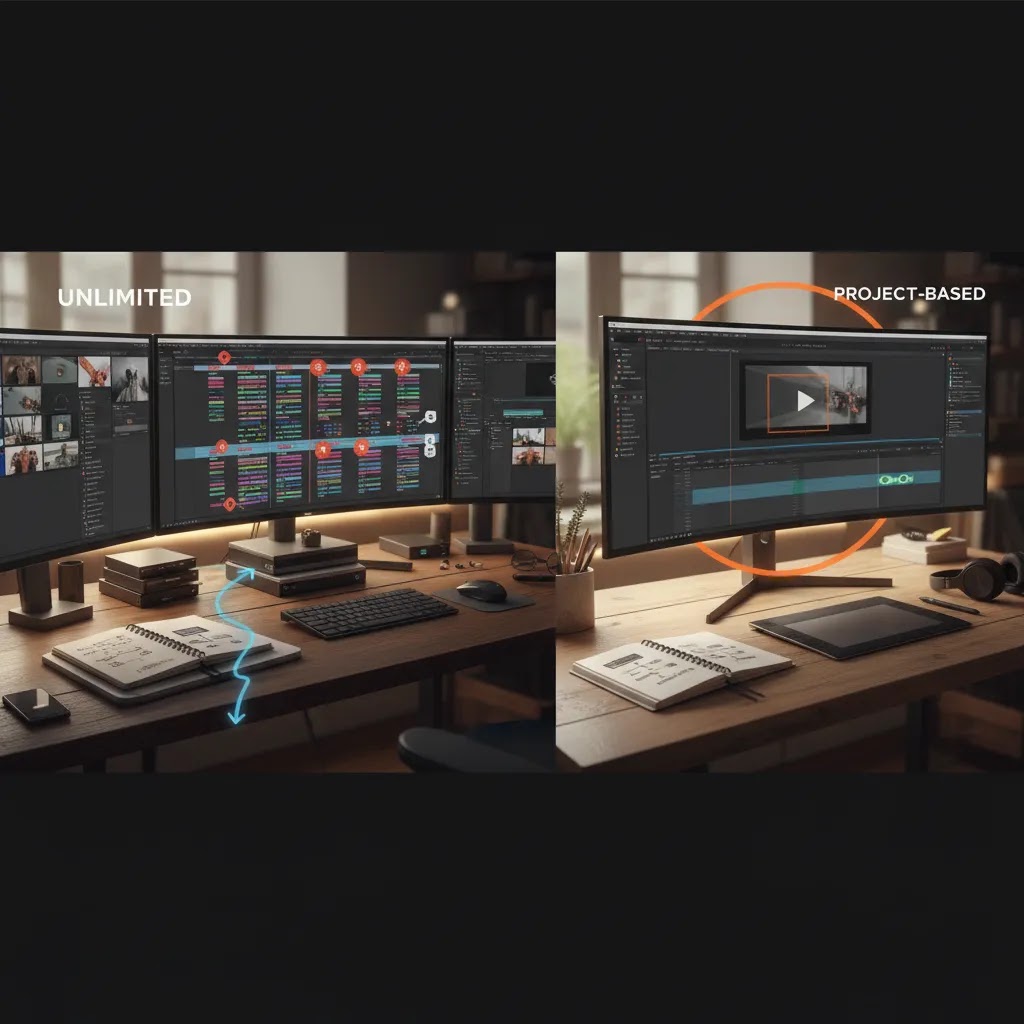
Many ecommerce teams end up choosing between two common models: project-based editing (you pay per deliverable or per batch), and subscription-style “unlimited” video editing services. Here’s the thing, “unlimited” almost never means unlimited output at the same time. In most cases, it means you can submit unlimited requests to a queue, but the provider only works on a limited number of active tasks at once, often just one.
From a practical standpoint, that queue-based model can be a great fit if your store needs a steady flow of iterations: weekly promo swaps, always-on TikTok and Meta creative, and lots of small ad cutdowns or caption changes. You keep the editor busy, you keep variants moving, and you avoid the stop-start overhead of new quotes for every micro request. If you only need an occasional product video, a project-based editor is often simpler, because you are not paying month after month during slower periods.
What many store owners overlook is the fine print that shapes your real throughput. “Unlimited” plans often come with constraints like fair-use rules, limits on raw footage handling, restrictions on complex motion graphics, and boundaries around how many formats or aspect ratio exports count as one request. None of that is automatically bad, but you want to know it upfront so your launch calendar does not get squeezed by policy.
Consider this before you sign: ask how many business days a typical short-form deliverable takes, how revisions are counted, and what happens during peak periods (big sale weeks, new collection launches, holiday pushes). Also confirm whether you own the exported deliverables only, or whether you also retain access to project files and source exports if you decide to switch providers later. If your creative strategy depends on ongoing iteration, portability matters.
It also helps to sanity-check “how many videos per month” based on your own workload. If a provider completes one active request at a time, and your videos typically require two revision rounds, your effective output is usually limited by turnaround and feedback speed, not how many items you can add to a queue.
Trust and Credibility
Trust matters more than most merchants expect when hiring a video editing service. You are sharing product footage, brand guidelines, launch schedules, ad concepts, and often unpublished campaign assets. A credible provider should have a clear process for briefs, revisions, delivery timelines, and asset storage. If they serve ecommerce brands regularly, they should also understand channel-specific specs instead of treating your store like a generic corporate client.
One practical trust signal is whether the service can show ecommerce-relevant samples, not just cinematic reels. Ask to see before-and-after examples for product launches, ad cutdowns, and PDP videos. If you are reviewing AI-assisted vendors, ask what is actually automated and what still requires human editing. That distinction matters. Generative workflows can save time, but they can also introduce brand inconsistency if prompts and review processes are weak.
AcquireConvert approaches this from a merchant-first angle. Giles Thomas’s background as a Shopify Partner and Google Expert is relevant here because product videos do not exist in isolation. They affect on-site conversion, ad efficiency, and merchandising quality together. If your team is comparing AI-assisted routes, it is also worth reading about ad creative ai so you can separate genuine workflow gains from marketing hype.
Turnaround Time and Workflow (Briefs, Queues, Revisions, and Handoffs)
Speed is one of the biggest claims you will see from video editing services, often framed as “under 24 hours.” That can be realistic for certain ecommerce tasks, especially if your footage is clean and the request is simple. Think cutdowns from an existing edit, resizing to vertical, basic captioning, trimming dead space, and swapping an offer overlay for a new promo.
The reality is that more complex deliverables typically take longer. Motion graphics that need to match your brand kit, narrative-heavy edits with multiple scenes, heavy color correction, sound design, and multi-aspect exports with manual reframing can take days, not hours. If a service promises speed across everything, ask what deliverable types that promise actually applies to.
The way this works in practice is that your workflow usually determines your turnaround as much as your vendor does. If you want fast iterations for paid social, use a brief format that makes decisions easy. A solid ecommerce brief usually includes the goal (PDP video, prospecting ad, retargeting ad), the channel and aspect ratios, the target length, the primary hook idea for the first 2 to 3 seconds, the offer (if any), required on-screen text, and two or three “must show” product moments that protect accuracy.
To reduce delays, tighten up handoffs. Use consistent file naming (product-name_hook-angle_length_aspect_v1), keep a shared folder structure for raw footage and brand assets, and define who approves what. One person should own final approval, otherwise revision rounds can become a relay race. For ad variant testing, batching requests helps too. Instead of sending ten separate messages over three days, send one batch that includes all hook variations, all CTAs, and all lengths you want exported.
What a streamlined process should look like is simple: a single point of contact, a clear queue, predictable revision rules, and a versioning system so you never wonder which export is live in your Meta ads or on your Shopify product page. Most delays come from unclear hooks, missing brand kit elements (fonts, logo lockups, color references), or late feedback. Fix those operational details and your “turnaround time” usually improves without needing a different editor.
Key Features
The best video editing service for ecommerce is not defined by flashy editing. It is defined by whether the output helps shoppers understand the product faster and gives your paid traffic a better chance of converting. That usually comes down to a handful of features.
Channel-specific formatting should be standard. Your editor should deliver vertical, square, and horizontal versions where needed, with exports that suit Shopify product pages, Meta placements, TikTok, YouTube Shorts, and email embeds. Reframing and resizing should not require a fresh project every time.
Conversion-focused structure is equally important. A good product video service should know how to open with the product benefit, demonstrate use, surface key differentiators, and close with a call to action or clear next step. That is very different from generic lifestyle editing.
Variant creation for testing matters for advertisers. You may want multiple hooks, first-three-second intros, captions, or offer overlays to test in paid campaigns. If your goal is acquisition, reviewing ai generated video examples can help you spot the kinds of creative structures currently being used across ecommerce.
Integration with still assets can also reduce production costs. Some providers can turn product imagery into animated sequences, especially when original footage is limited. This is where adjacent tools from the Products data become relevant. For example, ProductAI offers resources such as AI Background Generator, Increase Image Resolution, and Creator Studio. These are not full video editing services, but they may support pre-production and asset preparation for ecommerce creatives.
Fast revision loops are another major feature. Ecommerce teams often need edits tied to product launches, sales periods, or fresh ad tests. A slow video editing studio can bottleneck your campaign calendar. Strong providers keep briefs tight, revision rounds limited, and turnaround predictable.
If your product visuals are still being cleaned up before motion work begins, AcquireConvert’s E Commerce Product Photography category is worth reviewing as well, since better base assets nearly always improve the finished video output.
What to Look for in a Video Editing Service Portfolio (Ecommerce Proof, Not Just a Showreel)
A lot of portfolios look impressive, especially when they are cut like a highlight reel. The problem is that ecommerce video performance is not judged by cinematic polish. It is judged by whether the shopper understands the product, and whether the ad holds attention long enough to earn a click. So when you review a portfolio, look for ecommerce proof, not just “trendy style.”
For short-form ads, the first 2 to 3 seconds tell you a lot. Are hooks clear and product-led, or do you wait too long to see what is being sold? Are captions legible on a phone, with a clear hierarchy, or are they stylized in a way that becomes hard to read? Are offer overlays and key claims presented cleanly, without covering the product or creating clutter?
Before-and-after samples are especially useful for ecommerce because they reveal process, not just output. You want to see raw UGC turned into an ad-ready edit, with tighter pacing, clearer captions, and cleaner product framing. You also want to see a product demo turned into a Shopify-friendly PDP asset, typically shorter, more direct, and focused on objections, use, and scale.
If you run paid social, ask whether they can show multi-variant testing sets. That means the same base footage edited into different hooks, different lengths (for example 6 to 10 seconds versus 20 to 30 seconds), and different CTAs. A portfolio that includes these “sets” usually signals the editor understands iterative creative testing, not just one-off hero videos.
Watch out for red flags. Beautiful edits that hide the product are a common one. Another is inconsistent color treatment that makes the product look better than it is in real life, which can backfire through returns or customer complaints. Weak caption hierarchy is another, especially for UGC where captions carry the story. Finally, if you do not see channel-format examples (vertical, square, horizontal), you may end up paying extra later for basic formatting work that should have been included.
Pros and Cons
Strengths
- A specialized video editing service can save significant in-house time for lean ecommerce teams.
- Better-edited product videos may improve shopper understanding and support stronger product page engagement.
- Ad-focused editing makes it easier to produce multiple creative variations for testing across paid channels.
- Services that understand ecommerce can align edits with launches, promotions, and Shopify merchandising needs.
- AI-assisted workflows may reduce manual prep work for backgrounds, image enhancement, and content repurposing.
Considerations
- Pricing is often custom, so total costs can be hard to compare without detailed quotes and scope definitions.
- A generalist editor may produce attractive content that still performs poorly for ecommerce conversion goals.
- Revision-heavy workflows can become slow and expensive if briefs are unclear.
- AI-generated or AI-assisted outputs can create inconsistencies in product accuracy if human review is weak.
- Stores with low traffic may struggle to justify ongoing editing retainers until creative testing volume increases.
Who It's Best For
A video editing service is usually the best fit for Shopify brands that already have steady traffic, active paid acquisition, or a clear content calendar. It is especially useful for visually led categories such as beauty, apparel, home goods, fitness, and gadgets, where product demonstration and motion can answer buying questions quickly. Mid-stage brands often get the most value because they need more content than a founder can edit alone, but are not ready to build a full internal studio.
Smaller stores can still benefit, but only if the editing scope is tightly controlled. If you are early stage, test one or two core videos first, then measure engagement and operational fit before expanding. If your footage quality is poor, fix that first rather than expecting editing alone to solve the problem.
How to Get Started
Start by defining the actual business use case. Do you need product page explainers, paid social ads, launch videos, or repurposed creator footage? That will shape the brief, deliverables, and provider shortlist. Next, audit your current asset library. Gather raw footage, product photos, logos, brand fonts, offer messaging, and top-performing ad angles.
Then ask shortlisted providers five practical questions: what deliverables are included, how many revisions are allowed, how quickly files are returned, whether ecommerce ad variations are supported, and what they need from your team to move fast. If they cannot answer those clearly, implementation will likely be messy.
For stores exploring hybrid workflows, use AI tools where they help, but keep a human review layer. Clean up source images, improve resolution, or test simple visual concepts before handing them to your editor. Once the first batch is delivered, place videos on high-intent product pages and paid campaigns first, then review watch time, click-through behavior, and conversion support over a reasonable test period. Results will vary by niche, traffic quality, and creative strategy.
Frequently Asked Questions
What does a video editing service usually include for ecommerce brands?
It typically includes cutting raw footage, resizing for channels, adding captions, improving pacing, color correction, branding overlays, and exporting final files for ads or product pages. Some providers also offer motion graphics, script support, and static-to-video repurposing. What is included depends on the scope, so ask for a deliverables list before committing.
Is a video editing service worth it for a small Shopify store?
It can be, but only if you have a clear use case and enough traffic to learn from the content. A small store often benefits more from one strong product explainer or a few ad creatives than from a large monthly retainer. Keep scope narrow and measure how the videos support product understanding, click-throughs, and campaign testing.
Can I use AI instead of hiring a professional editing service?
Sometimes, yes. AI can help with ideation, resizing, image enhancement, subtitles, and simple motion workflows. It is less reliable for nuanced brand storytelling, product accuracy, and campaign-ready editing without review. Many ecommerce teams use AI to speed up prep work, then rely on a human editor for final assembly and quality control.
Will edited videos work directly on Shopify product pages?
In most cases, yes, provided the file format, size, and embed method suit your theme setup. The bigger question is whether the video content fits the buying stage. Product page videos should answer questions, show scale, demonstrate use, and reduce hesitation. Long brand films usually work less well than concise, product-focused edits.
How fast can an ecommerce video editing studio turn around assets?
Turnaround depends on footage quality, revision rounds, and asset complexity. Simple cutdowns may move quickly, while ad variants with motion graphics and subtitles can take longer. Ask providers for standard timelines by deliverable type. Fast turnaround matters if you run frequent paid creative tests or have tight promotional calendars.
What should I send before starting with a product video service?
Send raw footage, product photos, your logo, fonts, brand color references, a short creative brief, target audience details, and examples of ads or videos you like. Include the exact channels where the videos will be used. A tight brief usually shortens revision cycles and helps the editor deliver work that is closer to conversion goals.
What is an unlimited video editing service, and is it actually unlimited?
An unlimited video editing service is usually a subscription where you can submit unlimited edit requests, typically through a queue. It is not usually unlimited parallel work. Most services complete a limited number of active tasks at once (often one), then move to the next request when you approve or request revisions. Always confirm fair-use rules, what counts as a request, and what types of edits are excluded or slower.
How many videos can I realistically get per month with an unlimited editing plan?
It depends on turnaround time per deliverable, how many revision rounds you typically need, and how quickly your team reviews edits. If the service works on one active request at a time, your output is usually limited by workflow speed, not how many items you can add to the queue. Ask the provider what a typical month looks like for ecommerce ad cutdowns versus heavier motion-graphics edits, then compare that to your own content calendar.
Do video editing services handle thumbnails, captions, and formatting for TikTok/Reels/Shorts?
Many do, but it varies by provider and plan. Captions and vertical formatting are common deliverables for short-form ecommerce creatives, while thumbnails, cover frames, and multiple aspect ratio exports may be included or treated as separate requests. Confirm exactly what is delivered for each channel, and whether style guidelines for captions and overlays are part of the service.
What files should I provide, and do I keep ownership of project files and source exports?
At minimum, provide raw footage, product photos, your logo, brand fonts, brand color references, and any required on-screen text for claims or offers. For faster work, also provide examples of your best-performing ads and a simple brief that states channel, aspect ratio, and target length. Ownership depends on the contract. Some services only deliver final exported videos, while others can provide project files and source exports on request. Get this clarified before you start, especially if you expect to switch editors later or reuse the same base assets across campaigns.
Key Takeaways
- A video editing service is most valuable when it is built around ecommerce outcomes, not generic visual polish.
- Do not judge providers only on showreels. Ask for product page, paid ad, and short-form ecommerce examples.
- Pricing is often custom, so compare scope, revisions, turnaround, and ownership terms, not just headline cost.
- AI can support image prep and early-stage creative workflows, but human review still matters for accuracy and brand control.
- Start with one clear use case, then expand once the workflow proves useful for your store.
Conclusion
If your store depends on visual selling, a video editing service can be a sensible investment, especially once your product pages and paid campaigns need more than static images. The key is choosing a service that understands ecommerce creative, not just editing software. Look for clear deliverables, channel-specific outputs, revision discipline, and a strong grasp of product storytelling. Hold off if your source footage is weak or your traffic is too low to learn from new creative. In that case, improve your asset foundation first and test smaller projects. If you are ready to move, shortlist providers, define one high-impact use case, and get your first conversion-focused product video into market. That is usually the fastest way to see whether the service fits your store’s workflow and growth stage.
Disclosure: AcquireConvert may receive affiliate compensation from some links to third-party tools mentioned in this article. Any views expressed are editorial and based on practical ecommerce evaluation. Pricing and feature availability can change. Results from video editing services, AI tools, or ad creatives will vary based on your niche, traffic, offer, implementation quality, and campaign management. Ad spend, where applicable, is separate from software or service costs.

Hi, I'm Giles Thomas.
Founder of AcquireConvert, the place where ecommerce entrepreneurs & marketers go to learn growth. I'm also the founder of Shopify agency Whole Design Studios.