Best Flat Lay Board Picks for Product Shots (2026)

If you shoot products from above, the right flat lay board can save time, improve consistency, and help your store look more polished without building a full studio. For Shopify merchants and other ecommerce sellers, that matters because overhead images often end up on collection pages, social posts, email campaigns, and product detail sections where visual consistency supports trust. A good board should be lightweight, realistic on camera, easy to clean, and large enough for your product range. If you are still refining your overall image setup, it helps to start with the broader basics of product photography before choosing surfaces and props. This guide covers what a flat lay board is, which materials tend to work best, five strong board types to consider, and how to choose one for your catalog and workflow.
Contents
- What a flat lay board is and why it matters
- Quick picks
- Where to buy flat lay boards (and what to watch for)
- Comparison table
- Best flat lay board options
- Flat lay board ideas by product category
- How to choose the right board
- DIY flat lay styling board: when it is worth making your own
- AcquireConvert recommendation
- Frequently Asked Questions
- Key Takeaways
What a Flat Lay Board Is and Why It Matters
If you have ever asked, "what is a flat lay," the simple answer is this: it is a photograph taken from directly above, with products arranged on a surface that becomes part of the composition. In ecommerce, that surface does more than fill space. It affects exposure, color accuracy, editing time, and brand presentation.
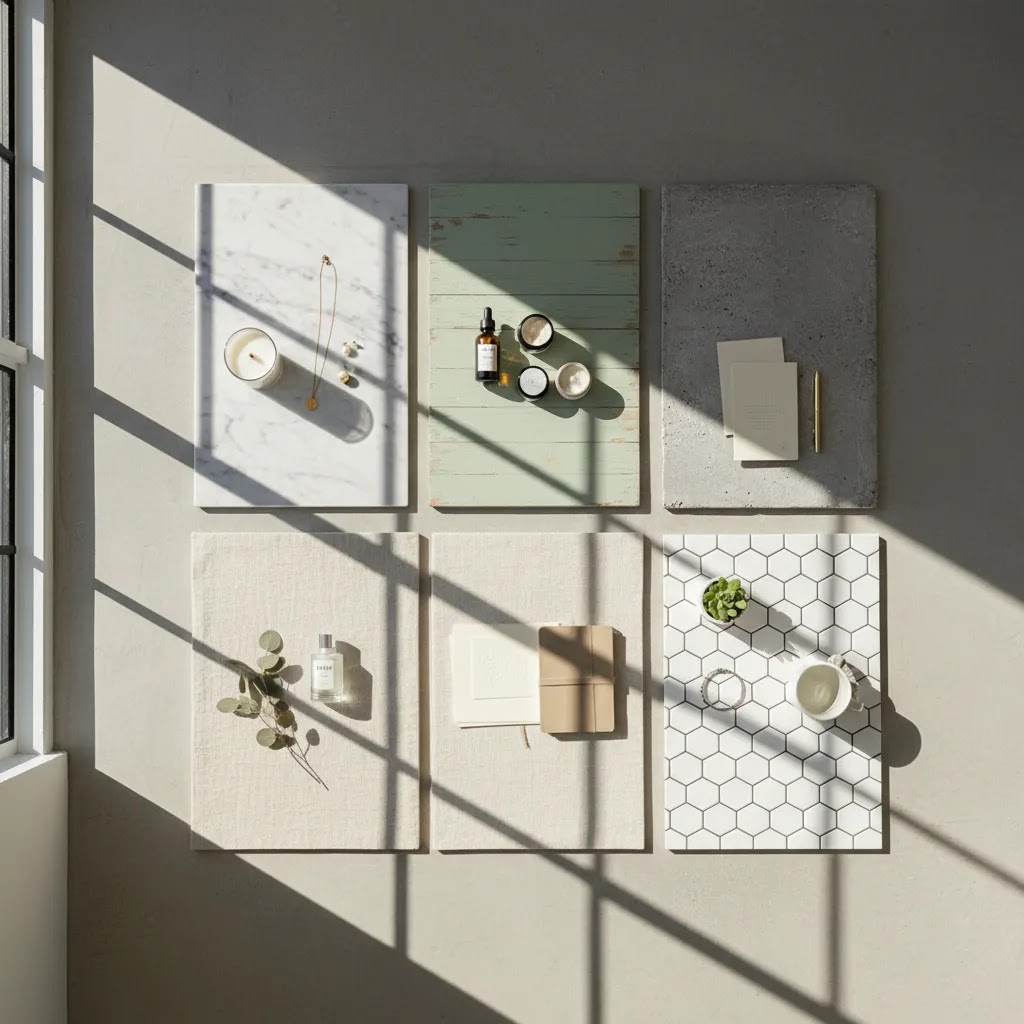
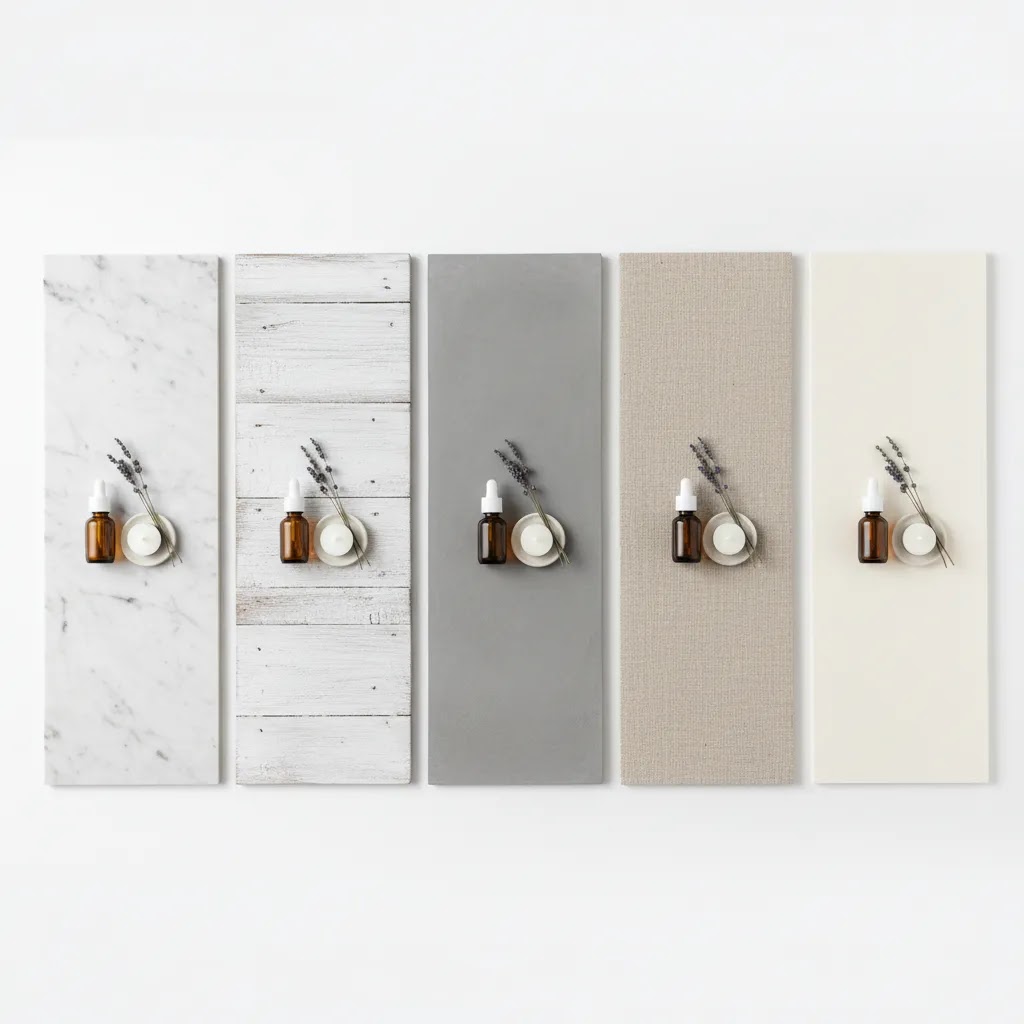
A flat lay board is usually a lightweight panel designed to mimic a tabletop or styled backdrop. It may look like marble, painted wood, concrete, linen, paper, or tile. Store owners use them to create consistent flat lay photos without buying large furniture pieces or dedicating a permanent room to photography.
This matters most for merchants selling cosmetics, jewelry, stationery, candles, food items, accessories, and giftable products. These categories often benefit from overhead arrangements because you can show multiple items, ingredients, packaging, or bundle contents in one frame. If you want inspiration on composition, angles, and styling, our guide to flat lay photography is a useful next read.
For ecommerce, the best board is rarely the most dramatic one. It is the one that keeps attention on the product, photographs consistently under your lighting setup, and works across your catalog.
Quick Picks
- Best overall: Matte vinyl-wrapped foam board for the balance of realism, portability, and low glare.
- Best for premium brands: Printed rigid PVC board with stone or micro-texture finishes.
- Best low-commitment starter option: Heavy art board or mount board with a neutral matte finish.
- Best for frequent content production: Double-sided professional flat lay photography board for faster scene changes.
- Best for bright catalog images: White acrylic or clean white board, especially if you also shoot white-background product images.
Where to Buy Flat Lay Boards (and What to Watch For)
If you search for flat lay boards for photography, you will notice most results are purchase-intent. That is because the buying experience is a big part of whether you end up with a board you actually use, or one that looks fine online but creates problems in a real Shopify content workflow.
From a practical standpoint, there are three common ways store owners buy boards, and each has a different trade-off.
- Marketplaces and general online retailers can be a good fit if you need a board this week and you want a wide range of styles. The downside is quality consistency. The same listing can change materials or finish between batches, and product photos sometimes overpromise texture realism.
- Specialty backdrop and styling surface makers tend to be better when you want a long-term “brand surface kit” that you can keep using season after season. You will often get better print fidelity and more predictable finishes, but shipping times and costs can be higher, and returns may be stricter due to board size.
- Local art, craft, and framing stores are often the fastest way to grab mount board or neutral surfaces for testing. This is a smart route if you are still validating a look and want to see the finish in person, but you will usually have fewer texture options.
Here’s the thing: the most common ordering mistakes are not about the pattern. They are about the “boring” details that affect your shoot.
- Check the usable size, not just the listed size. Some boards include borders, bevels, or edge damage that makes the working area smaller than expected. If you shoot bundles, gift sets, or clothing flat lays, this can matter immediately.
- Look for surface finish consistency. A board that is “matte” in the description can still have semi-gloss patches that show hotspots under direct lighting.
- Confirm the return policy and shipping protection. Large boards are easy to dent, bend, or corner-crush in transit. If you cannot return a damaged board, you are taking on extra risk.
- Watch for repeating patterns. Some printed marble and wood textures have obvious repeating sections. In flat lay photos, repetition can look artificial, especially if you shoot multiple products for the same collection page.
- Consider how you will clean it. If you photograph skincare, oils, candles, or food items, a surface that stains easily can create ongoing retouching work.
Think of it this way. If you need something immediately, prioritize predictable shipping, a matte finish, and a size that gives you room to crop for ads and product pages. If you are building a long-term set, prioritize durability, consistency under your lighting, and a texture that fits your brand across multiple seasons.
Comparison Table
| Board Type | Best For | Main Strength | Main Trade-Off |
|---|---|---|---|
| Matte vinyl foam board | Most ecommerce stores | Lightweight and easy to move | Can dent over time |
| Rigid PVC printed board | Premium product brands | More durable and realistic texture print | Heavier and usually costs more |
| Mount board or art board | Testing styles on a small scale | Affordable way to validate a look | Less durable and less realistic |
| Double-sided pro board | Teams shooting content weekly | Fast setup changes between scenes | Storage space matters |
| White acrylic or white board | Clean catalog and marketplace visuals | Bright, minimal, versatile | Can show glare and dust easily |
Best Flat Lay Board Options
1. Matte Vinyl-Wrapped Foam Board
This is the safest recommendation for many small and mid-sized ecommerce brands. It is light enough to move around your home or office, easy to prop against a wall, and available in finishes that photograph well without excessive reflection. If you create flat lay pictures for social and product detail sections in the same session, that flexibility helps.
Why it stands out for ecommerce: It works well for repeated content creation without forcing you into a permanent studio build.
- Lightweight and simple to reposition for overhead or angled shots
- Often available in realistic marble, wood, linen, and concrete styles
- Matte finishes usually reduce glare better than glossy boards
- Works well for merchants shooting alone without a production team
Considerations:
- Edges can crush or peel with heavy use
- Cheaper versions may look obviously printed on camera
- Not ideal for very heavy products or rough handling
Who it is for: Shopify merchants, Etsy sellers, and growing DTC brands that want consistent flat lay photos without overspending on studio equipment.
2. Rigid PVC Printed Board
If you want something sturdier, rigid PVC is a strong upgrade. It tends to hold shape better than foam board and can handle more frequent use. This is a smart choice for brands with a content calendar that includes weekly launches, seasonal campaigns, or frequent UGC-style image production.
Why it stands out for ecommerce: It supports a more repeatable workflow for teams producing images at scale.
- More durable than basic foam alternatives
- Usually lies flatter over time, which matters for lay flat composition
- Can offer more convincing printed texture for premium products
- Better suited to dedicated content spaces or studio racks
Considerations:
- Heavier to move and store
- Often priced higher than entry-level board materials
- Some finishes still produce hotspots under direct lighting
Who it is for: Brands selling beauty, home goods, jewelry, or premium packaged products that need repeated overhead shooting with a polished visual standard.
3. Heavy Art Board or Mount Board
This is the practical starter choice if you are testing flat lay ideas before investing in higher-end surfaces. Neutral grays, off-whites, soft beige tones, and muted pastels can work especially well for small products. For new stores, this can be enough to improve flat lay photo quality while you validate product-market fit.
Why it stands out for ecommerce: It helps you experiment quickly with color and contrast before committing to a signature background style.
- Simple way to test different brand aesthetics
- Usually easy to source locally from art or office supply stores
- Lightweight and easy to replace if damaged
- Good for smaller products and limited-run campaigns
Considerations:
- Less realistic if you want natural stone or wood textures
- Can bend, scuff, or stain quickly
- Not ideal for a polished long-term brand system
Who it is for: Early-stage merchants, handmade product sellers, and anyone testing a wedding flat lay or gift bundle style before standardizing their visual approach.
4. Double-Sided Professional Flat Lay Board
These boards are built for efficiency. One side may feature a light marble texture while the reverse side has a darker concrete or wood effect. If your product line spans multiple collections or seasonal campaigns, changing the mood of a shot without rebuilding your setup can save a lot of time.
Why it stands out for ecommerce: It makes batch production faster, which is useful if you shoot for product pages, ads, and email at the same time.
- Two looks in one board reduces clutter and storage needs
- Helpful for A/B testing brand styles across campaigns
- Speeds up content sessions with fewer setup interruptions
- Works well in a small product photography studio setup
Considerations:
- More expensive than basic boards in many cases
- You may only use one side regularly, reducing value
- Still requires good lighting and styling discipline to look premium
Who it is for: Growth-stage stores or in-house marketing teams producing varied creative assets every month.
5. White Acrylic or Clean White Board
For merchants who want minimalist overhead shots, white surfaces are hard to beat. They are especially useful when you need clean visuals that feel consistent with marketplaces, modern Shopify themes, or product grids. This approach is common for cosmetics, supplements, tech accessories, and simple packaged goods.
Why it stands out for ecommerce: White backgrounds put attention on the product and can simplify your visual system across catalog images and lifestyle content.
- Timeless look that fits many store designs
- Pairs well with bright, conversion-focused product pages
- Useful for brands that also shoot clean marketplace imagery
- Supports minimal styling without visual clutter
Considerations:
- Dust, fingerprints, and scratches can show quickly
- Glossy white acrylic can reflect lights and props
- May feel too plain for brands that rely on warmth or texture
Who it is for: Merchants aiming for bright catalog consistency, especially those also creating assets inspired by White Background Photography.
Flat Lay Board Ideas by Product Category
Materials are a good starting point, but most store owners ultimately need a board that fits their product category and brand vibe. Consider this: the best board for a candle brand is often a poor match for jewelry, even if both look great in isolation.
Here are a few reliable style pairings that tend to photograph well and keep the focus on the product.
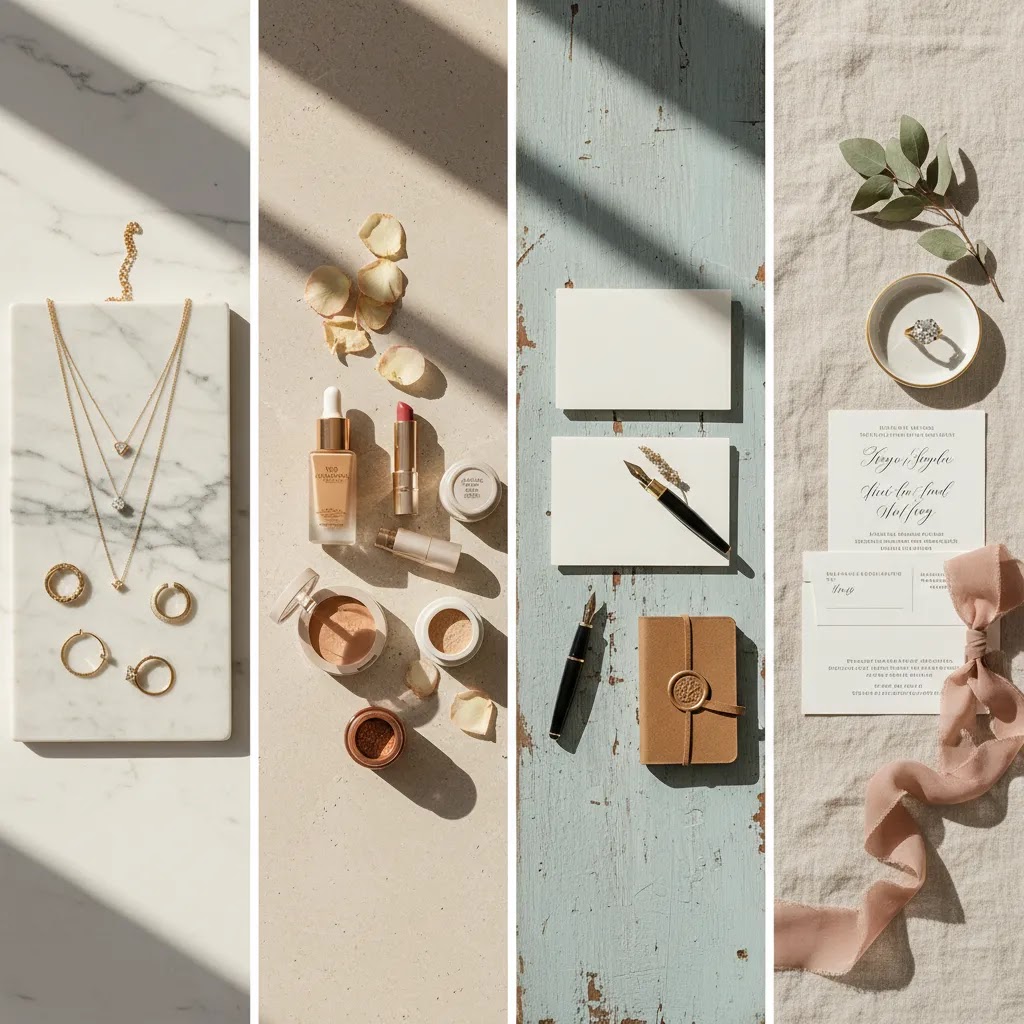
- Jewelry and watches often look best on micro-concrete, soft matte stone, or fine paper textures. Small products get overwhelmed easily, so subtle texture usually works better than bold veining.
- Skincare, cosmetics, and supplements typically pair well with light stone, clean white, or soft beige surfaces. These boards help labels look crisp and support a “clean” feel in Shopify product galleries.
- Stationery, planners, and art prints often work on paper textures, light wood, or muted pastel mount boards. If your products already include lots of typography, keep the background calm so the scene does not look busy.
- Clothing and apparel flat lays tend to work best on larger matte boards, fabric-like textures, or clean wood styles. The key is having enough surface area for sleeves and styling elements without crowding the frame.
- Wedding flat lay photos, like invitations, rings, vow books, or small keepsakes, often look strong on linen-style textures, soft white boards, or light stone. These surfaces feel elevated without stealing attention from details.
What many store owners overlook is texture scale. A dramatic marble pattern can look premium, but if the veining is thick relative to your product size, it can become the main subject. For small items, choose fine grain, tight weave, or light speckle patterns. Save bold veining and distressed wood for larger products or wider compositions.
If you want a practical way to keep your brand consistent, build a simple 2 to 3 board rotation. One neutral everyday board that matches your theme, one bright clean option for crisp catalog-style shots, and one subtle texture that gives you mood for campaigns. This setup is usually enough to support seasonal promotions without resetting your whole visual identity every month.
Pros and Cons
Strengths
- A good flat lay board helps standardize your brand look across product pages, email campaigns, and social posts.
- It is usually much more space-efficient than maintaining full tabletops or permanent room sets.
- Boards make it easier to test different aesthetics like marble, wood, linen, or clean white without major cost or commitment.
- They can reduce editing time when your shooting surface stays consistent from session to session.
- Most board types are simple enough for solo store owners to use without a professional crew.
Considerations
- The most attractive pattern is not always the best one for conversion-focused ecommerce photography.
- Some materials scratch, dent, warp, or stain faster than expected under regular use.
- Without good lighting, even a high-quality board can produce flat colors, glare, or inconsistent shadows.
- Certain highly styled surfaces may date quickly or distract from the product itself.
How to Choose the Right Flat Lay Board
Start with your product category. Small items like jewelry, skincare, stationery, and candles often benefit from textured but subtle surfaces. Apparel accessories, bundled kits, and gift sets usually need larger boards and more styling space. If you sell reflective products, avoid glossy finishes unless you are experienced with light control.
Next, think about your brand palette. If your storefront uses neutral tones, high-contrast marble or distressed wood may feel out of place. Your photography flat lay board should support your visual identity, not compete with it. A board can look great on Instagram but still feel wrong on a product page if it distracts from the item.
Board size matters more than many merchants expect. Check whether your bestsellers can fit with enough margin for cropping into square, portrait, and landscape formats. This becomes important if you use the same flat lay photos for Shopify collection pages, Meta ads, Pinterest, and email banners.
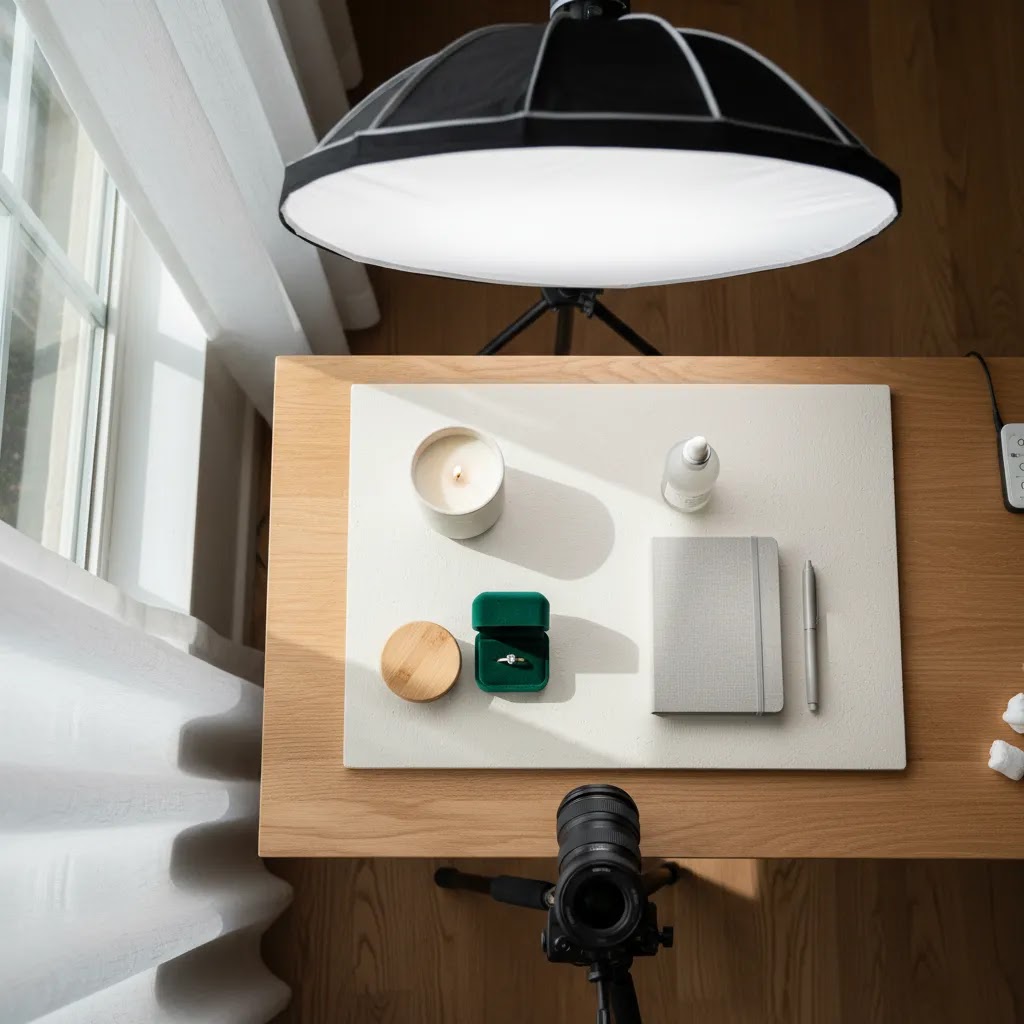
Material finish is another major factor. Matte surfaces are usually easier for new store owners because they reduce reflections. If you are still building your setup, read our guide on diy photography lighting before buying reflective surfaces that are harder to control.
Finally, match the board to your workflow. If you shoot occasionally, art board may be enough. If you launch products weekly, invest in something more durable. And if overhead photography is central to your brand, it may also be worth reviewing your camera setup in our guide to the best camera for product photography.
DIY Flat Lay Styling Board: When It Is Worth Making Your Own
Buying a board is usually the fastest path, but DIY can be a real option if you want a very specific finish, or you want to test a look that is hard to find in ready-made boards. The reality is that DIY works best when you value control and customization more than speed.
A simple DIY approach many merchants use is building a textured board on top of an MDF or wood panel. You can create a “stone” or “plaster” look with texture paste or joint compound, then paint it a neutral tone and seal it with a matte topcoat. If you go down this route, test your sealer under your actual lighting before committing, because some “matte” finishes still photograph with a slight sheen.
Now, when it comes to deciding between DIY and buying, here are the practical trade-offs most Shopify store owners run into.
- DIY can be more custom, but consistency is harder. If you later need a second matching board for larger scenes, getting the same texture and color twice can be tricky.
- DIY may save money on materials in some cases, but it costs time. Drying and curing times alone can stretch the process across days.
- Durability varies. Some DIY surfaces chip, scuff, or stain faster than commercial boards, especially if you photograph products with oils or liquids.
- Shine is the common failure point. If the topcoat reflects your light source, you will spend more time fixing hotspots and gradients in editing.
If you do make your own, treat it like a repeatable production asset, not a one-off craft project.
- Label the back with the finish name, paint color, and sealer used, so you can recreate it later if you need to.
- Store it flat to reduce warping, especially if you used a thinner panel.
- Run a quick lighting test before a full shoot. Photograph a reflective product and a matte product on the board to see how shadows and hotspots behave.
For many stores, DIY makes the most sense when you are building a signature background that becomes part of your brand. If you just need consistent flat lay photos right now, buying a reliable matte board is typically the lower-friction move.
AcquireConvert Recommendation
At AcquireConvert, we look at photography decisions through a practical ecommerce lens. Giles Thomas brings Shopify Partner and Google Expert experience to the evaluation process, which means the goal is not just to create attractive flat lay pictures, but to help store owners build visuals that fit real product pages, campaigns, and merchandising workflows. If you are improving your content stack piece by piece, it makes sense to start with dependable surfaces, then refine lighting, camera choice, and shot planning.
For most merchants, a matte foam or PVC flat lay board is the strongest starting point because it balances portability, consistency, and ease of use. If you are building a larger visual system, explore more resources in Product Photography Fundamentals and use them alongside your setup decisions. If your workflow includes AI-assisted editing after the shoot, tools like AI Background Generator or Free White Background Generator may help with alternate creative versions, although they should complement a strong original photo rather than replace good capture practices.
Frequently Asked Questions
What is a flat lay in product photography?
A flat lay is an overhead image where products are arranged on a surface and photographed from above. In ecommerce, this style is often used to show bundles, packaging, ingredients, or styled brand scenes. It can work well for social content and supporting product visuals, especially when the composition stays clean and product-focused.
What size flat lay board should I buy?
The best size depends on your products and how you crop images for different channels. Small items may fit on compact boards, but gift sets, apparel accessories, and multi-product scenes usually need more space. Choose a size that gives you room around the subject for flexible crops across Shopify, email, paid social, and marketplace use.
Which flat lay board material is best for beginners?
Matte foam board or mount board is often the easiest starting point. It is lightweight, simple to move, and generally easier to light than glossy surfaces. If you plan to shoot often, rigid PVC may be worth the extra spend because it tends to last longer and stay flatter over time.
Are glossy boards good for flat lay photos?
They can work, but they are harder to control. Glossy surfaces often reflect lights, props, and even your camera. That can add editing time and create inconsistency across sessions. Unless reflection is part of your brand aesthetic, matte boards are usually more forgiving for independent store owners building a repeatable workflow.
Can I use a flat lay board for Shopify product images?
Yes, especially for supporting gallery images, bundle shots, ingredient storytelling, and social-first creative. For primary product images, many Shopify stores still prefer cleaner catalog shots with minimal distraction. The right mix depends on your niche, theme layout, and how much visual context your buyers need before purchasing.
What colors work best for a flat lay photography board?
Neutral tones usually perform best because they keep focus on the product. White, soft gray, beige, muted stone, and subtle wood effects are versatile. Strong colors can work for campaigns or seasonal promotions, but they may limit reuse across your catalog if they clash with packaging or storefront design.
Are flat lay boards useful for wedding flat lay and gift products?
Yes. Wedding flat lay images often rely on surfaces that feel elegant but not distracting, such as linen, stone, soft white, or muted paper textures. The same applies to giftable ecommerce products. If you sell invitation sets, keepsakes, candles, or event accessories, boards can help create cohesive supporting imagery with minimal setup.
Do I need a professional studio to use flat lay boards well?
No. Many ecommerce merchants get strong results with a table, a board, window light or simple artificial lighting, and careful styling. What matters more is consistency. If you can repeat the same setup with controlled shadows and accurate color, a flat lay board can be effective even in a compact home workspace.
How many flat lay boards should a small store own?
For most small stores, two or three is enough. Start with one neutral everyday option, one brighter clean surface, and one textured style that fits your brand. That gives you variety without creating decision fatigue. As your product line grows, add boards only if they solve a real styling or seasonal content need.
Where can I buy a flat lay board?
You can typically buy flat lay boards from marketplaces, specialty backdrop makers, and local art or craft stores. Marketplaces are often useful when you need fast shipping and lots of style choices. Specialty makers can be a better fit if you want a consistent, durable surface that you will keep using for months or years. Local stores work well for quick testing with mount board or neutral matte surfaces.
Can I make a DIY flat lay board for product photography?
Yes. A common DIY method is using an MDF or wood panel, adding texture paste or joint compound for a stone-like finish, painting it a neutral tone, then sealing it with a matte topcoat. Results vary based on materials and lighting, so it is worth testing for glare and color accuracy before using the board across your product catalog.
What is the best flat lay background for clothing?
For clothing, larger matte surfaces usually work best because they give you space for sleeves and styling without crowding the frame. Neutral boards, soft fabric-like textures, and clean wood styles are reliable options. Avoid overly glossy finishes, since they can create hotspots and make fabric textures look inconsistent.
What background works best for wedding flat lay photos?
Wedding flat lay photos often look strongest on surfaces that feel elegant but subtle. Linen-style textures, soft white boards, muted paper textures, and light stone effects are common choices because they support detail shots without distracting from rings, invitations, or keepsakes. If your items include metallics or glossy print finishes, matte backgrounds are usually easier to light.
Key Takeaways
- Choose a flat lay board based on your product type, not just the most stylish pattern.
- Matte surfaces are usually the safest option for reducing glare and simplifying your workflow.
- Board size should support flexible crops for product pages, email, social, and ads.
- For most ecommerce stores, portability and consistency matter more than dramatic texture.
- Use boards as one part of a wider image system that includes lighting, camera setup, and editing standards.
Conclusion
The best flat lay board is the one that helps you create repeatable, product-first overhead images without slowing down your workflow. For many ecommerce brands, that means starting with a matte neutral board, testing how it performs across your catalog, and then adding one or two complementary surfaces as your content needs grow. If your images need to support both brand storytelling and conversion, consistency usually matters more than dramatic styling. AcquireConvert focuses on these practical decisions for store owners who want visuals that work in the real world. For the next step, explore our guides on flat lay setups, lighting, and camera selection to build a product photography system that fits your store and your team.
This article is editorial content created for educational purposes and is not a paid endorsement unless explicitly stated otherwise. Product preferences and setup outcomes vary by store, product type, and workflow, so results are not guaranteed. Any tools referenced should be reviewed directly on the provider's website before use. External product availability, features, and pricing are subject to change.

Hi, I'm Giles Thomas.
Founder of AcquireConvert, the place where ecommerce entrepreneurs & marketers go to learn growth. I'm also the founder of Shopify agency Whole Design Studios.