Photo Animation AI for Ecommerce (2026 Guide)


If you run an ecommerce store, static product images often do the heavy lifting across PDPs, collection pages, paid ads, and email campaigns. But there are moments when motion helps explain a product faster, show texture or scale more clearly, or make a creative feel less flat in feed-based placements. That is where photo animation AI can be useful. It turns still product shots into short animated assets without requiring a full video shoot every time. For merchants planning short-form creative, demos, or paid social tests, it helps to understand where AI motion fits alongside broader video advertising strategy. This guide looks at photo animation AI through a practical ecommerce lens, including where it helps, where it falls short, and how to choose a workflow that fits your store.
Contents
- What photo animation AI actually does
- Portraits, old photos, and other animations, and why ecommerce should care
- Key features that matter for ecommerce
- Popular photo animation AI tool capabilities (what to look for)
- Pros and Cons
- Who should use it
- How AcquireConvert recommends approaching it
- A practical workflow: from one product photo to ad-ready animated creative
- How to choose the right setup
- Frequently Asked Questions
- Key Takeaways
- Conclusion
What photo animation AI actually does
Photo animation AI takes a still image and generates movement from it. In ecommerce, that usually means subtle camera motion, parallax effects, simulated depth, background movement, object emphasis, or short scene transitions built from one or more product photos.
The main appeal is speed. Instead of organizing a full product video shoot, you can start with images you already have and produce motion assets for ad testing, landing pages, or marketplace content. That can be useful for growth-stage stores that want more creative variety but do not yet have the volume or budget for a constant stream of custom video production.
Still, the output quality depends heavily on the source image. If the original photo has poor lighting, cluttered backgrounds, or inconsistent cropping, AI animation tends to amplify those weaknesses. That is why strong source assets still matter, whether they come from an in-house setup or a more controlled product photography studio workflow.
For many Shopify merchants, the best use case is not replacing real video altogether. It is using AI-generated motion to fill content gaps, create test variations quickly, and repurpose winning stills into more attention-grabbing assets.
Portraits, old photos, and other animations, and why ecommerce should care
Most photo animation AI tools are not built only for product photos. You will usually see examples like portraits, selfies, old photos, paintings, and landscapes, because faces and scenes make it obvious that motion is happening. That can feel irrelevant if you are focused on selling SKUs, but there are a few ecommerce-adjacent uses that are worth considering.
Consider this: a lot of performance marketing is not “product first.” It is stopping the scroll and earning a click, then letting your landing page and offer do the selling. Animated portraits or “old photo” style effects can help with that top-of-funnel job, as long as you use them intentionally.
Where portraits and old-photo animation can actually help
Founder story and brand credibility creative is the obvious one. A subtle portrait animation can work as a hook for “why we built this” ads, about-us placements, or organic posts that introduce the brand before you hit people with a product pitch. It can also support UGC-style ads where a creator portrait or still is animated lightly to create movement without filming a full talking-head clip.
Another practical use is brand heritage and social proof content. If you have historical images of your workshop, early prototypes, retail popups, press features, or behind-the-scenes moments, small motion can help turn them into thumb-stopping posts. You can also apply the same idea to email creative, for example an animated header image for a launch email, as long as it does not harm load performance or distract from the CTA.
When it can distract from merchandising
The reality is that “cool motion” can pull attention away from the product. If the objective is conversion, for example a retargeting ad or a PDP media slot, you typically want the product front and center, with motion that supports clarity. Overusing portrait or surreal animation styles in bottom-of-funnel placements can reduce trust, especially if the creative starts to feel like entertainment instead of shopping.
Brand safety and trust notes for face-related content
If you are animating faces, get permission. That includes founders, employees, and creators. Also set expectations internally that outputs may look uncanny in some generations, especially around eyes, teeth, and skin texture. Use human review, and do not publish anything that looks misleading or uncomfortable. For most Shopify stores, face animation is best treated as a “test a few hooks” tactic, not a default format you roll out across every campaign.
Key features that matter for ecommerce
Not every AI animation tool is built for store owners. If your goal is better product storytelling rather than novelty effects, focus on utility first.
1. Clean input image editing
Before animation, you often need to fix the image itself. That can include swapping a background, placing the product in a lifestyle context, or sharpening a low-resolution source file. Tools such as AI Background Generator, Free White Background Generator, and Increase Image Resolution are helpful because motion quality usually starts with cleaner inputs.
2. Background control
Animated product content can look distracting fast if the background competes with the item. A workflow that supports background replacement or cleanup gives you more flexibility across PDPs and ads. If you are also working with moving footage, it helps to understand how a video bg remover fits into the wider production process.
3. Lifestyle scene creation
For many brands, the most effective motion starts with a believable scene rather than a plain cutout. Tools like Background Swap Editor and Place in Hands can help merchants create contextual visuals before adding movement.
4. Fast creative iteration
Store owners rarely need one perfect animation. They need several testable variants for Meta ads, product launches, retargeting, and seasonal campaigns. A creation environment like Creator Studio or Magic Photo Editor is useful when the goal is producing multiple concepts from the same asset library.
5. Ecommerce-safe output
The final question is whether the result looks credible enough to sell a product. Short looping animations, depth effects, and scene transitions can support conversion if they keep the product clear. If motion makes size, materials, or color less accurate, it may hurt trust instead. The same rule applies when choosing video backgrounds for creative assets. The product must stay central.
Popular photo animation AI tool capabilities (what to look for)
If you compare real “photo to video” tools, you will notice that they often look similar on the surface. Upload an image, pick a style, generate a clip. The differences that matter for ecommerce show up in the controls and export constraints, because you need a repeatable workflow across multiple SKUs and channels.
Common feature set you will see in photo to video tools
Most tools offer some mix of duration control, motion strength, and camera moves. Duration control matters because a 2 to 4 second loop may be perfect for a PDP or email header, while a 6 to 10 second clip can be more useful for paid social testing. Motion strength matters because subtle motion is often more “commerce-safe” than aggressive motion that distorts packaging, edges, or product shape.
Some tools offer multiple modes or models, for example a faster mode for quick drafts and a higher quality mode for final outputs. From a practical standpoint, this can speed up your workflow: generate drafts quickly to see if the concept works, then re-run winners in higher quality for the final exports.
You will also see watermark controls in some products, either as a paid plan feature or something tied to export resolution. For store owners, watermarks can be a deal-breaker for paid ads and onsite media, so it is worth checking early rather than after you build creative around a tool.
Evaluation criteria for Shopify and paid social use
Think of it this way: your animation is only useful if you can actually deploy it where it needs to run. Check export format and aspect ratio support. For Shopify and social, you will typically want 9:16 for Stories and Reels placements, 1:1 for square feeds and some PDP media uses, and 4:5 for feed placements where vertical real estate helps. If a tool only exports one format, you may end up resizing and cropping in a way that harms clarity.
Loopable clips are another practical detail. Many ecommerce animations work best as short loops that feel natural, especially for PDP use or lightweight ad variations. If the clip ends with a noticeable jump cut, you will spend more time regenerating or editing just to make the asset usable.
Batch creation matters once you move beyond a single hero SKU. Some tools support generating multiple animations from multiple images in one session, which can be helpful for collections, product launches with color variants, or seasonal refreshes. If batch creation is not available, you can still use the tool, but you should plan for a slower, more manual workflow.
Common friction points that affect a repeatable workflow
What many store owners overlook is that generation is rarely one-and-done. You will usually generate, review, and regenerate a few times to get something that keeps the product stable and looks credible. This is where “credits per generation” becomes a real operational detail, not a pricing footnote. If each attempt consumes credits, you need to plan for iteration, not just the final number of ads you want to publish.
Login requirements can also matter more than you would expect. If you are a solo founder, logging in is minor. If you have a team or you are outsourcing creative, account access and workflow friction can slow production, especially if you are trying to create a lot of variants quickly for testing.
Pros and Cons
Strengths
- It can turn existing product photography into motion assets much faster than organizing a new video shoot.
- It is useful for testing multiple ad creatives from the same hero image, which may help reduce production bottlenecks.
- It can support smaller Shopify teams that do not have an in-house designer or videographer.
- It works well for simple visual stories such as zoom-ins, depth motion, background movement, and short product reveals.
- It can extend the life of strong catalog images across ads, email, and social content.
- It pairs well with image cleanup workflows such as white background generation, resolution improvement, and background swaps.
Considerations
- Weak source images usually lead to weak animations, so AI does not remove the need for good product photography.
- Some outputs can look artificial, especially for products with reflective surfaces, fine details, or complex edges.
- It is less effective for products that need true functional demonstrations, such as assembly, fit, or moving parts.
- Brand consistency can become an issue if different animations use different styles, pacing, or scene quality.
- Some merchants may still need manual editing after AI generation to make assets ad-ready.

Who should use it
Photo animation AI is a practical fit for ecommerce brands that already have a library of decent product images and want more creative output without multiplying production costs. That includes Shopify stores testing paid social, brands launching new SKUs quickly, and teams refreshing product page media for seasonal campaigns.
It is especially useful when you need motion for awareness or retargeting ads but do not need a fully scripted brand film. If your product needs detailed tutorials, fit modeling, or strong before-and-after proof, real video may still be the better option. For many merchants, the sweet spot is a hybrid workflow: strong still photography, selective AI motion, and performance-led testing.
How AcquireConvert recommends approaching it
At AcquireConvert, we would treat photo animation AI as a merchandising and testing tool first, not as a magic replacement for product marketing fundamentals. Giles Thomas’s experience as a Shopify Partner and Google Expert is especially relevant here because the value of motion depends on where the asset will actually be used, from product pages to paid placements and shopping creatives.
Start with a clean hero image. Improve the background, resolution, and scene before adding movement. Then create 2 to 4 animation variants for a specific job, such as scrolling social ads, short collection-page promos, or launch emails. If your next step is ad creative production rather than onsite merchandising, see our guide to an ai ad generator. If you are still building your broader visual workflow, explore the Product Video & Animation hub for adjacent tactics and tools.
A practical workflow: from one product photo to ad-ready animated creative
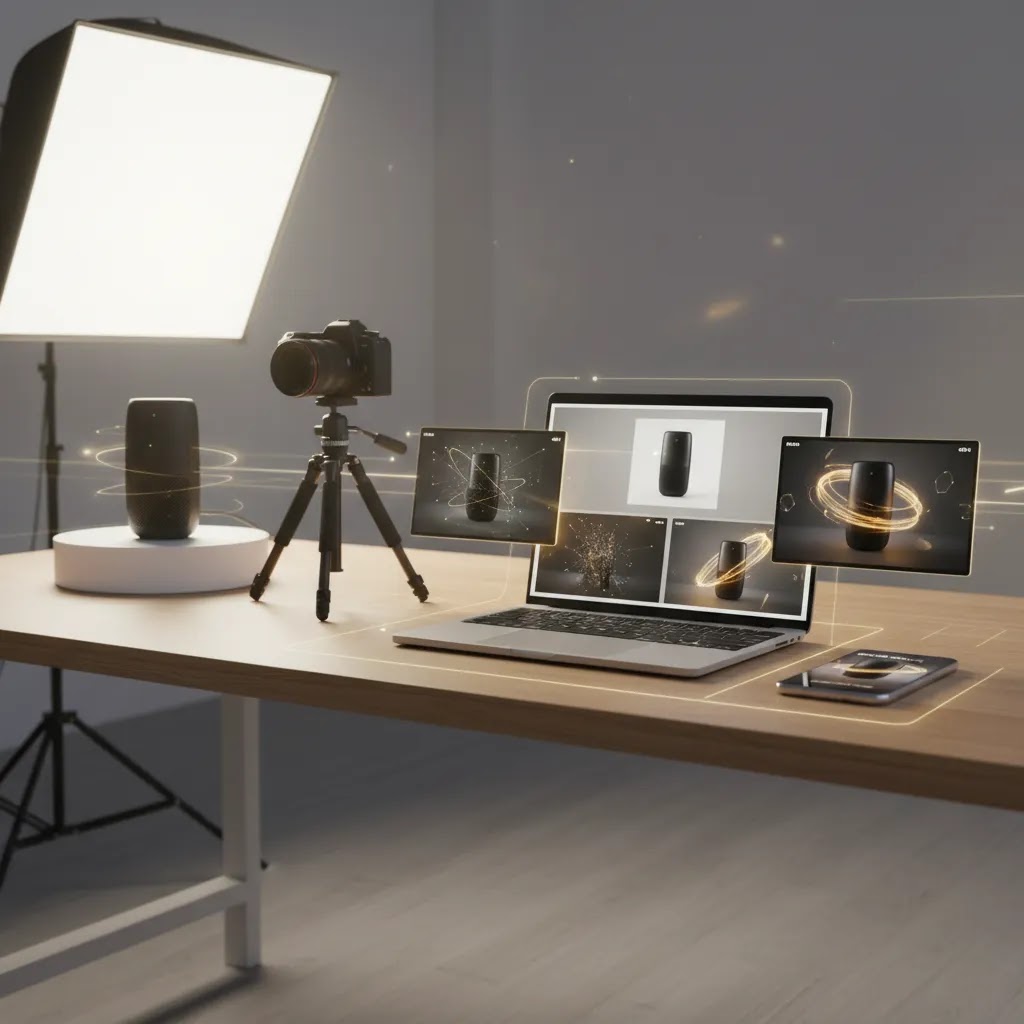
If you want photo animation AI to pay off, you need a workflow you can repeat every week, not a one-off experiment. Most tools follow the same basic pattern, but a few ecommerce-specific guardrails will save you time and reduce unusable outputs.
Step 1: Start with a single “hero” image that can carry motion
Pick a photo with clean lighting, clear edges, and enough space around the product that a camera move or parallax effect has room to breathe. If the item is already cropped tight or sitting in a cluttered scene, AI motion tends to create weird artifacts quickly.
Step 2: Upload the image and choose an animation style or preset
Most tools are drag-and-drop. Choose a style that matches the job. Subtle zoom and depth usually work for commerce. More stylized presets can work for top-of-funnel hooks, but they are riskier for accuracy and trust.
Step 3: Set duration and motion strength
For Shopify use and short-form ads, shorter is often better. A tight 3 to 6 seconds is usually enough to create motion without dragging. Keep motion strength conservative at first. You can always increase it if the first generation feels too flat, but dialing back distortion is harder once the model starts warping the product.
Step 4: Generate, review, then regenerate on purpose
Plan for iterations. Review the output for product stability first: shape, label text, logos, and edges. Then check realism: shadows, reflections, and whether the background motion feels believable. If something is off, regenerate with one change at a time, such as lower motion strength or a different camera move, so you learn what the tool responds to.
Step 5: Use ecommerce guardrails before anything goes live
AI animation can invent details. That is a problem in ecommerce. Keep these guardrails in mind during generation and review: keep the product shape stable, avoid surreal deformation, keep packaging and color accurate, and do not add visual “effects” that imply a feature the product does not have. Always review outputs before publishing to a live Shopify store or using them in paid ads.
Step 6: Export in channel-ready formats and treat it like a test asset
Export in the aspect ratio you need for the placement, then preview it where it will run. If it is for ads, treat the first version as a test creative, not a final “brand asset.” Compare performance against your best static image and any existing live-action variants. In many cases, the value is not that animation wins every time, it is that it gives you more hooks to test faster.
Step 7: Name and organize exports so winners can be reused
This sounds boring, but it is how small teams move faster. Use consistent naming so you can find what worked later, for example SKU name, angle, format, duration, and version number. Store the original still next to the animated exports. That way, when an ad or email creative performs well, you can quickly generate new variations without starting from scratch.
How to choose the right setup
1. Start with the outcome you need
Do you want a short ad creative, a more dynamic PDP gallery, or a launch teaser for email and social? Different goals need different levels of realism. A looping motion asset for Instagram may work fine with subtle animation from one image. A product explainer usually needs real footage or at least a more advanced sequence.
2. Audit your source image quality
If your current library is inconsistent, fix that before investing time in animation. Background clutter, poor edge detection, weak lighting, and low resolution tend to show up even more once motion is added. That is why merchants often get better results by first improving inputs with tools such as white background, resolution, or scene editing workflows. If your image quality is still uneven across SKUs, it may be worth reviewing broader E Commerce Product Photography standards first.
3. Choose a workflow that matches your team
If you are a solo founder or lean ecommerce team, speed matters more than feature depth. You want a repeatable process: prepare image, generate scene variation, add motion, export, test. If you have a designer, you may prefer more control and post-editing options. The right choice depends less on the AI label and more on how quickly your team can produce assets that still look on-brand.
4. Keep conversion clarity ahead of visual novelty
For commerce, motion should help the shopper understand the product better. That may mean showing texture, scale, ingredient callouts, packaging detail, or a more immersive context. It should not make the item harder to identify. If the animation pulls attention away from the product, it is likely hurting the asset.
5. Test in the actual channel where it will run
An animation that looks polished on a desktop preview may underperform in a mobile feed or feel too slow on a product page. Review assets in the placement that matters. On Shopify, that could mean checking load behavior, theme layout fit, and whether the motion supports the buying decision instead of distracting from it.
As a practical rule, use photo animation AI where it saves production time and creates more testing opportunities. Use traditional video where you need proof, demonstration, or emotional storytelling that a still image cannot realistically carry.
Frequently Asked Questions
Is photo animation AI good for Shopify product pages?
It can be, especially for highlighting texture, packaging, or product details in a more dynamic way. The best results usually come from short, purposeful motion rather than overly stylized effects. On Shopify product pages, clarity and load experience still matter, so test whether the animated asset supports the buying decision instead of pulling focus from price, copy, or add-to-cart actions.
Can photo animation AI replace product video?
Not fully. It can cover some use cases, like turning static product shots into ad creatives or teaser content. But for demonstrations, tutorials, fit videos, or products with moving parts, real video is often more credible. Most ecommerce brands will get better results from using AI animation as a complement to video rather than a complete replacement.
What kind of products work best with AI photo animation?
Products with clear shapes, strong lighting, and visually appealing surfaces tend to work best. Beauty, accessories, packaged goods, home decor, and many DTC products can translate well. Complex transparent items, reflective objects, and highly technical products may need more careful editing because AI-generated movement can distort edges or material details.
Do I need professional photography first?
You do not always need a full studio shoot, but you do need clean source images. Sharp focus, good lighting, consistent framing, and simple backgrounds make a major difference. If your catalog imagery is weak, improve that first. AI animation tends to perform much better when it starts with well-prepared product photos rather than trying to rescue low-quality inputs.
Are free AI animation tools enough for ecommerce use?
They can be enough for testing concepts, early-stage social creative, or internal reviews. For customer-facing assets, you may find that free tools have limits around export quality, consistency, branding control, or editing flexibility. If motion becomes part of your repeatable merchandising or ad process, you will likely want a more reliable workflow than a purely free tool stack.
How should I use AI photo animation in paid ads?
Use it to create multiple variations quickly from winning stills. Short clips that emphasize a product angle, benefit, or scene change can be useful for testing hooks. Keep the first seconds visually clear, make the product easy to identify, and compare performance against static image ads and live-action clips instead of assuming motion will always win.
Will animated product images improve conversion rates?
They may help in some cases, but there is no guaranteed uplift. Performance depends on product type, traffic source, page speed, creative quality, and how well the motion supports shopper understanding. Treat animation as a testable asset format, not a guaranteed CRO tactic. Measure results by placement and audience before rolling it out widely.
What is the best workflow for a small ecommerce team?
Start simple. Use one strong product photo, clean up the background, improve resolution if needed, generate one or two scene variations, then create short motion versions for specific channels. Build a repeatable checklist so your team is not reinventing the process every campaign. Consistency usually matters more than having the most advanced AI toolset.
How do I keep AI animation on-brand?
Set rules before production. Define approved backgrounds, color treatment, motion style, aspect ratios, and how much scene stylization is acceptable. Then use the same structure across SKUs and campaigns. Brand drift often happens when each asset is generated from scratch without any guardrails, which can make a store’s creative feel inconsistent.
Can I animate a picture without logging in?
Sometimes, but it depends on the tool. Some photo animation AI tools allow limited generations without an account, while others require login before you can export or even generate. From an ecommerce workflow standpoint, the bigger question is whether you can repeat the process reliably. If you are creating assets weekly for launches and ads, an account-based workflow is usually more stable than relying on a no-login option that could change.
Can I animate old photos or portraits with AI, and is it useful for ecommerce?
Yes, many tools can animate old photos and portraits, and it can be useful for ecommerce in specific situations. It is typically best for top-of-funnel storytelling, founder narratives, creator-style hooks, and brand heritage content, rather than product detail ads where accuracy is the priority. If you use face-related animation, get permission and review outputs carefully, because uncanny results can hurt trust.
What is the best AI image animator for realistic results vs anime or 3D styles?
The best option depends on what “good” means for your brand. For most Shopify stores, realistic usually means subtle camera movement and stable products, not dramatic stylization. Look for tools that offer multiple modes or models, plus controls for motion strength, duration, and camera moves. Then test with your actual product images, because outputs vary by product type, lighting, and background complexity.
Why do some tools use credits per animation, and how many iterations should I expect?
Credits are a common way for AI tools to meter compute usage, since generating video tends to be resource-heavy. For ecommerce use, plan for iteration. You may need multiple generations to get a clip that keeps packaging stable, avoids odd warping, and ends cleanly for looping. The exact number varies, but it is smart to budget credits for drafts and re-runs, not just the final exports you intend to publish.
Key Takeaways
- Photo animation AI works best as a fast content-production layer, not as a replacement for strong product photography.
- Use it for ad testing, launch creative, and lightweight PDP motion where subtle movement helps explain the product.
- Prioritize clean source images, controlled backgrounds, and realistic output over flashy effects.
- For Shopify stores, test assets in the actual placement where they will appear before scaling production.
- A hybrid workflow of still photography, selective AI editing, and targeted motion is often the most practical option.
Conclusion
Photo animation AI can be a useful addition to your ecommerce creative stack if you approach it with realistic expectations. Its real value is speed, variation, and the ability to repurpose existing product images into motion assets for ads, emails, and onsite merchandising. It is less convincing when used to fake product proof that really needs live footage or hands-on demonstration. If you want a practical next step, review your top-performing still images and test a small set of animated variants around one campaign goal. For more specialist guidance, explore AcquireConvert’s related resources on product video, AI creative workflows, and Shopify-focused optimization. That approach will help you make a smarter decision than chasing motion for its own sake.
This article is editorial content published by AcquireConvert for educational purposes. It is not a paid endorsement unless explicitly stated otherwise. Pricing, features, and tool availability are subject to change, so verify current details directly with the provider. Any performance outcomes discussed are illustrative only and are not guaranteed.

Hi, I'm Giles Thomas.
Founder of AcquireConvert, the place where ecommerce entrepreneurs & marketers go to learn growth. I'm also the founder of Shopify agency Whole Design Studios.