Product Video for Ecommerce: Best Practices (2026)

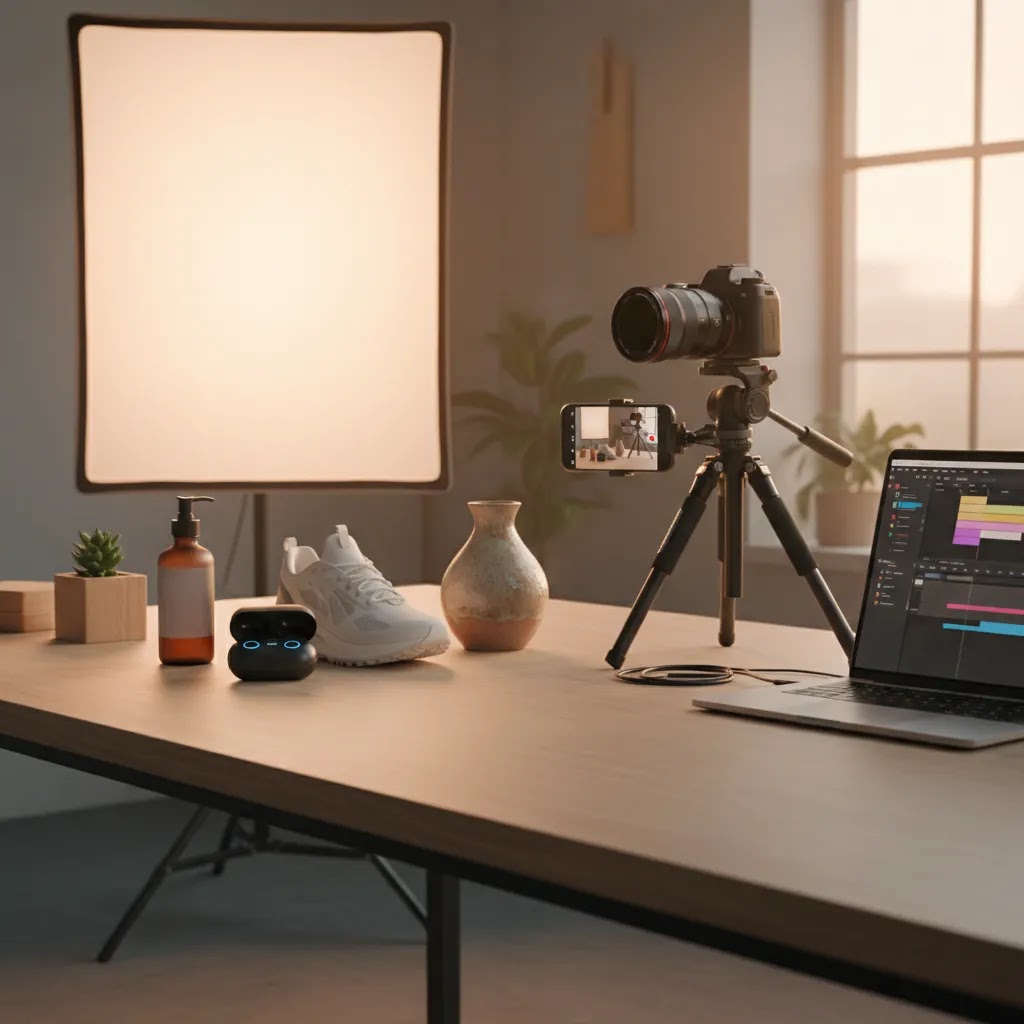
If you sell online, a strong product video for ecommerce can often answer buying questions faster than a product description ever will. It can show scale, texture, fit, movement, setup, and real use in a way still images cannot. For Shopify store owners, that matters because hesitation usually happens right on the product page, in social ads, or during scroll-heavy mobile browsing. The challenge is deciding what kind of video you actually need, how polished it should be, and whether AI tools belong in the workflow. This guide breaks down the main video types, the tools that can support production, and the best practices that make videos more useful for sales. If you are building a broader content strategy, AcquireConvert’s guide to video advertising is a helpful next read.
Contents
- What product video means for ecommerce
- The main types of ecommerce product videos
- Product video examples and what to copy (without copying)
- Tools that support product video workflows
- Pros and Cons
- Who should invest in product video
- AcquireConvert’s practical recommendation
- How to choose the right video approach
- Ecommerce product video shot list templates (by product category)
- Frequently Asked Questions
What Product Video Means for Ecommerce
Product video is not one format. For ecommerce, it usually covers short demonstrations, feature explainers, 360-style spins, social clips, comparison videos, and lifestyle footage showing the item in use. The right choice depends on what your customer needs to feel confident enough to buy.
In practice, most stores do not need cinematic production for every SKU. They need a repeatable format that answers objections. Apparel brands may need fit and fabric movement. Beauty brands may need application footage. Home goods stores may need scale, material close-ups, and setup steps. Electronics often benefit from quick demo sequences and compatibility callouts.
On Shopify product pages, video works best when it supports conversion rather than distracts from it. That means short run times, clear framing, mobile-friendly composition, and a visible connection to the product’s core selling points. If your current imagery is inconsistent, it is worth tightening your still-photo process first or in parallel. AcquireConvert’s E Commerce Product Photography resources can help you build that foundation before you scale video production.
The Main Types of Ecommerce Product Videos
1. Product demo videosThese show how the product works, what comes in the box, and how fast a shopper can understand the value. They are especially useful for higher-consideration items or anything with setup, attachments, or multiple use cases.
2. Lifestyle videosThese place the product in a real-world setting. They help shoppers imagine ownership, which can be useful for social media product video creation for ecommerce brands, especially on Instagram, TikTok, and paid social placements.
3. UGC-style clipsThese lean less polished and more native to social platforms. For product video for TikTok, this format often feels more credible than a heavily produced commercial. The trade-off is lower control over consistency.
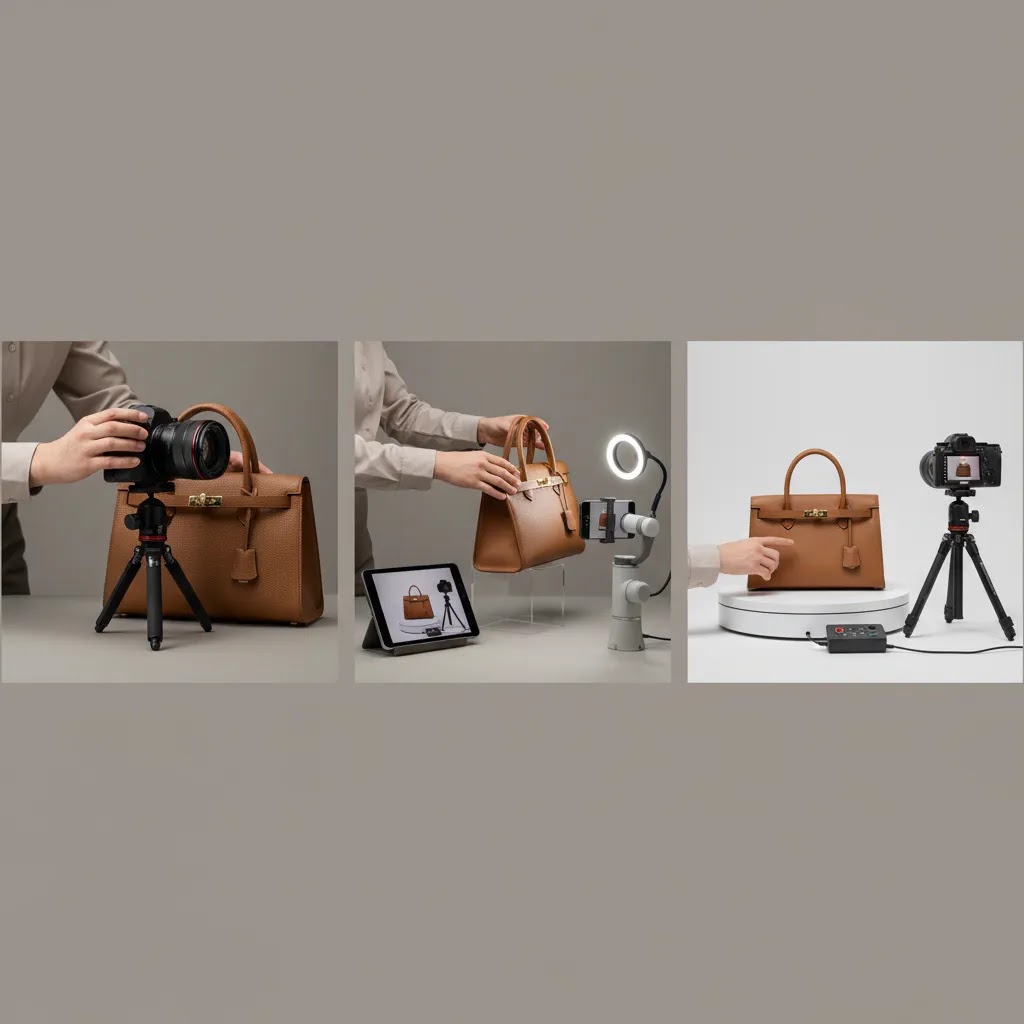
4. Turntable or 360-style videosA product turntable for video can work well for accessories, packaging, cosmetics, collectibles, and premium goods where shape and finish matter. It gives shoppers a clearer sense of form without requiring many separate angles.
5. Feature comparison videosThese are useful if customers often compare sizes, bundles, versions, or materials. A short side-by-side clip may reduce confusion and support stronger buying decisions.
6. AI-assisted product videosSome teams now use AI video generator for product workflows to speed up editing, create simple motion scenes, or repurpose product photos into animated content. This can be efficient for testing concepts, though it still needs human review for accuracy, branding, and realism.
Product Video Examples and What to Copy (Without Copying)
Most store owners are not short on “inspiration.” The real problem is that you watch ten great product videos and still do not know what to shoot on your own SKU. Here is the thing: the videos that convert well often share a small set of patterns you can reuse, regardless of your niche.
7 patterns that work across most ecommerce product videos
1. A hook in the first 2 secondsOn a product page, the hook is usually visual clarity: the product, in use, immediately. In paid social, it is often a bold “result” shot, a surprising close-up, or the problem moment that makes someone stop scrolling.
2. Problem first, then productMany videos start with branding. Better videos start with the reason the product exists. If you sell a stain remover, show the stain. If you sell a cable organizer, show the mess. Then show the fix.
3. Proof shots that feel hard to fakeThink of proof as anything that reduces “this is marketing” skepticism. Close-ups of texture, a continuous shot showing the product working without jump cuts, a quick durability moment, or a real-time unboxing sequence can do a lot here.
4. In-hand scaleWhat many store owners overlook is that scale is one of the biggest ecommerce objections. Hands, a face, a countertop, a doorway, a purse, a pocket, a wrist, these references help shoppers calibrate size quickly.
5. Before and after, only when it is legitimateBefore and after works because it compresses the value into one visual. Use it when you can demonstrate it honestly, and keep it accurate to what most customers can expect. If results vary based on how someone uses the product, show realistic conditions.
6. Quick spec overlays, used sparinglyOverlay one to three high-confidence facts that shoppers care about, like dimensions, “fits iPhone 15 Pro,” “two heat settings,” “machine washable,” or “includes three filters.” Too many on-screen claims make the video harder to parse.
7. An end frame that tells the shopper what to do nextOn-site, the CTA can be as simple as “Choose your size” or “Pick your color.” In ads, it can be “Shop the bundle” or “See how it works.” The goal is clarity, not cleverness.
Channel-specific formats: what changes between product page, TikTok, and paid social
Product page demo cut (PDP cut)Think of this as your “conversion clarity” edit. Keep it tight, usually 10 to 30 seconds. Start with the product and the outcome. Show the key action, the key detail, and the key proof shot. Use light captions because many shoppers will watch silently. Avoid fast camera movement that makes details hard to see on mobile.
TikTok-native cutThis is your “attention and context” edit. Pacing is faster, and text overlays do more work. Start with the problem or payoff. Use closer framing, more human presence, and more obvious “real life” cues. Sound can help, but assume many people still watch muted, so captions matter. A TikTok cut is usually vertical and can run longer than a PDP cut if it stays engaging.
Paid social cut (Meta, TikTok ads, and similar placements)This is your “message testing” edit. The way this works in practice is that you produce multiple variants from the same shoot: different hooks, different first lines of text, and different proof moments. Many stores do better by testing several 6 to 15 second cuts than relying on one long video. Policies and ad formats change, so verify the current specs and guidelines on the platform before you build a campaign around one style.
A simple swipe-file framework you can actually use
If you keep a swipe file of product video examples, do not save videos just because they “look nice.” Save them because they solve a conversion problem. From a practical standpoint, you can evaluate any example using three questions:
- Clarity: Would a first-time visitor understand what it is and what it does with the sound off?
- Objection answered: Does it address the main reason someone might hesitate, like size, setup, comfort, durability, or results?
- Trust signals: Does it show proof, real use, scale, or a believable scenario that reduces doubt?
Once you find a good example, translate it into your own plan by writing a shot list, not a script. List the 6 to 10 shots that create the same structure, then write one sentence per shot describing what the viewer should learn. That keeps your video tied to buying confidence rather than “creative ideas.”
Tools That Support Product Video Workflows
While the product data available here is weighted more toward image creation and editing than full video suites, these tools can still support ecommerce product video creation for business use, especially when your workflow starts with product stills.
Creator Studio (https://create.productai.photo/) appears best suited for broader creative production tasks. For store owners creating product-launch assets or social variations, a studio environment can help centralize visual preparation before those assets move into video editing software.
Magic Photo Editor (https://create.productai.photo/editor/) can help clean or adapt source imagery that later becomes part of animated ads, carousel-to-video edits, or lightweight ecommerce product video generator workflows.
Background Swap Editor (https://create.productai.photo/editor?tab=background-swap/) is useful if you want alternate scenes or branded settings without reshooting every item. That can be helpful when creating consistent visual frames across paid social clips.
AI Background Generator and Free White Background Generator can support pre-video asset prep by standardizing product cutouts or marketplace-ready imagery. If your footage includes mixed scenes and cluttered source materials, a cleaner starting point generally improves final output.
Increase Image Resolution may help when older product photos need to be repurposed into motion assets, although image upscaling is not a replacement for good capture. Place in Hands can also support concept development by simulating usage context before you commit to a full ecommerce product video shoot.
For stores experimenting with AI-heavy workflows, treat these tools as production aids rather than full replacements for strategy, scripting, or creative judgment. If you also need cleaner moving scenes, AcquireConvert has related guides on using a video bg remover and choosing effective video backgrounds.
Distribution and Placement: Where Product Video Should Live for Shopify Stores
One reason product video underperforms is simple: it gets made, then it gets dropped into one spot and forgotten. For most Shopify store owners, video works best when it is placed where it reduces hesitation, and where it does not slow the shopping experience.
Where to deploy product video beyond the product page
Shopify product media gallery (PDP)For most products, your first priority is the product media gallery because it is the closest point to purchase. Video tends to work best when it appears early in the gallery, especially on mobile, but not as the very first media item for every SKU. Consider this: if your hero image is doing important work for click-through and first impression, it often stays in slot one, and the video becomes slot two or three.
Collection pagesCollection video can help when the buying question is “What is the difference between these options?” or when a collection needs education, like “how our sizing works” or “which bundle is right.” It is less useful if it just adds motion without clarity, and it can add weight to pages that already have lots of products.
EmailMany email clients do not support true embedded video playback. The practical approach is usually a short animated preview (often a GIF-like clip) that clicks through to your product page. That lets you benefit from motion without betting everything on email client compatibility.
Paid social placementsUse channel-native cuts built for the placement. A PDP cut often feels slow as an ad. Ads typically need faster hooks, larger on-screen text, and more obvious proof shots. The reality is you can often take the same raw footage and create multiple ad variants that test different angles.
Marketplace listings and third-party product pagesHigh level, marketplace rules differ, so you will want to verify current video specs and listing policies on the platform you sell on. If allowed, simple demos and unboxing-style videos usually translate well because they help clarify what arrives and what it looks like in real life.
Practical constraints you need to plan for
File size and page speedVideo can slow your product pages if you do not manage it carefully. Keep exports efficient, avoid unnecessarily high bitrates, and test on mobile data. Page speed issues can reduce conversion, so treat performance as part of the creative brief, not an afterthought.
Autoplay on mobileAutoplay can be useful if it is subtle and does not hijack the page. Many themes and browsers handle autoplay differently, especially on mobile where sound is usually off. Test your theme behavior so you know what shoppers actually experience.
Captions and silent playbackAssume silent playback by default. Use captions or on-screen text to carry the message, but keep it readable and minimal so the product stays the focus.
Aspect ratiosFor most Shopify stores, you will want at least two versions: a vertical cut (9:16) for TikTok and Reels, and a square (1:1) or landscape (16:9) cut for product pages and some ad placements. If you only create one version, you tend to compromise everywhere.
What to measure by placement
Measure video based on the job it is doing, not just view counts. On product pages, look at engagement with the media gallery, scroll behavior, add-to-cart rate, and how the video affects conversion paths for high-intent traffic. For paid social, watch click-through rate, hook retention signals, and how different creative variants affect cost and quality of traffic. Results vary by product type, audience, and offer, so treat this as an iterative testing loop, not a one-time setup.

Pros and Cons
Strengths
- Product video can answer common pre-purchase questions faster than text alone, especially on mobile.
- It helps show movement, scale, texture, and use cases that static product photo for ecommerce assets may miss.
- One shoot can often be repurposed across product pages, email, paid social, organic social, and marketplace listings.
- Short-form video formats can support social discovery, including product video for TikTok and other scroll-first placements.
- AI-assisted tools may reduce production time for testing concepts, editing backgrounds, and preparing source visuals.
- Turntable and demo formats can be standardized across catalogs, which is useful for growing stores with repeatable merchandising needs.
Considerations
- Video can be expensive or time-consuming if you try to produce high-end creative for every SKU at once.
- Poorly planned video may add little value if it repeats what shoppers already see in photos and copy.
- AI-generated motion assets can look unnatural or inaccurate without careful review and brand oversight.
- Large files, autoplay misuse, or weak mobile optimization may slow product pages and hurt user experience.
Who Should Invest in Product Video
Product video makes the most sense for stores where visual proof changes buying confidence. That includes apparel, cosmetics, home goods, accessories, electronics, and giftable products. It is also useful for brands that sell through social-first channels or rely heavily on paid acquisition, because creative fatigue arrives fast and video gives you more variation to test.
If you run a small Shopify store, start with best sellers rather than your full catalog. If you operate a larger store, build a modular process by product type so your ecommerce product video creation for social media and product-page content stay consistent. For brands refining visual standards, a structured product photography studio setup can make both photo and video production more repeatable.
AcquireConvert’s Practical Recommendation
Most ecommerce brands should not start by asking, “What is the most advanced ai video generator for ecommerce product demos?” They should start by asking, “What would help a first-time visitor understand this product in 10 to 20 seconds?” That is the better commercial question.
At AcquireConvert, the approach reflects Giles Thomas’s background as a Shopify Partner and Google Expert: choose formats that support real store performance, not just creative output. For many Shopify merchants, that means beginning with a short demo video for your top-selling products, adding one lifestyle or UGC-style variation for paid social, and testing page placement carefully. AI tools can help prepare assets and shorten production cycles, but they work best inside a clear merchandising and conversion strategy.
If your goal is ad testing, you may also want to review AcquireConvert’s guide to an ai ad generator and explore the broader Product Video & Animation hub for related implementation ideas.

How to Choose the Right Video Approach
1. Start with the buying objectionAsk what prevents a customer from purchasing. Is it uncertainty about size, texture, assembly, durability, or fit? Your video should answer that first. If not, it may look polished without helping conversions.
2. Match format to channelProduct-page videos and social videos have different jobs. On a product page, clarity wins. On TikTok or paid social, the first few seconds matter most and the edit needs to feel native enough to earn attention. Social media product video creation for ecommerce should be planned as a separate use case, even if footage comes from the same shoot.
3. Build around repeatabilityIf you have more than a handful of SKUs, create a template. Define shot list, aspect ratios, lighting style, text overlays, and edit length. This keeps your ecommerce product video creation for ecommerce businesses manageable as the catalog grows.
4. Use AI where it removes busyworkAI is most useful for background cleanup, scene generation, image enhancement, resizing, and concept iteration. It is less reliable if you expect it to replace product truth. If details such as color, material finish, or proportions matter, always review outputs closely.
5. Measure business impact, not just viewsWatch metrics like add-to-cart rate, engagement on product pages, click-through rate from ads, and assisted conversion paths. A video with fewer plays may still be more valuable if it reduces hesitation among higher-intent traffic.
For many stores, the best setup is a hybrid one: clean product photography, one short demo video, one social-first cut, and selective AI support in post-production. That balance tends to be more practical than trying to automate the whole creative stack from day one.
Ecommerce Product Video Shot List Templates (By Product Category)
Once you have picked the right approach, you still need a shot list that makes the shoot efficient. The goal is not to capture everything. The goal is to capture the few moments that answer the buying objection, show scale, and provide proof.
Apparel and accessories (typical runtime: 12 to 25 seconds for PDP)
- Hero movement: model turns, walks, or moves in a way that shows drape and fit.
- Fit reference: a clear front and side view, plus a quick close-up on problem areas (waistband, shoulders, sleeve length).
- Fabric and texture macro: close shot that shows knit, weave, or stretch.
- Detail proof: zipper quality, seam finish, pocket depth, lining, hardware.
- Scale cue: handbag on shoulder, jewelry on hand or neck, sunglasses on face.
- Variant clarity: show colorways or sizes briefly, or add a simple on-screen callout if you cannot show all variants.
- End frame CTA: “Choose size” or “Choose color,” tied to how the product is actually purchased.
Beauty and skincare (typical runtime: 10 to 20 seconds for PDP, 15 to 30 seconds for social)
- Packaging and texture: open the product, show the applicator, show product consistency on skin or fingertip.
- Application moment: one clear, continuous application shot, not only quick cuts.
- Result shot: immediate visual change if applicable (shine, coverage, finish), or a “how it looks when it sets” moment.
- Ingredient or benefit callout: keep it to one to three claims, and stay accurate to what you can support.
- Routine context: where it fits, morning, night, before makeup, after cleansing.
- Scale and usage: how much to use, pea-size amount, one pump, etc.
- End frame CTA: “Pick your shade” or “Add to cart,” depending on how your PDP is set up.
Home goods and kitchen (typical runtime: 12 to 30 seconds for PDP)
- Scale in environment: on a table, on a shelf, in a cabinet, next to common items.
- Material close-up: surface texture, finish, thickness, stitching, wood grain, metal sheen.
- Setup: unbox and assemble if needed, keep it fast and clear.
- Use demonstration: the main “how it works” moment in a single sequence.
- Cleaning or storage: fold, stack, wipe down, or store, if that is a buying concern.
- What is included: pieces, attachments, accessories, and how they connect.
- End frame CTA: “Choose size” or “Select set,” depending on your variants.
Electronics and gadgets (typical runtime: 15 to 35 seconds for PDP)
- Unboxing: show what arrives, quickly and clearly.
- Compatibility callout: device fit, ports, models supported, keep it simple and accurate.
- Core demo: one clean demonstration of the primary feature (pairing, powering on, connecting, switching modes).
- UI or indicator close-ups: buttons, screen, LEDs, ports.
- Scale and handling: in-hand size, pocket fit, desk footprint.
- Durability or build proof: cable thickness, hinge movement, magnet strength, as relevant.
- End frame CTA: “Choose your model” or “Shop the bundle,” if bundles drive AOV.
A conversion-focused editing checklist
- Captions for sound-off: assume silent playback, especially on mobile.
- Limit on-screen callouts: keep it to one to three claims so the product stays the focus.
- Clean end frame: one clear CTA and a clean product shot, not a cluttered montage.
- Consistent lighting and background: consistency often beats complexity, especially across a catalog.
- Trim aggressively: remove anything that does not answer an objection or show proof.
Common mistakes that waste a shoot
- Too many angles, not enough information: a dozen beauty shots without showing “how it works” rarely helps.
- No scale reference: shoppers struggle to picture size, and returns can follow.
- Missing the core moment: no setup shot for a product that needs setup, or no application shot for a beauty item.
- Too much brand intro: logos and “about us” rarely belong in the first five seconds of a product video.
Frequently Asked Questions
What is the best length for a product video for ecommerce?
For product pages, 10 to 30 seconds is often enough to show the main benefit, product movement, and one or two key details. For social ads, you may need even shorter cuts. The right length depends on product complexity, but most store owners benefit from trimming aggressively and focusing on one clear message per video.
Do I need professional equipment for ecommerce product video creation?
No, not always. Many brands start with a recent smartphone, stable lighting, a tripod, and a clean set. What matters more is consistency, framing, and knowing what objection the video should answer. Professional gear may help as your brand scales, but it is not the only path to usable conversion-focused footage.
Can AI replace a traditional ecommerce product video shoot?
In some cases, AI can reduce the amount of original footage you need, especially for concept testing, editing, and repurposing still images. It usually works best as support rather than full replacement. If your product relies on accurate color, fit, texture, or physical demonstration, original capture is still important.
What types of products benefit most from video?
Products with movement, transformation, application, assembly, or tactile qualities tend to benefit most. Apparel, skincare, beauty, furniture, kitchen tools, and electronics are common examples. If customers regularly ask how something looks, fits, works, or compares, video could help reduce that uncertainty.
Should I prioritize product-page video or social media video first?
If you already have traffic to product pages but weak conversion confidence, start on-site. If your bigger issue is creative variety for acquisition, start with social-first clips. Many Shopify brands eventually need both, but your first investment should match the current bottleneck in the funnel.
How does product video help Shopify stores specifically?
On Shopify, product videos can strengthen media galleries, support richer product storytelling, and give mobile shoppers a faster understanding of what they are buying. Used carefully, they may improve confidence and reduce bounce from high-intent visitors. The key is implementation that supports page speed and fits your theme layout.
Is a product turntable for video worth it?
A turntable can be a strong option for products where form, finish, and packaging matter. It creates a repeatable format that is efficient for catalogs. It is less useful if your main selling point depends on human interaction, scale in real life, or a before-and-after use case that needs demonstration.
What should I include in a product video brief?
Include the product’s core buying objection, target customer, intended channel, shot list, aspect ratios, key features to highlight, brand styling notes, and CTA goal. This keeps your production focused. Without a clear brief, many brands create attractive footage that does not actually support the decision to purchase.
How much does a product video for ecommerce cost?
Costs vary widely based on how you produce it. For many small Shopify stores, the first videos are created in-house using a smartphone, basic lighting, and a simple setup, which keeps costs mostly in time and a small amount of equipment. At the other end, hiring a professional team for scripting, filming, editing, and talent can cost significantly more, especially if you need multiple locations or high-end post-production. A practical approach is to price it per deliverable, meaning how many final edits you need (PDP cut, paid social cut, and a vertical cut), then work backward to the shoot time required.
What is the best aspect ratio for ecommerce product videos (TikTok vs product pages)?
For TikTok and most short-form social placements, 9:16 vertical is typically the right default. For product pages, many Shopify themes handle 1:1 square or 16:9 landscape cleanly, depending on your media gallery layout and how your product photos are framed. For most stores, the best answer is not one ratio, it is two exports from the same footage: one vertical for social, and one square or landscape for on-site clarity.
Where should I place a product video on a Shopify product page?
In many cases, placing the video early in the product media gallery works well, often as the second or third media item after your best hero image. That keeps the first impression strong while still making the video easy to find for shoppers who want proof. You will want to test this in your theme on mobile, because swipe behavior and media sizing can change the impact of video placement.
How do I make a product video for ecommerce if I only have photos?
If you only have photos, you can still create useful motion assets by building a simple sequence: start with the hero image, then cut to close-ups that show details, then add one or two text callouts that answer the main objection, and finish with a clean end frame that matches the CTA on your product page. Some ecommerce product video generator workflows can help animate stills or create lightweight motion, but you still need to review the output carefully so the visuals stay accurate to the real product.
Key Takeaways
- Use product video to answer the buying question that photos and copy do not fully resolve.
- Start with your best sellers and build a repeatable format before expanding across the catalog.
- Match the video type to the channel, with separate thinking for product pages and social placements.
- Use AI tools to speed up prep and editing, but review outputs carefully for product accuracy.
- Measure impact through business metrics like add-to-cart behavior and click-throughs, not views alone.
Conclusion
For most online stores, product video is most valuable when it is practical, specific, and tied to a real merchandising goal. You do not need to produce a polished brand film for every item. You need a format that helps shoppers understand the product faster and feel more confident buying it. Start small, standardize what works, and use AI where it genuinely removes production friction rather than introducing more guesswork. If you want more hands-on guidance, AcquireConvert is a strong specialist resource for Shopify merchants evaluating creative workflows, product visuals, and conversion strategy. Explore related guides across the site to see how Giles Thomas’s practitioner-led approach can help you build a more effective ecommerce content system.
This article is editorial content and is not a paid endorsement unless explicitly stated otherwise. Pricing, features, and tool availability are subject to change, so verify current details directly with each provider. Any performance outcomes discussed are illustrative only and will vary by store, product type, traffic quality, and implementation.

Hi, I'm Giles Thomas.
Founder of AcquireConvert, the place where ecommerce entrepreneurs & marketers go to learn growth. I'm also the founder of Shopify agency Whole Design Studios.