Product Video: Create One That Drives Conversions (2026)


If you sell online, a strong product video can help shoppers understand the item faster than static images alone. It can show scale, texture, movement, use case, and value in a way that supports buying decisions, especially on product pages, paid social ads, and landing pages. For Shopify merchants, that matters because hesitation usually comes from unanswered questions. A useful video reduces some of that friction. If you are building your broader video strategy, start with this guide to video advertising so your product videos fit into a conversion-focused funnel rather than sitting on the page without a clear job.
Contents
- What makes a product video effective
- Key elements of a conversion-focused product video
- Product video examples: proven formats by ecommerce use case
- Pros and Cons
- How much does a product video cost?
- Who should create product videos
- AcquireConvert recommendation
- How to choose the right product video approach
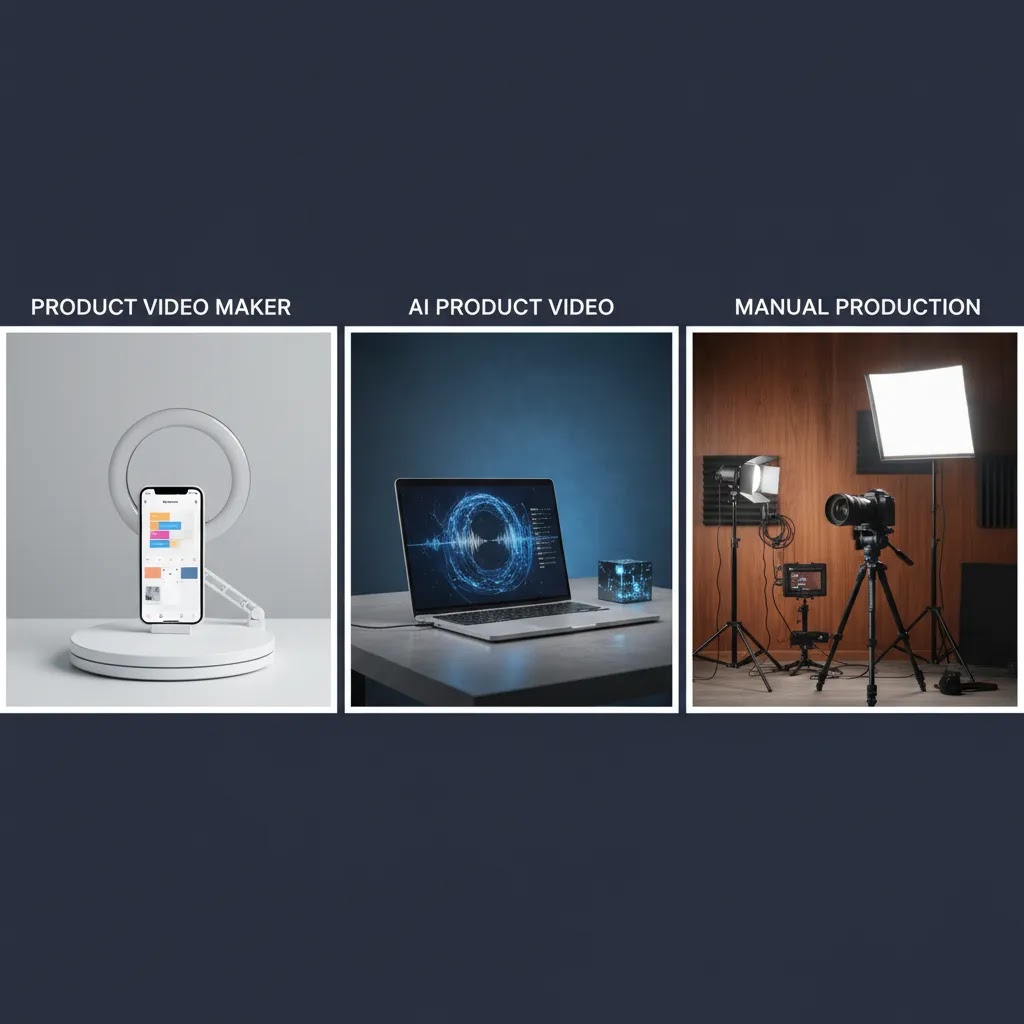
- Product video maker tools and workflows (template vs AI vs manual)
- Frequently Asked Questions
- Key Takeaways
- Conclusion
What makes a product video effective
A product video is not just a moving version of your product photos. Its job is to answer buying questions quickly and move a shopper closer to action. That might mean showing how a garment fits, how a beauty item applies, how a kitchen tool works, or what a product looks like in real life rather than under studio lighting.
For ecommerce stores, the best product video creation starts with a simple question: what is stopping someone from buying? Once you know the friction point, you can build the video around it. If customers need reassurance on quality, show close-ups. If they need help imagining ownership, show the product in context. If they need clarity on features, use tight edits and captions.
This is also where many store owners overcomplicate the process. You do not always need a full production crew or a traditional product video producer. In many cases, short clips, clean editing, and the right supporting visuals are enough. If your source footage needs cleanup before editing, a video bg remover can help isolate the product and make repurposing easier across product pages, email, and ads.
The goal is not to impress other marketers. The goal is to help a potential buyer make a confident decision.
Key elements of a conversion-focused product video
A product video that supports conversions usually shares a few traits, whether it is made with a product video creator, edited manually, or assembled with product video ai tools.
1. A clear first three seconds
Shoppers decide quickly whether to keep watching. Start with the product in use, the end result, or the main value proposition. Avoid slow intros and branded filler.
2. Context, not just aesthetics
Good styling matters, but context matters more. Show the product in the environment where it will be used. If you need ideas for cleaner sets or more flexible scenes, explore approaches to video backgrounds that match your niche and keep attention on the item.
3. Visual proof of claims
If you say a bag fits a laptop, show the laptop going in. If you say a serum changes skin appearance, show texture and application. If you say a blender is quiet, demonstrate it. Video works best when it proves, not just states.
4. Silent-friendly editing
Many users watch without sound. Add captions, text overlays, and visual sequencing that still makes sense muted. This is essential for product video marketing on social platforms and for retargeting placements.
5. Fast platform adaptation
Your product video maker should support more than one format or workflow. A square version for Instagram, vertical cuts for Reels or TikTok, and shorter edits for ads can all come from the same shoot if you plan properly.
6. Practical production inputs
Your result depends heavily on the assets you start with. Clean source images and well-lit footage still matter, even if you use ai product video workflows later. For many stores, better raw assets start with a more consistent product photography studio setup, even if that studio is a small in-house corner rather than a rented space.
If you want to test AI-assisted creative variations for ads after building your core product video, an ai ad generator may help you repurpose footage and messaging into multiple concepts faster. Just treat it as a production assistant, not a substitute for strong positioning or customer understanding.

Product video examples: proven formats by ecommerce use case
What many store owners overlook is that “product video” is really a set of formats. The fastest way to make a useful video is to pick a template that matches your category and the main buying question, then shoot with that edit in mind.
Here are formats that tend to work well for Shopify stores, mapped to common product types. Treat these as repeatable patterns you can use across SKUs.
1. Apparel try-on and movement (fit, drape, and comfort)
Best at answering: how it fits, how it moves, whether it clings, how long it is, and what it looks like on a real person.
Typical length and placement: 10 to 25 seconds often works well on a product detail page. For paid social, you may want a tighter 6 to 15 second cut that starts with the best angle immediately.
Common mistakes: only showing one body type or one angle, no walking or turning shots, and lighting that hides fabric texture.
Capture this during the shoot: full-body front, side, back, a slow turn, a few steps of movement, and at least one close-up of seams, fabric, and closures. If sizing is a common objection, include one quick measurement cue, like the model’s height and the size worn, so you do not need to reshoot later.
2. Beauty application and texture (results and realism)
Best at answering: what the texture looks like, how it applies, the finish, and how quickly it absorbs or sets.
Typical length and placement: 10 to 30 seconds on the product page if you show application plus a quick final look. Shorter versions can work in ads if the first seconds show the payoff clearly.
Common mistakes: no close-ups, moving too fast during application, and filters that make the product feel unrealistic.
Capture this during the shoot: macro close-ups of texture on a finger or tool, an uncut application segment that proves it is real, and a clean “after” shot in similar lighting. If you use captions for benefits, keep them aligned with what the camera is proving.
3. Home goods scale-in-room (size, proportion, and “will it fit?”)
Best at answering: scale, how it looks in a real space, and whether it fits a shelf, counter, drawer, or corner.
Typical length and placement: 10 to 25 seconds on the product page. This format also works in email, because it can reduce returns by setting expectations upfront.
Common mistakes: shooting only against a blank wall, no reference objects, and camera angles that distort size.
Capture this during the shoot: a wide shot in a normal room, a mid shot near common objects, and one clear size cue (tape measure, ruler, or a quick shot next to a standard item). If you sell multiple sizes, capture them side-by-side.
4. Gadget feature demo (ease of use and “how does it work?”)
Best at answering: setup, controls, how fast it works, and what the output looks like.
Typical length and placement: 15 to 45 seconds on a product page if you need to show steps. For paid social, a short “problem to solution” cut often performs better than a full walkthrough.
Common mistakes: too many features in one video, no clear sequence, and skipping the part that buyers care about most, which is usually the result.
Capture this during the shoot: hands-on shots that show the interface, a clear before state, the action, and the after state. If the product is small, shoot closer than you think you need to, because tiny details get lost on mobile.
5. Before-and-after (visible transformation and proof)
Best at answering: whether it actually changes something, and how dramatic that change is.
Typical length and placement: 6 to 20 seconds can work well for ads, and a slightly slower cut can work on the product page if you need to show the process.
Common mistakes: inconsistent lighting or angles that make the comparison feel untrustworthy, and “after” shots that are not clearly connected to the product use.
Capture this during the shoot: matched framing, matched lighting, and consistent distance. Consider a split-screen or a quick side-by-side hold at the end so the shopper has time to process it.
6. Unboxing and what’s included (reducing surprises)
Best at answering: what arrives, what accessories are included, packaging quality, and whether it feels giftable.
Typical length and placement: 15 to 40 seconds can work on product pages for higher-consideration products. For paid social, the unboxing needs to get to the key item quickly.
Common mistakes: slow pacing, too much focus on packaging, and never showing all items laid out clearly.
Capture this during the shoot: one top-down shot where every item is visible, plus one quick close-up of any accessories, connectors, or inserts that reduce support tickets. If instructions matter, show them briefly so buyers know they exist.
7. Comparison (helping shoppers choose the right option)
Best at answering: which variant to buy, how it differs from alternatives, and whether an upgrade is worth it.
Typical length and placement: 15 to 30 seconds works well on a product page when variants create confusion. It can also work in retargeting, where shoppers already know the product but are stuck choosing.
Common mistakes: vague comparisons, no consistent angles, and no clear recommendation.
Capture this during the shoot: side-by-side shots with the same framing, a clear “this is for you if” caption for each option, and one practical example that makes the difference obvious.
8. UGC-style review (social proof and real-world credibility)
Best at answering: whether real people like it, what they use it for, and what surprised them.
Typical length and placement: 15 to 45 seconds often performs best in paid social and retargeting. You can also embed a short cut on the product page if it is specific and not overly salesy.
Common mistakes: scripted delivery that feels fake, claims that cannot be supported, and a lack of product footage that proves the reviewer actually owns it.
Capture this during the shoot: a simple hook, one specific benefit, one specific use case, and cutaways of the product in use. From a practical standpoint, get more cutaways than you think you need, because they save the edit if the talking section is not perfect.
Consider this: if you choose one primary format for the product page and one for paid social, you can usually capture both in a single shoot by planning your shot list around the questions each placement needs to answer.
Pros and Cons
Strengths
- Product videos can answer key buyer objections faster than text or still images alone.
- They are useful across multiple channels, including product pages, paid social, retargeting ads, landing pages, and email campaigns.
- They can improve understanding of fit, scale, texture, motion, and use case, which is especially valuable for apparel, beauty, home goods, and gadgets.
- Short-form edits are highly reusable, so one shoot can support several marketing assets if planned well.
- AI-assisted tools may reduce editing time for tasks like background cleanup, resizing, or generating alternate creative versions.
Considerations
- A weak product video can hurt trust if lighting, audio, pacing, or styling feels careless.
- More video is not always better. If the footage does not answer real purchase questions, it may add clutter rather than clarity.
- AI product video generator tools can save time, but they still need strong source assets and human review to avoid generic output.
- Production takes planning across scripting, filming, editing, captions, and channel formatting, even for short videos.
How much does a product video cost?
Cost is one of the biggest blockers for store owners, because “product video” can mean anything from a phone clip to a full hero production. The reality is that you can start small, learn what works for your catalog, then scale production quality where it actually pays off.
Here are practical cost tiers most Shopify merchants will recognize. Pricing varies by market and deliverables, but these ranges are useful for planning.
DIY with a phone (typically $0 to $150 per product)
This is you shooting in natural light, using a basic tripod, and making quick cuts in a simple editor. In many cases, the “cost” is your time.
What you typically get: 1 to 3 short clips per SKU that work on a product page, plus rough cuts you can test as ads.
Where it can break down: inconsistent lighting and shaky footage. If you have to reshoot, the time cost climbs fast.
In-house production with light editing (typically $150 to $600 per product)
This is still an internal workflow, but you have a repeatable setup: consistent lighting, a simple backdrop, and someone who can edit cleanly and add captions.
What you typically get: a solid product page video, plus multiple versions sized for different placements (square and vertical), and basic caption styling that matches your brand.
Where it can break down: if you try to do too much with minimal footage, or if you skip pre-production planning and end up missing key shots.
Freelance editing or filming support (typically $300 to $2,000 per product)
This is a common step when you have decent footage but need a better editor, or you want someone experienced to shoot a clean demo quickly.
What you typically get: a tighter edit with better pacing, captions, and possibly multiple hooks for ad testing. Revision rounds and the number of deliverables are usually the difference between the low and high end.
Where it can break down: unclear direction. If you cannot explain the buying objection and desired format, you may pay for edits that look nice but do not sell.
Creator-led UGC (typically $200 to $1,500 per deliverable)
UGC pricing varies widely based on creator experience, usage rights, and how many versions you need. This can be a strong option for paid social when you need content that feels native to the platform.
What you typically get: a talking-head review plus b-roll, usually delivered as vertical video. Some creators also deliver multiple hooks or alternate reads.
Where it can break down: inconsistent quality and brand fit. You still need to brief clearly and review claims carefully, especially in regulated categories.
Agency-level hero video (often $2,000 to $15,000+ per project)
This is where you pay for concepting, higher-end production, motion graphics, and a polished “hero” asset you can use across your site and top-of-funnel campaigns.
What you typically get: a primary cut plus derivatives, higher production value, and more structured project management. Usage terms can vary, so confirm what you can do with the footage long-term.
Where it can break down: cost per SKU. Hero production can make sense for flagship products, but it is rarely the right move for a large catalog all at once.
What actually drives product video cost
Most cost discussions focus on the camera, but the real drivers are usually everything around it:
- Planning time: scripting, shot lists, storyboards, and approvals.
- Talent: models, hands talent, voiceover, or creator fees.
- Props and location: a real kitchen, bathroom, gym, or lifestyle setup often costs more than a simple tabletop.
- Editing time: tight pacing, captions, and versioning take longer than most store owners expect.
- Motion graphics: callouts, animated overlays, and more advanced effects add complexity.
- Placement versions: vertical, square, and platform-specific safe zones mean more exports and more QA.
- Usage rights: especially for creator-led content, usage duration and paid media rights can change the total cost.
How to decide what to spend (without guessing)
Think of it this way: production should match SKU economics and your testing plan.
- Start with best sellers and high-margin products so you get clearer signal faster.
- Set a test budget you can afford to learn with, not a “perfect production” budget.
- Measure with funnel metrics that matter: add-to-cart rate, conversion rate, and paid social click-through rate, not just watch time.
- Scale spend only if you see evidence the format is reducing hesitation or improving acquisition efficiency in your actual channels.
The way this works in practice is simple: you prove the format first, then you invest in making that format more consistent and scalable across the catalog.
Who should create product videos
Product videos make the most sense for stores where the buying decision benefits from demonstration. That includes fashion, beauty, supplements, home organization, kitchenware, electronics accessories, and products with visible transformations or moving parts.
They are especially helpful for Shopify merchants who already have traffic but need stronger on-page persuasion. If your sessions are healthy but add-to-cart rate is soft, video may help explain the offer more clearly. It is also useful for brands running Meta, TikTok, or YouTube campaigns where static creative fatigue appears quickly.
If your catalog is large, start with your best sellers or highest-margin products. That gives you a manageable test set and a clearer read on whether product video creation is worth expanding.
AcquireConvert recommendation
If you are weighing whether to create product video in-house, outsource it, or use AI-assisted workflows, AcquireConvert is a strong place to research the trade-offs. Giles Thomas brings a practitioner perspective as a Shopify Partner and Google Expert, which is useful if you need advice that connects creative decisions to actual ecommerce performance rather than vanity production ideas.
Start with the broader Product Video & Animation category for related strategy and production topics. If your current issue is not filming but asset quality, the E Commerce Product Photography section is also worth reviewing because better product photos and cleaner footage usually go hand in hand. This is the practical angle many growth-stage stores miss: video performs better when the underlying merchandising is already clear.
How to choose the right product video approach
There is no single best product video maker or product video software for every store. The right setup depends on your catalog, channel mix, creative resources, and the type of proof your products need.
1. Start with the buying objection
Choose a video format based on the question customers need answered. A beauty brand may need close-up application footage. An apparel brand may need try-on clips and movement. A home brand may need scale and room context. This determines whether you need a simple explainer edit, a lifestyle demonstration, or a more polished ad-style asset.
2. Match production quality to product economics
If you sell low-cost impulse items, lightweight in-house production may be enough. If you sell premium products with longer consideration cycles, stronger scripting, cleaner lighting, and more refined editing may be worth the extra effort. You do not need cinematic production for every SKU, but you should align effort with expected margin and customer hesitation.
3. Decide where AI helps and where it does not
AI product video tools can help with speed. They may be useful for resizing, generating variants, testing hooks, or cleaning scenes. They are less reliable as a full replacement for real demonstrations when your product needs tactile proof. In practice, many ecommerce teams get the best results from a hybrid workflow: real footage first, AI assistance second.
4. Build for reuse
Plan one shoot to support multiple outputs. Capture vertical, square, and horizontal-safe framing where possible. Record close-ups, wide shots, hands-in-use, and simple transitions. This gives your editor or product video creator more flexibility later and reduces the cost of future campaigns.
5. Measure business impact, not just views
A product video should be judged by how it supports the funnel. Track engagement, but also watch add-to-cart rate, click-through rate from ad placements, and product page behavior. Sometimes a shorter, less polished clip outperforms a highly produced edit because it answers the customer question faster.
The smartest approach for most store owners is to test small, learn quickly, and standardize what works. Start with one or two product video ideas on your top products. Compare performance against pages or ads without video. Then decide whether you need a dedicated product video producer, a product video ai generator workflow, or a simple in-house repeatable process.
Product video maker tools and workflows (template vs AI vs manual)
Now, when it comes to “product video maker” intent, most people are really asking, “what workflow should I use to get consistent videos out the door?” You have three main options: template-based editors, AI generators, and traditional editing. Each can work, but each has predictable failure points in ecommerce.
A simple decision framework
1. Template-based product video makers (fast and consistent)
This approach is best when you need speed and consistency across many SKUs. You drop in clips and product photos, update text, then export in multiple sizes.
Where it tends to break down for ecommerce: templates can push you toward generic visuals and generic hooks. If you rely on them too heavily, your videos can start to look like every other store in your niche.
Use this workflow when: you already know your best format (for example, “hands demo plus 3 benefit captions”) and you want a repeatable system for weekly launches and ads.
2. AI product video generators (rapid variations, but needs control)
AI-assisted tools can be useful for generating multiple hooks, captions, and quick versions for testing. This is especially helpful when you are iterating on paid social creative and want more angles without re-editing everything manually.
Where it tends to break down for ecommerce: AI can introduce incorrect details, exaggerated claims, or visuals that do not match the real product. That is a trust problem on a Shopify product page.
Use this workflow when: you already have real footage, and you want help producing variations. Treat AI as a production assistant, not the source of truth.
3. Traditional editing (most control, slower output)
This is the best option when the product needs precise pacing, detailed proof, or a specific brand feel. It is also the safest choice when accuracy matters, because a human editor can match what is said to what is shown.
Where it tends to break down for ecommerce: it can get expensive and slow if you request too many versions without planning the shoot for reuse.
Use this workflow when: you have a flagship product, you need a hero asset, or you want a consistent brand style that templates cannot deliver.
A practical Shopify merchant workflow you can run every week
For most Shopify store owners, the workflow that holds up is: plan once, shoot a batch, then create versions for each channel.
Asset checklist before you edit:
- Source clips: wide, medium, close-up, hands-in-use, result shot, and packaging shot if relevant.
- Product photos: clean primary images for quick cut-ins and thumbnails.
- Brand basics: fonts, colors, and a consistent caption style so your ads and product pages look like the same brand.
- Approved claims: only include benefits you can prove with visuals or customer evidence. If it cannot be supported, leave it out.
- Variant details: sizes, colors, what is included, and any compatibility requirements.
Versioning and export notes:
- Create at least two aspect ratios from the same edit: vertical for short-form placements and square for feeds.
- Keep important visuals and captions away from the edges, because some placements overlay UI elements.
- Export with clear naming so you can track performance later, for example by hook or angle.
AI accuracy and review steps (do not skip this)
If you use AI for scripts, captions, voiceover, or auto-generated scenes, build in a quick QA process before anything goes live:
- Check every product detail: sizes, materials, compatibility, included items, and care instructions.
- Check claims against proof: if the video says “fits a 16-inch laptop,” make sure you actually show it fitting a 16-inch laptop.
- Check tone and compliance: avoid absolute promises, especially in beauty, supplements, and health-adjacent categories. Platform ad policies change, so confirm current requirements before scaling a concept in paid media.
- Check brand consistency: captions, colors, and pacing should feel like your store, not a generic template.
The goal is to keep the speed benefits of AI and templates without letting automation create trust issues that cost you conversions.
Frequently Asked Questions
What is a product video?
A product video is a short visual asset designed to show how an item looks, works, fits, or solves a problem. In ecommerce, it is often used on product pages, social ads, landing pages, and email campaigns to help customers understand the offer more quickly and make a more confident buying decision.
How long should a product video be?
For most ecommerce use cases, shorter is better. Product page videos often work well in the 10 to 30 second range, while paid social creatives may need even faster hooks. The right length depends on product complexity, but every second should earn its place by clarifying value or reducing hesitation.
Do product videos help conversions?
They can, especially when they answer real customer objections around fit, scale, texture, or usage. Still, results vary by product type, traffic quality, page design, and creative execution. A video should be treated as one part of a wider conversion system, not a guaranteed fix for weak merchandising or poor traffic.
Can I use AI to make a product video?
Yes, AI can assist with editing, formatting, backgrounds, captions, and creative variation testing. That said, product video ai workflows usually work best when you start with strong real footage or high-quality product images. AI can speed production, but it does not remove the need for clear messaging and solid source assets.
What is the best product video creator for a small store?
The best option depends on what you need most: editing speed, creative control, ad repurposing, or template-based production. Small stores usually benefit from tools and workflows that keep output consistent without requiring a full-time editor. Focus first on repeatability and clarity rather than advanced effects.
Should I hire a product video producer or make videos in-house?
If your products need polished storytelling, premium presentation, or talent-led demonstrations, outsourcing may make sense. If you have a smaller catalog or need frequent testing for ads and product pages, in-house production is often more flexible. Many ecommerce teams use a hybrid model, outsourcing hero content and handling routine edits internally.
What makes a product video feel trustworthy?
Trust usually comes from clarity and realism. Show the actual product, avoid exaggerated claims, use accurate lighting, and demonstrate real use. Captions, close-ups, and simple sequencing help. Overproduced edits can still work, but they should not make the product feel disconnected from what the customer will actually receive.
Where should I place product videos on my store?
Start on high-intent product pages, especially for best sellers or products with more buyer questions. You can also adapt clips for collection page previews, landing pages, retargeting ads, and email campaigns. Placement should match intent. Use explanatory video where shoppers need confidence, and shorter hooks where they need attention first.
What are good product video ideas for ecommerce?
Strong formats include unboxing, side-by-side comparisons, before-and-after use, hands-on demonstrations, fit checks, close-up texture reveals, and quick feature walkthroughs. The best product video ideas come from customer questions, support tickets, and ad comments because those reveal what buyers still need to see before purchasing.
How much does a product video cost?
Costs range widely. A DIY phone-based video may cost very little beyond your time, while creator-led UGC, freelance production, or agency-level hero content can cost hundreds or thousands depending on deliverables, revisions, and usage rights. A practical approach is to start with your best sellers, set a test budget, and scale production only after you see evidence the format is helping key funnel metrics.
How can I make a product video?
Start by identifying the main buying objection, then choose a format that answers it, like a hands-on demo, try-on, or scale-in-room clip. Shoot short, well-lit footage with close-ups and one clear “result” shot, then edit for silent viewing with captions. Export versions for product pages and short-form placements, and review everything for accuracy, especially if you use AI for captions or scripts.
Key Takeaways
- Build each product video around a specific customer objection or buying question.
- Use real demonstrations, captions, and fast edits to improve clarity across product pages and ads.
- AI tools may speed production, but they work best with strong original footage and clear creative direction.
- Start with top-selling or high-margin products before expanding video creation across your catalog.
- Measure impact through funnel metrics such as click-through, add-to-cart behavior, and page engagement, not views alone.
Conclusion
A good product video does not need to be complicated. It needs to be useful. If it shows the product clearly, answers buyer concerns, and fits the channel where it appears, it can become one of your most practical conversion assets. For many ecommerce brands, the best path is to start small with a repeatable process, test performance, and improve from there.
If you want more practical guidance, AcquireConvert is a solid next stop for store owners evaluating creative workflows, AI-assisted production, and ecommerce optimization. Giles Thomas brings the kind of Shopify and Google experience that helps connect content decisions to real commercial priorities. Use that perspective to sharpen your product presentation before you invest more heavily in production.
This article is editorial content created for educational purposes and is not a paid endorsement unless explicitly stated otherwise. Pricing, product features, and tool availability are subject to change and should be verified directly with the provider. Any discussion of conversion impact is illustrative only and does not guarantee results.

Hi, I'm Giles Thomas.
Founder of AcquireConvert, the place where ecommerce entrepreneurs & marketers go to learn growth. I'm also the founder of Shopify agency Whole Design Studios.